HRIS Admin
This section provides a clear and complete guide on how to approve requests as a HRIS Admin, outlining the steps and responsibilities involved.
To access the For Approval page of specific Leave, you can do either of the following:
-
On your Dashboard, click desired Filed Leave under the For Approval section.
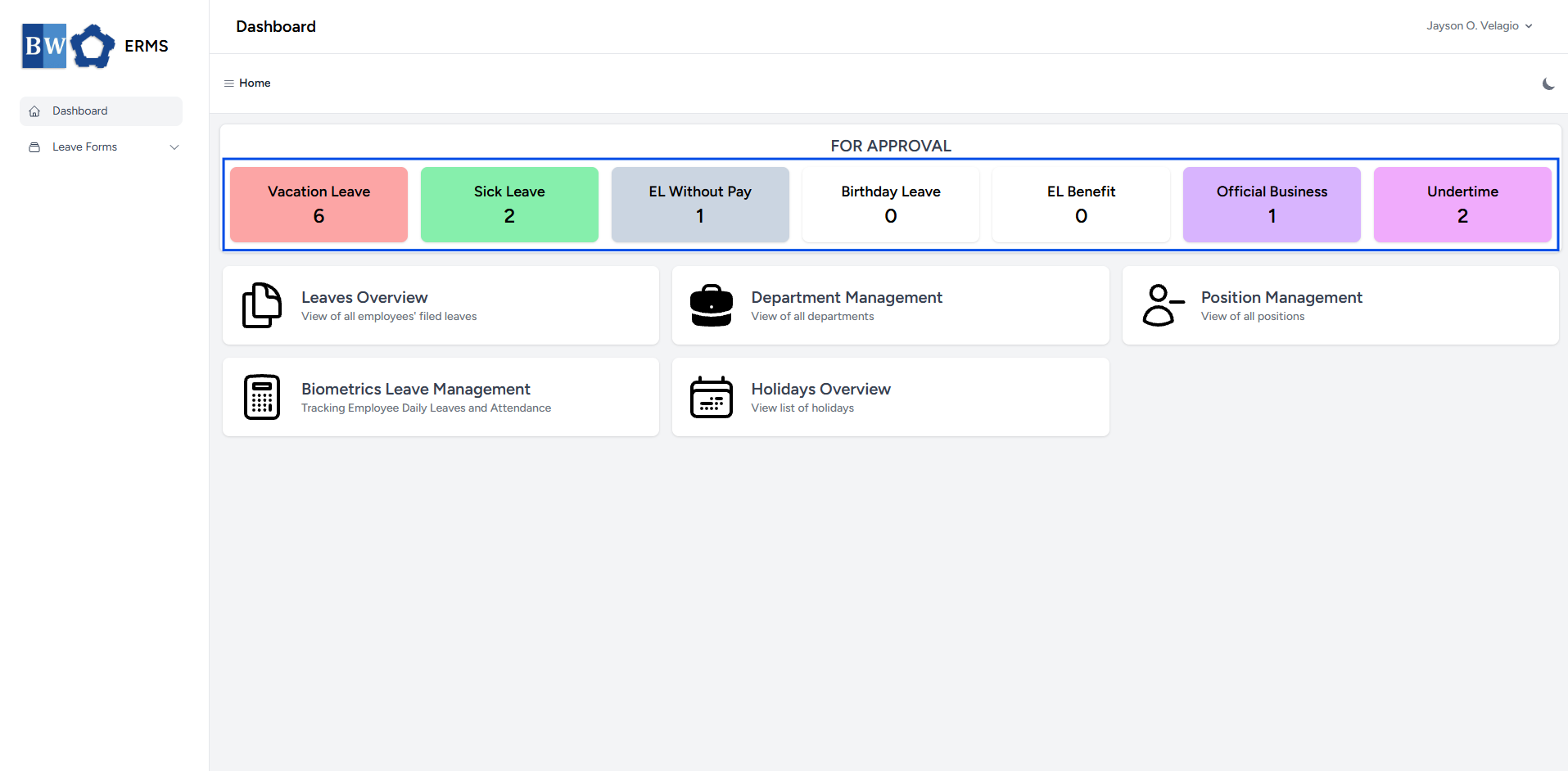
-
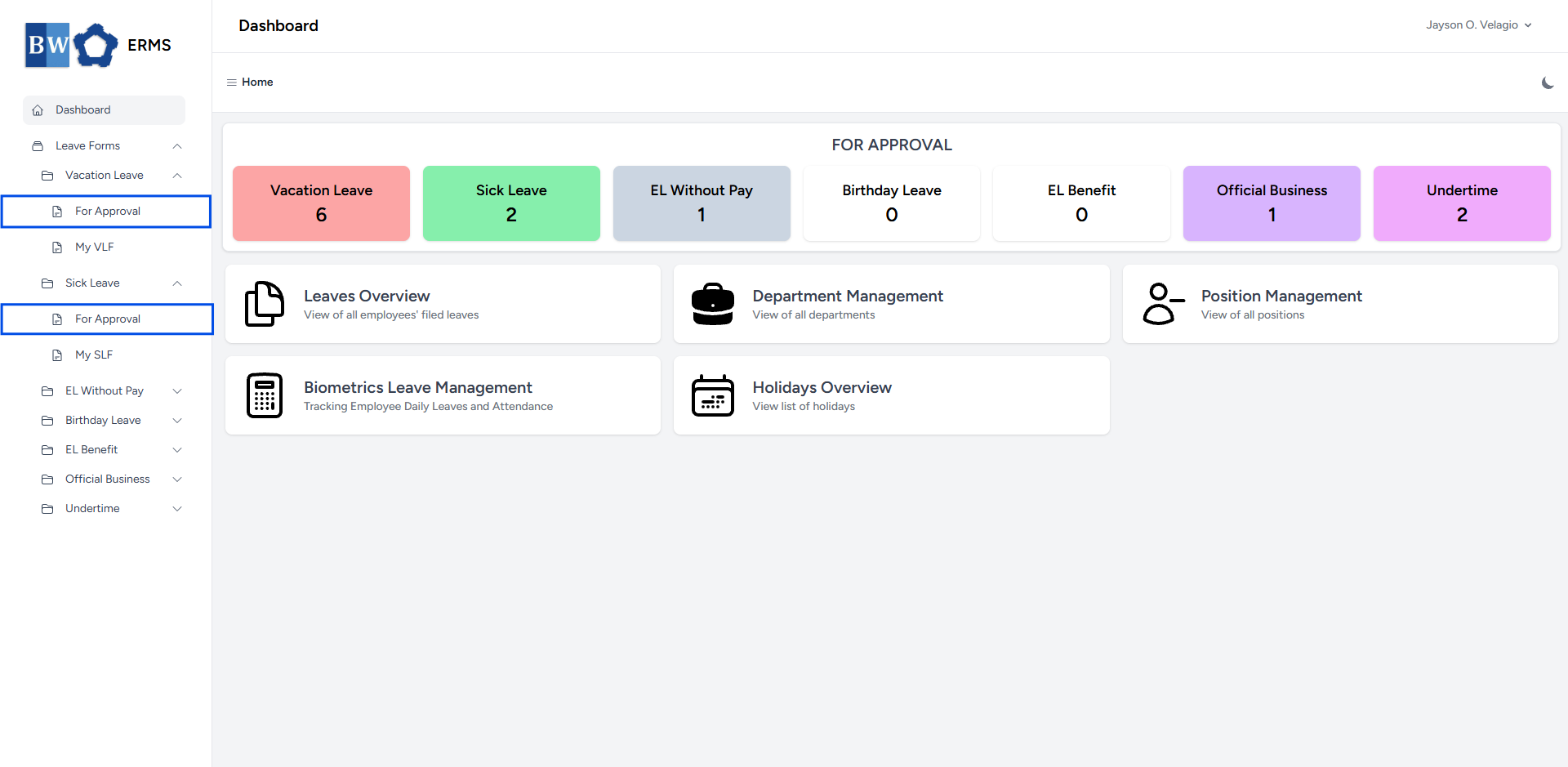
Or, in the Sidebar, click the Leave Forms dropdown.
- From the list that appears, select desired Filed Leave.
- Then, click For Approval to view your employee's Filed Leave.
- It will open the specific Leave page you clicked.
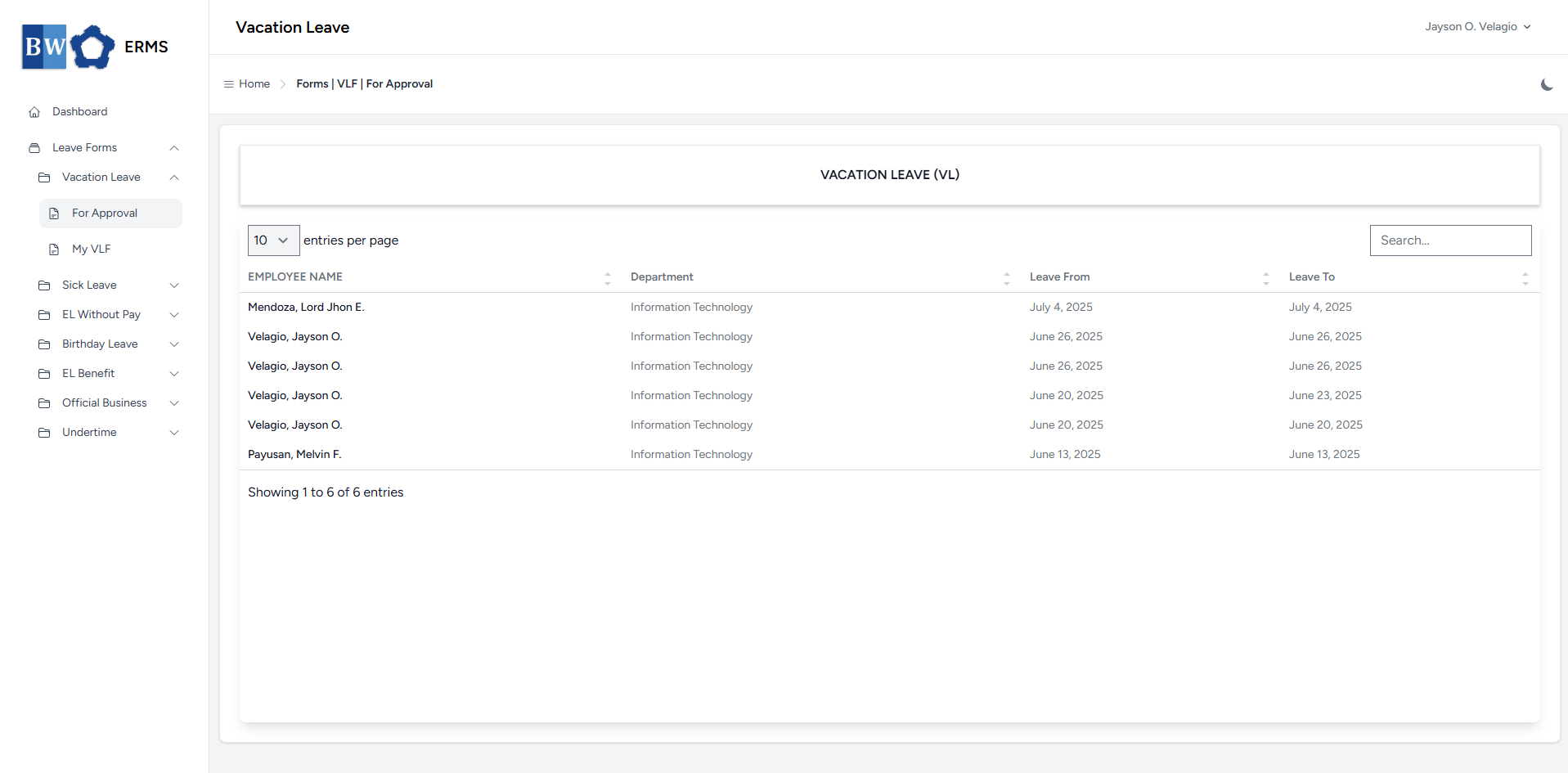
- On the specific Leave (For Approval) page, select the leave request you want to approve.
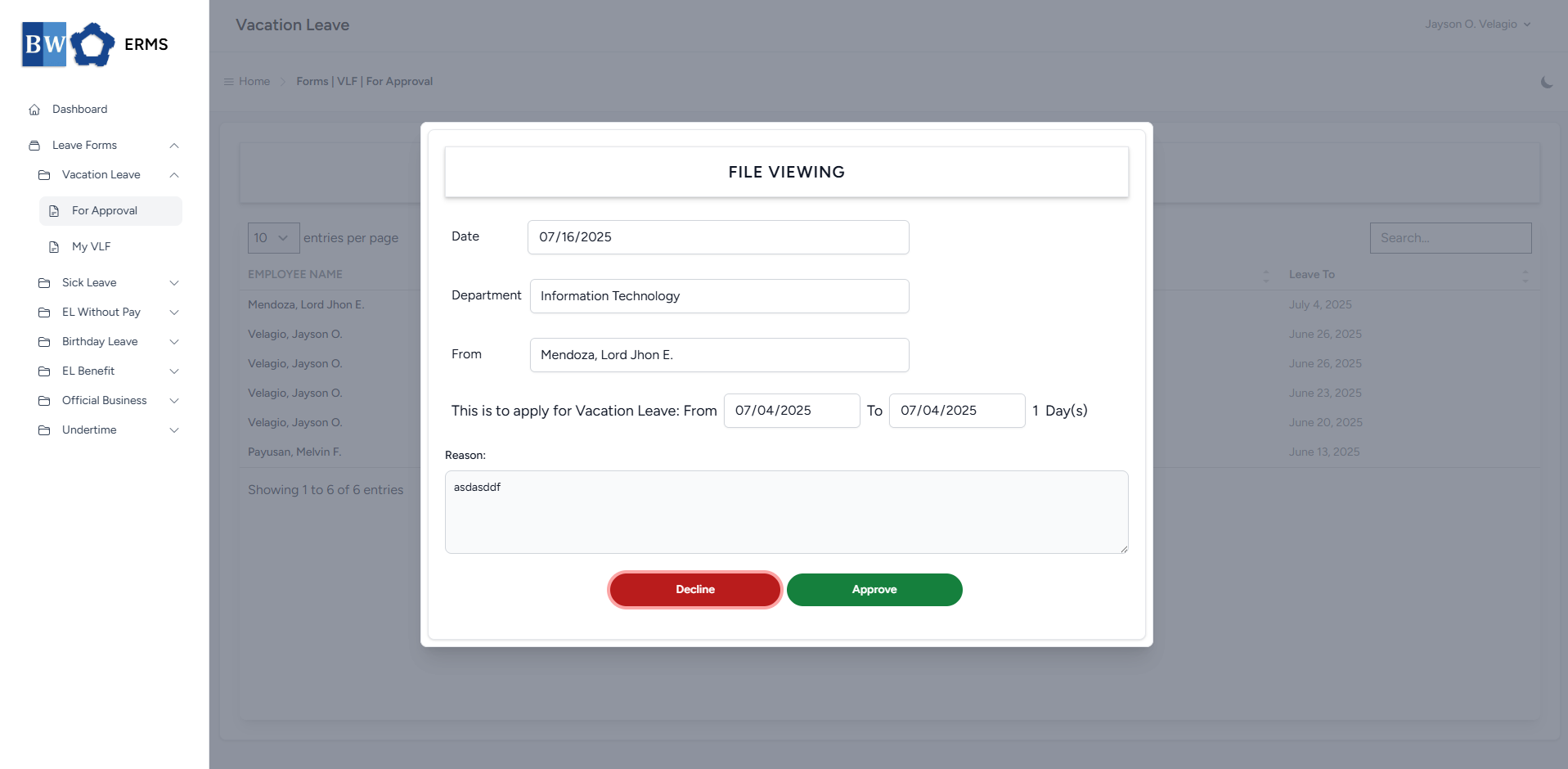
- Click the Approve button, it will show a modal for remarks.
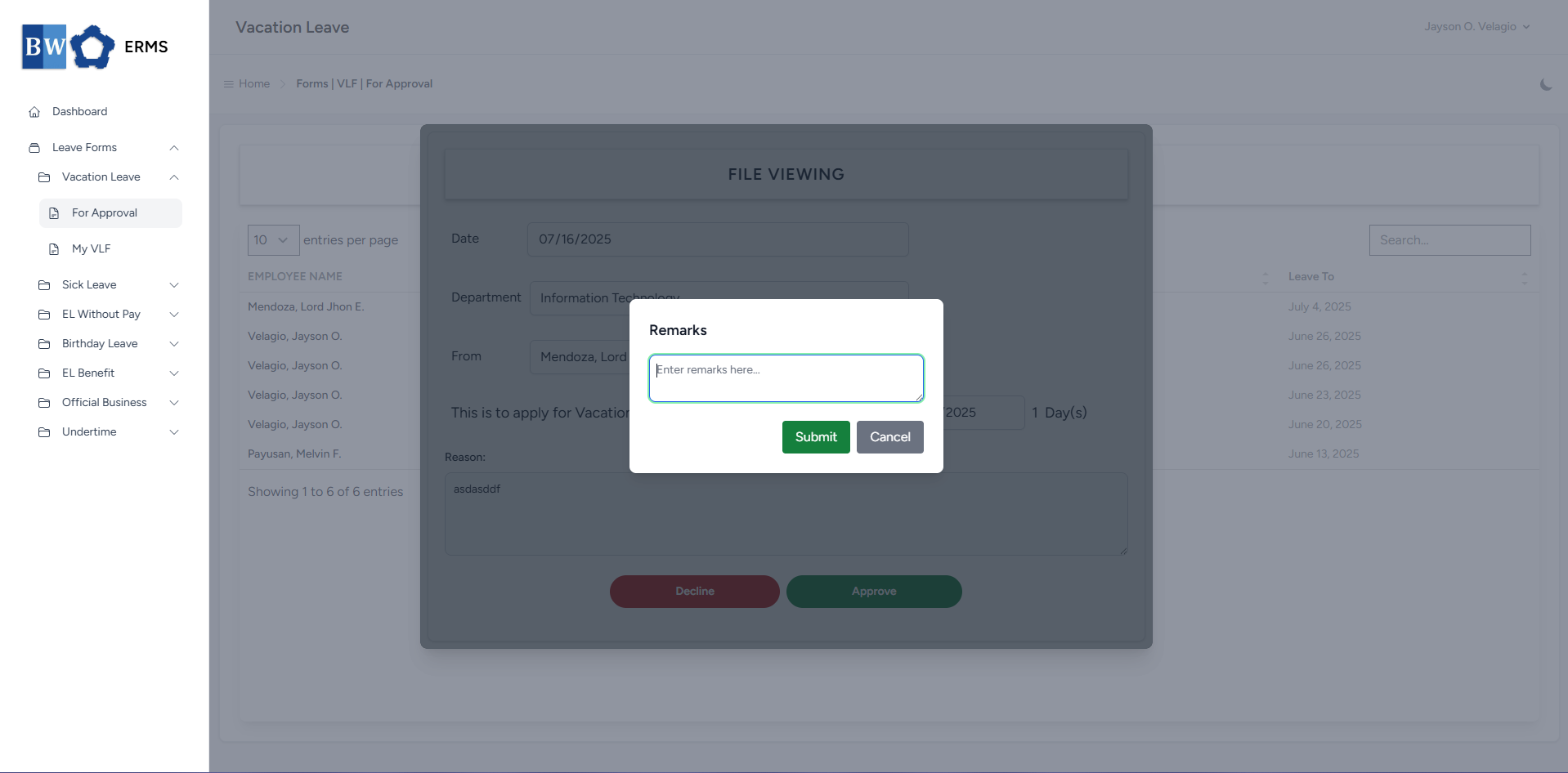
- Enter your remarks, then click the Submit button to authorize the employee’s leave request.
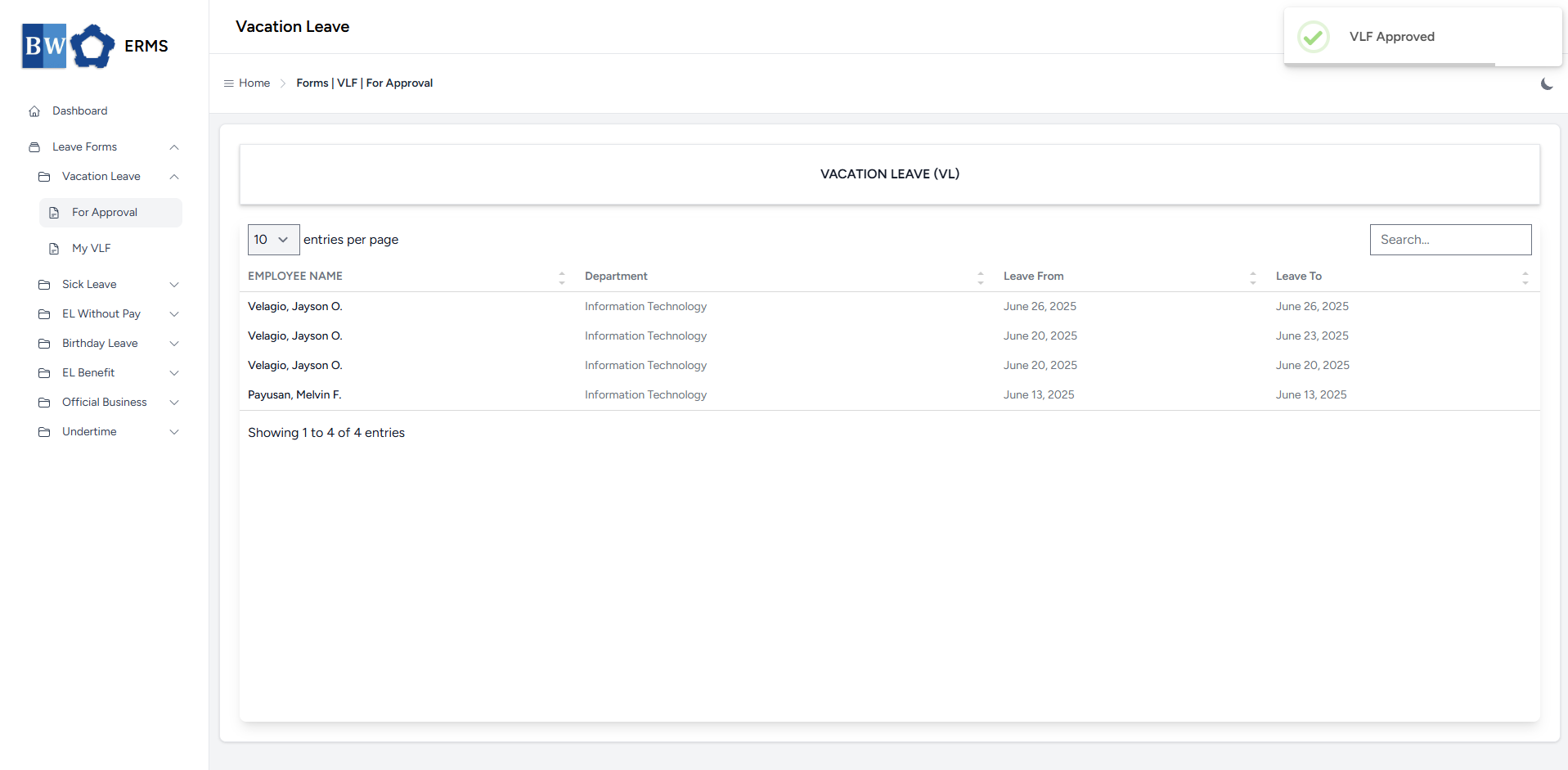
- After approving, a notification will appear saying that the specific Leave has been approved.
- The approved leave request will be removed in your For Approval list.