
AR Data Entry “No Effect” Checkbox – AR Report Impact (Billing, SOA, Aging) | May 22, 2026
Overview:
As requested, a “No Effect on AR Performance” checkbox has been added to the AR Data Entry when using Provisional Reciept (PR) and Acknowledgement Reciept (AR) transactions only.
Functionality:
When the “No Effect on AR Performance” option is selected:
-
- It will not be reflected in the Sales Invoice (SI) Balance Inquiry
- The transaction will not affect the Statement of Account (SOA)
- It will not impact the Aging Analysis report
Behavior
-
Checked → No impact on AR reports
-
Unchecked → Transaction behaves normally
Scope: This functionality applies to Provisional Reciept (PR) and Acknowledgement Reciept (AR) transactions only
Purpose:
This feature allows users to record transactions for reference or documentation purposes without affecting financial reports and balances.
Usage Guidelines:
- Enable the checkbox only when the transaction should have no financial impact.
- Applicable only to Provisional Receipt (PR) and Acknowledgement Receipt (AR) transactions.
- Ensure proper validation before selecting this option to avoid incorrect reporting.
Updates Included:
- Implementation of the “No Effect on AR Performance” checkbox in the AR Data Entry module.
- Additional enhancements based on the approved request for the ARIS FCC program.
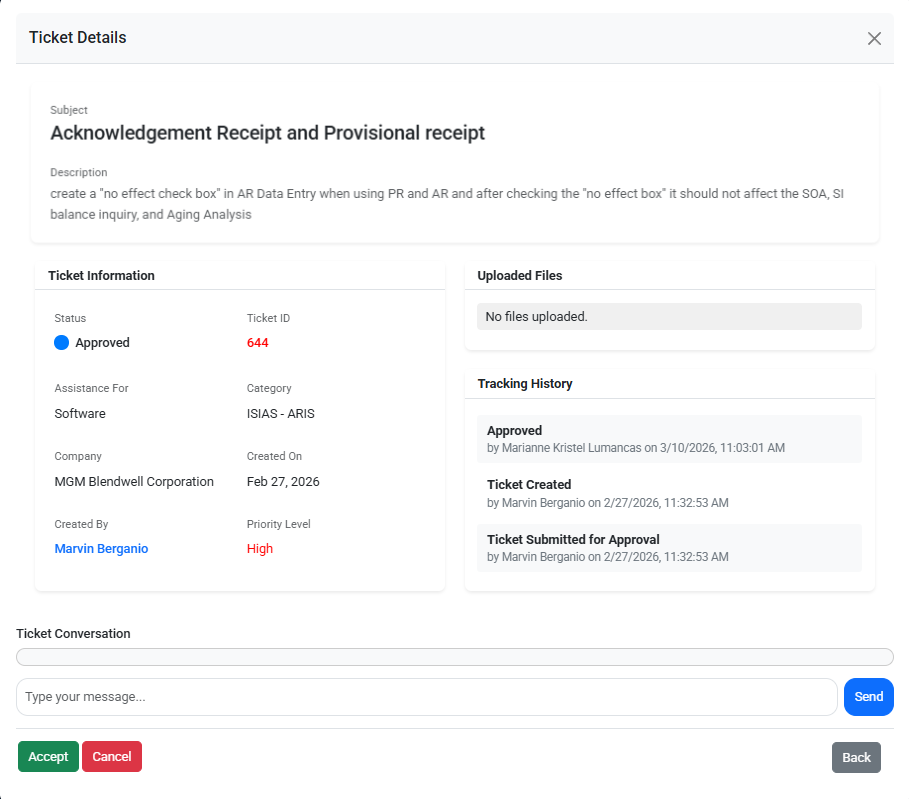
Reference (Ticket Details):
This update is implemented based on the approved request
Ticket ID: 644
Screenshots / Visual Reference:
Attached below are the screenshots of the accomplished updates for ARIS BW program
Click the arrow (▶) to expand, collapse, and view the corresponding screenshots.
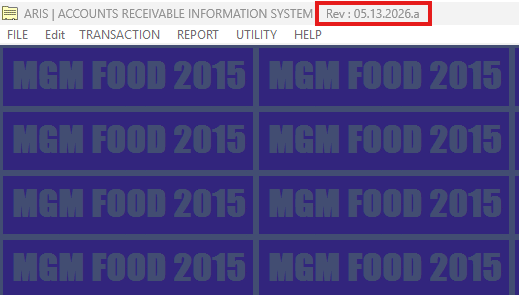
ARIS Foods REV
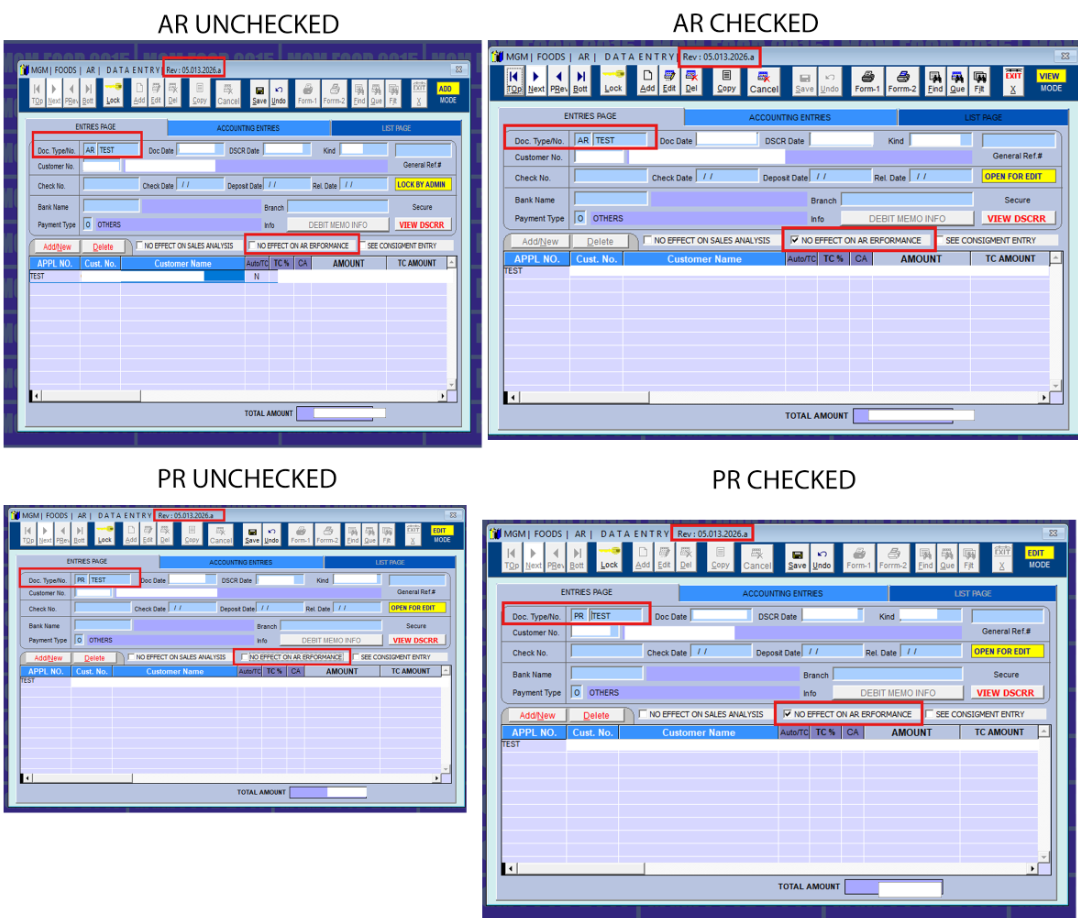
AR Data Entry – Transaction Type
Select “AR” or “PR” as the transaction type (unchecked or checked).
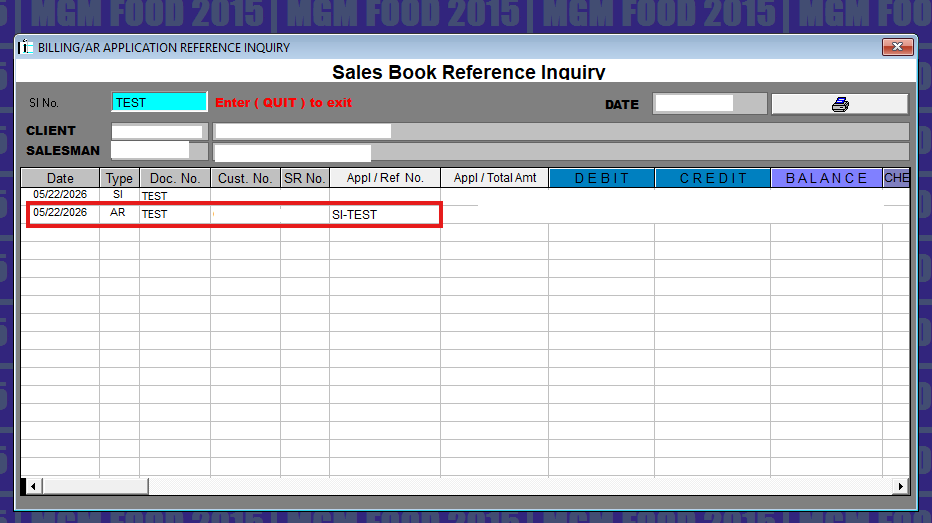
Unchecked: No Effect on AR Performance Expected Results
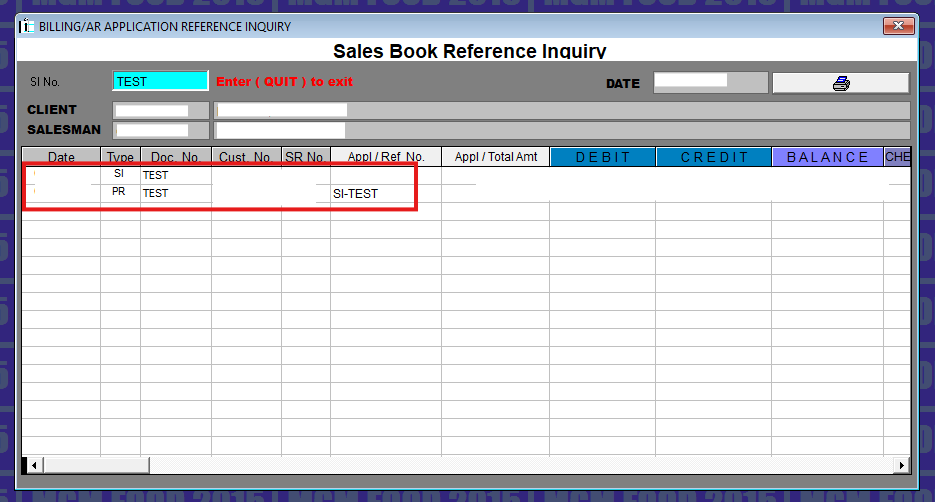
Billing/AR Application Inquiry
AR and PR transactions are reflected in the Billing Inquiry when the “No Effect” checkbox is not selected (unchecked).
Statement of Account (SOA)
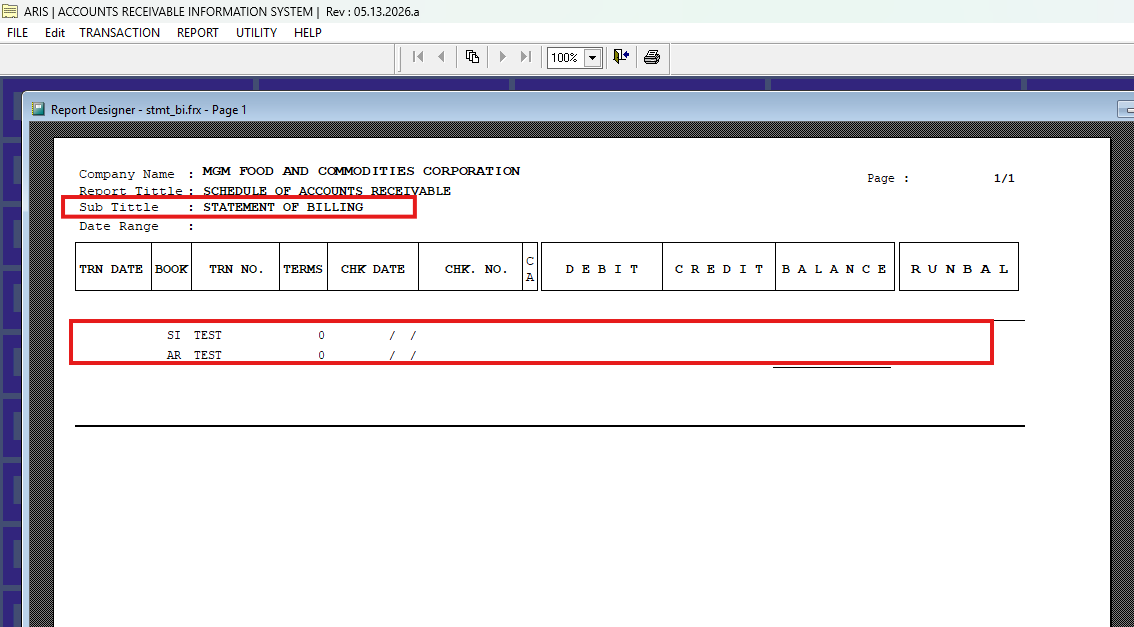
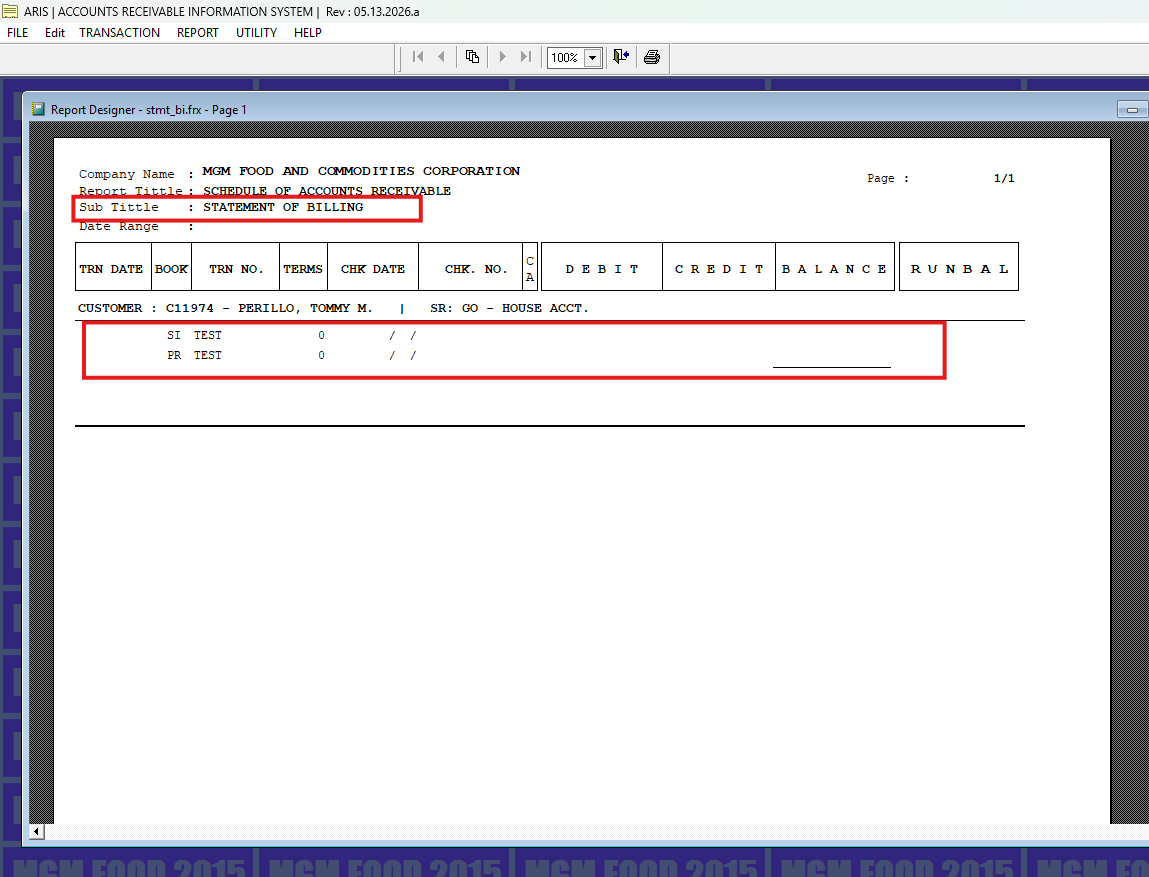
AR and PR transactions are reflected in the Statement of Accounts (SOA) when the “No Effect” checkbox is not selected (unchecked).
Aging Analysis
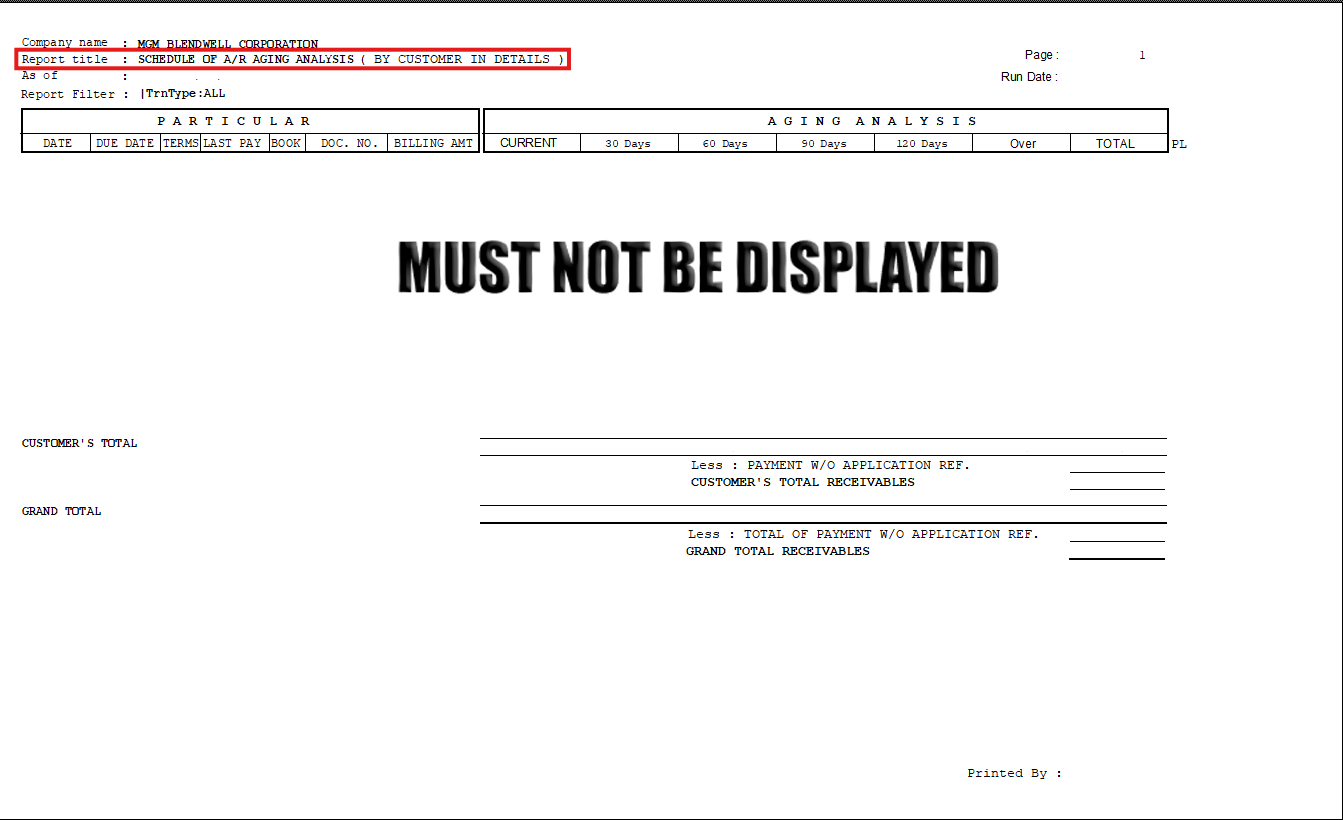
AR and PR transactions are reflected in the Aging Analysis (outcome/print preview) when the “No Effect” checkbox is not selected (unchecked).
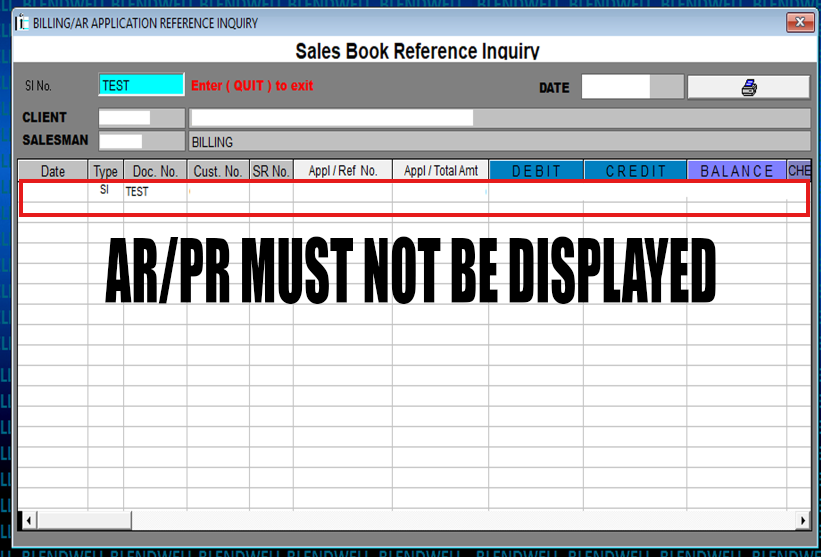
Checked: No Effect on AR Performance Expected Results
Billing/AR Application Inquiry
AR and PR transactions are reflected in the Billing Inquiry when the “No Effect” checkbox is selected (checked).
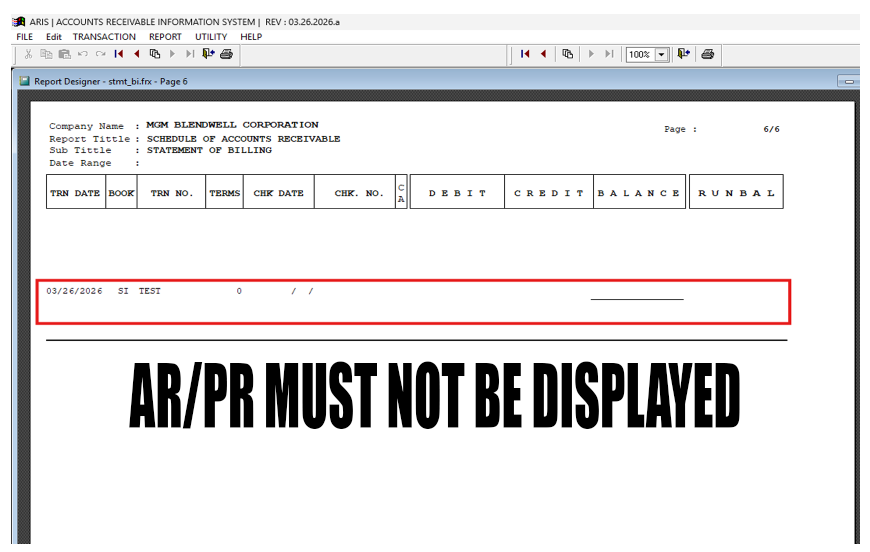
Statement of Account (SOA)
AR and PR transactions are reflected in the Billing Inquiry when the “No Effect” checkbox is selected (checked).
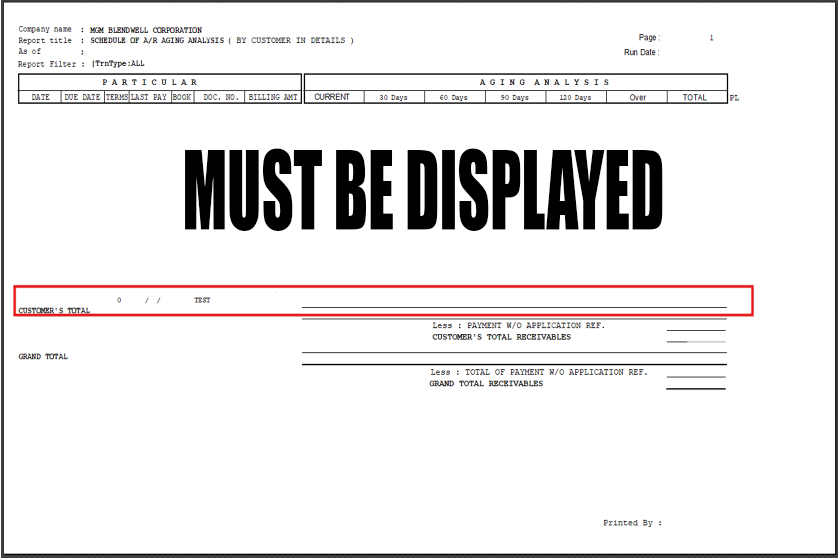
Aging Analysis
AR and PR transactions are reflected in the Aging Analysis (outcome/print preview) when the “No Effect” checkbox is selected (checked).
No Comments