
Assigning Approver
This section provides a clear and complete guide on how to access Position Management as a HRIS Admin, outlining the steps and responsibilities involved.
To access the User Management page:
-
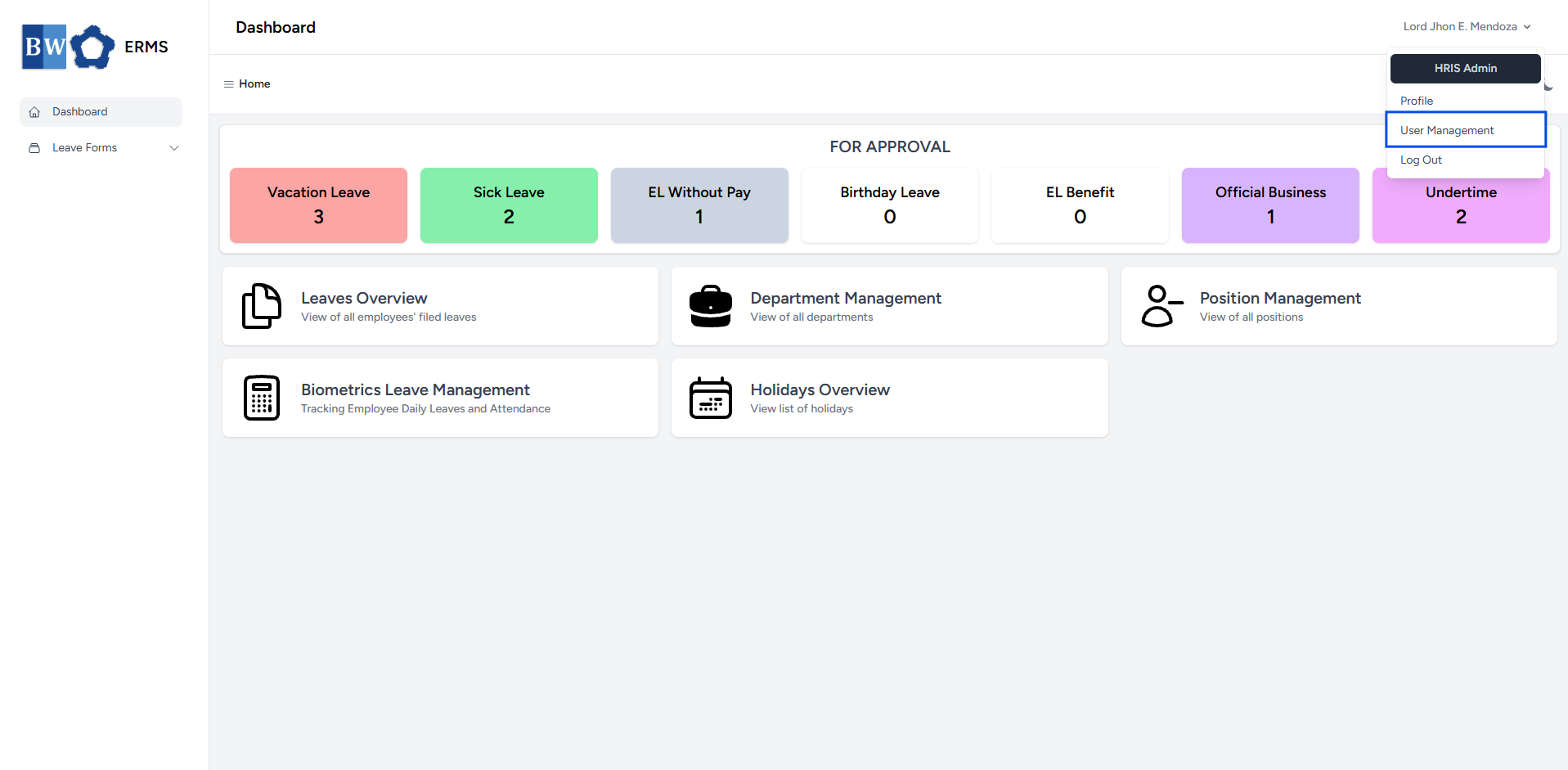
Click your name at the top right corner of the screen.

- A dropdown will appear, where you can find the User Management option. Click it.
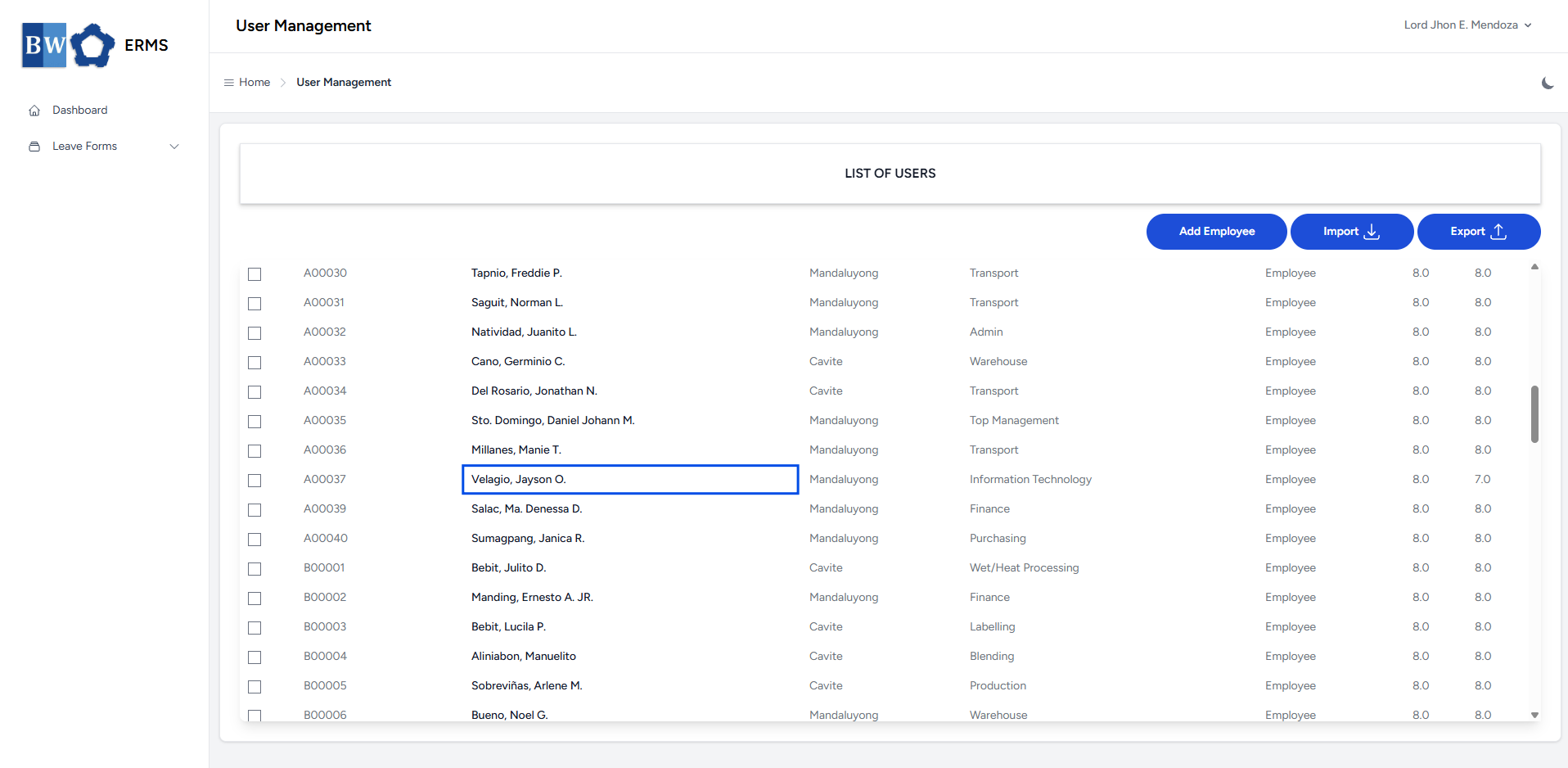
- It will open the User Management page.

- On the User Management page, click a user's full name in the
Add Employeebuttonrow toopeneditthetheirform.details.
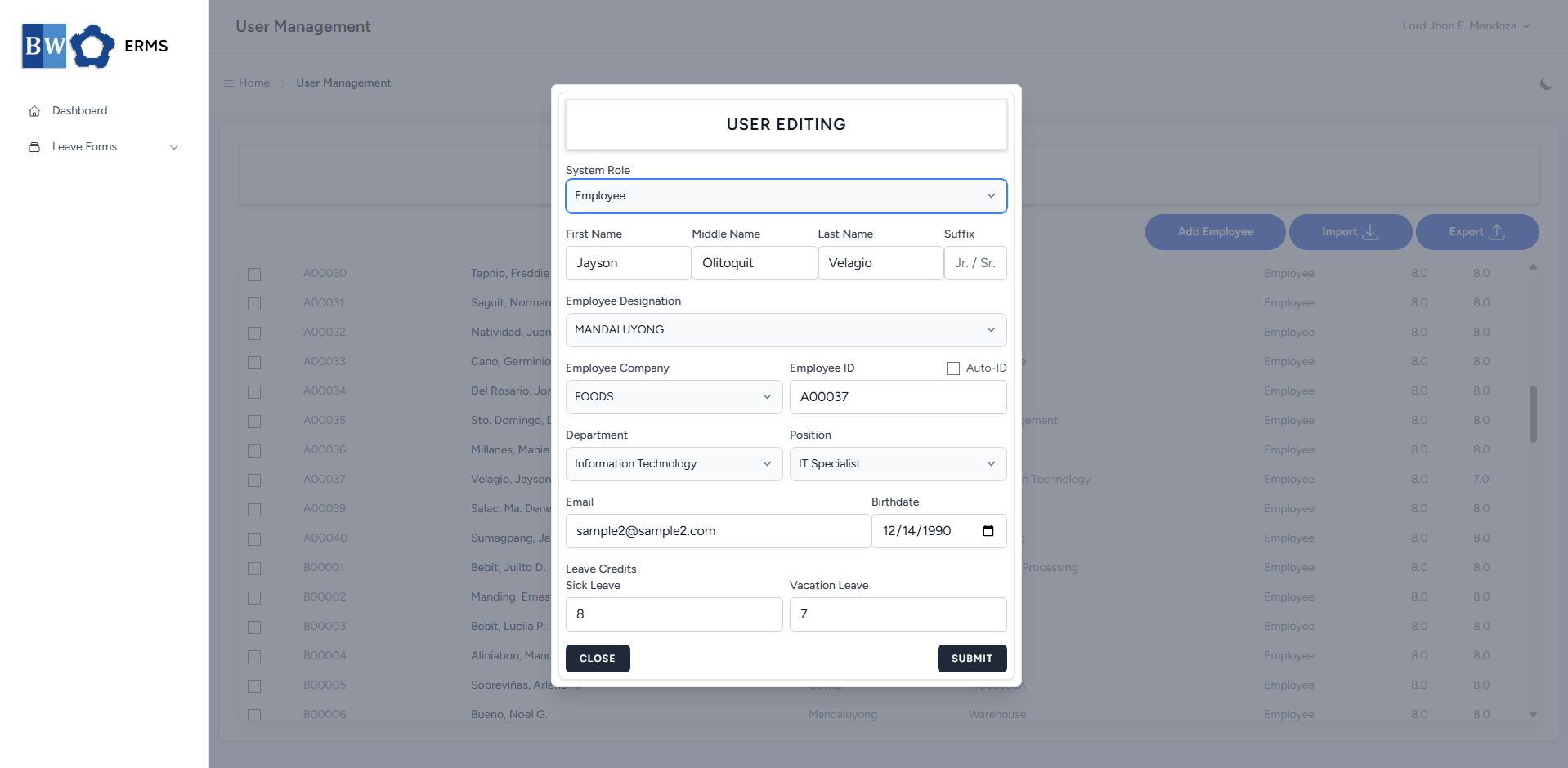
- Fill out the required fields, then click Submit.
- Note: Employee ID must be unique and not duplicated.
- After submitting, a notification will appear saying that the User has been created. The created user will be added to the list.