# Sales Marketing (MSIS - FOODS)

# MSIS .NET FCC Changelog


# Sales Invoice Access – Cash and Charged Tick Box & Print Payment Type Option | March 11, 2026

**Overview**

An update has been implemented in **MSIS .NET (FCC)** to enhance the Sales Invoice (S.I.) Data Entry printing function and provide **controlled access** to the optional use of **Cash and Charged tick boxes**.

This also introduces new options for printing payment type on Sales Invoice reports.

**Functionality** With the applied update:

- Users with assigned permission can access: 
    - **Print Payment Type on Report**
    - **Do Not Print Payment Type on Report**
- These options will **only be visible and usable** by authorized users

**Access Control**

- Access is restricted to selected users (e.g., SOP team)
- Only users with the appropriate **module rights/permissions** can: 
    - View the options
    - Use the printing settings

**Behavior**

- **With Permission** → Options are visible and can be used
- **Without Permission** → Options are hidden and not accessible

**Purpose**

This update ensures that **printing behavior and payment type visibility** in Sales Invoices are controlled and limited to authorized users, maintaining consistency and preventing unintended changes.

**Scope** Applies to:

- Sales Invoice Data Entry (S.I. Entry)
- MSIS .NET (FCC) system

**Updates Included**

<div class="x_elementToProof" id="bkmrk-additional-printing-">- Additional printing options:
    
    
    - Print Payment Type on Report
    - Do Not Print Payment Type on Report
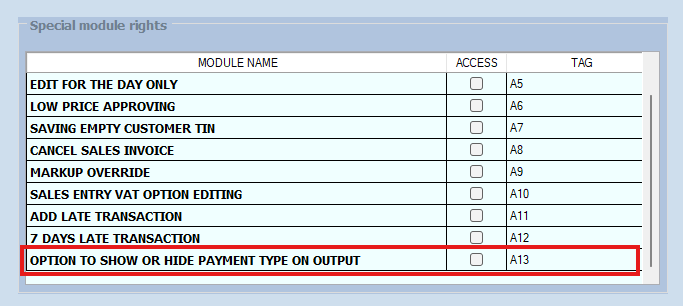
- Implementation of access control for Cash and Charged tick box usage
- New module rights for selected users

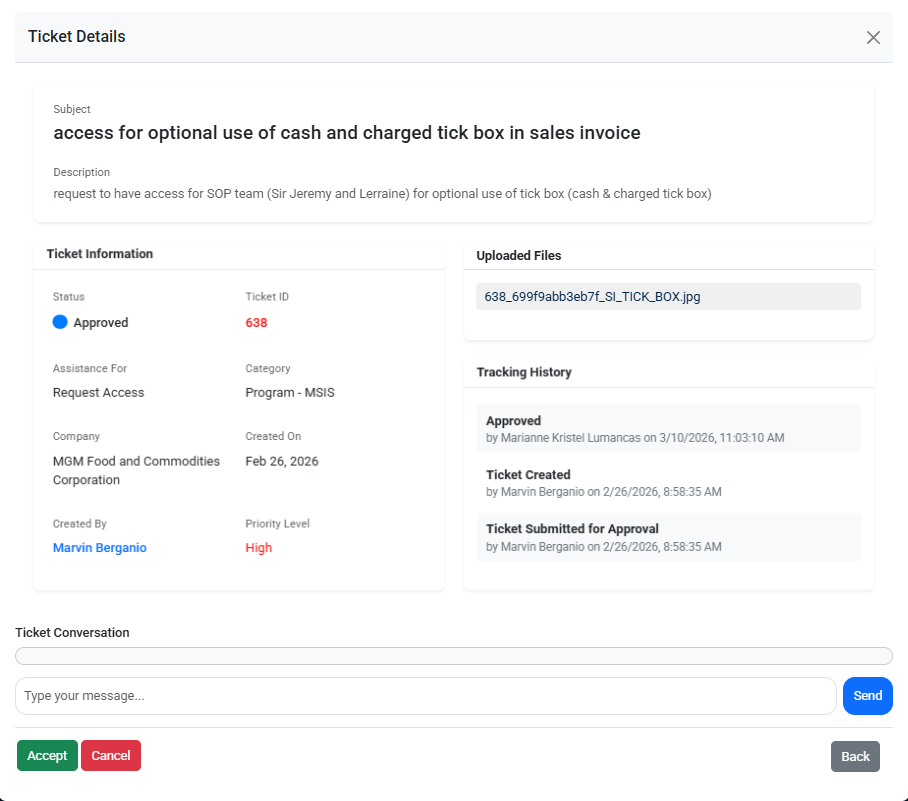
</div>**Reference (Ticket Details):**  
This update is implemented based on the approved request

<details id="bkmrk-ticket-id%3A-638"><summary>Ticket ID: 638</summary>

![](https://kb.mgmfoods.com.ph/uploads/images/gallery/2026-03/embedded-image-ouq7r3dn.png)

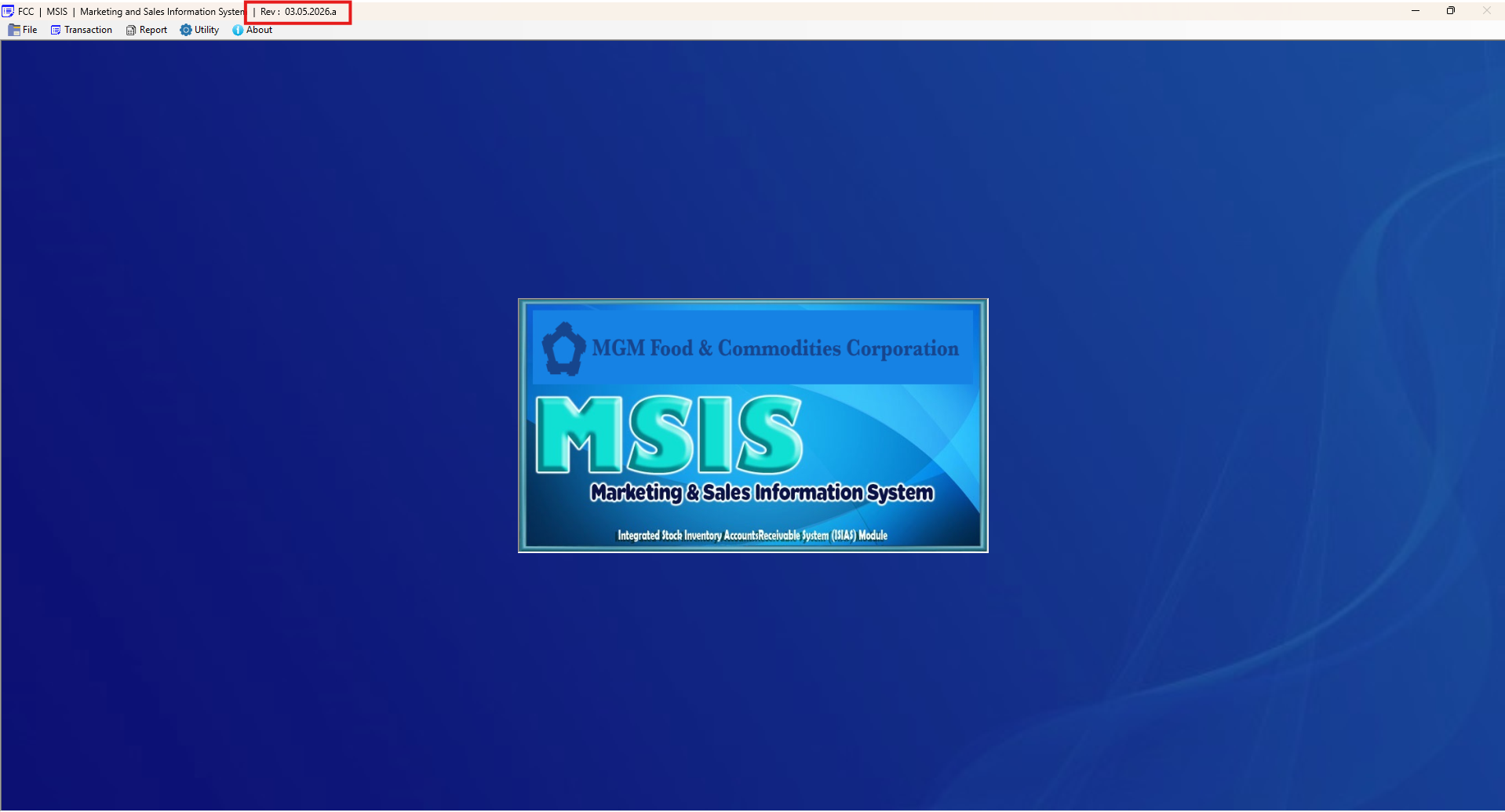
</details><details id="bkmrk-msis-.net-fcc-rev"><summary>MSIS .NET FCC REV</summary>

![](https://kb.mgmfoods.com.ph/uploads/images/gallery/2026-03/embedded-image-aan0g0ad.png)

</details><details id="bkmrk-new-module-rights-ad"><summary>New Module Rights Added</summary>

![](https://kb.mgmfoods.com.ph/uploads/images/gallery/2026-03/embedded-image-fbnq0ywr.png)

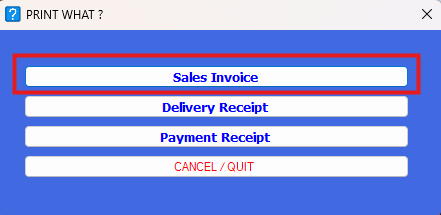
</details><details id="bkmrk-printing-sales-invoi"><summary>Printing Sales Invoice</summary>

![](https://kb.mgmfoods.com.ph/uploads/images/gallery/2026-03/embedded-image-4ng3rbwu.png)

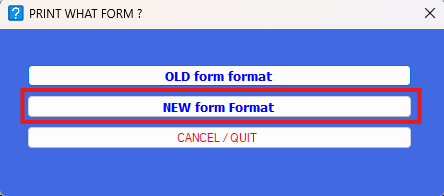
</details><details id="bkmrk-print-form-option"><summary>Print Form Option</summary>

![](https://kb.mgmfoods.com.ph/uploads/images/gallery/2026-03/embedded-image-x7akl8k1.png)

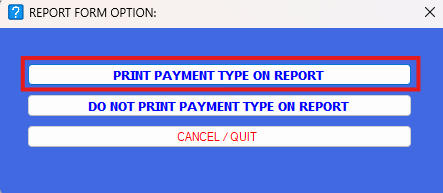
</details><details id="bkmrk-report-form-option"><summary>Report Form Option</summary>

![](https://kb.mgmfoods.com.ph/uploads/images/gallery/2026-03/embedded-image-nlxcwm7m.png)

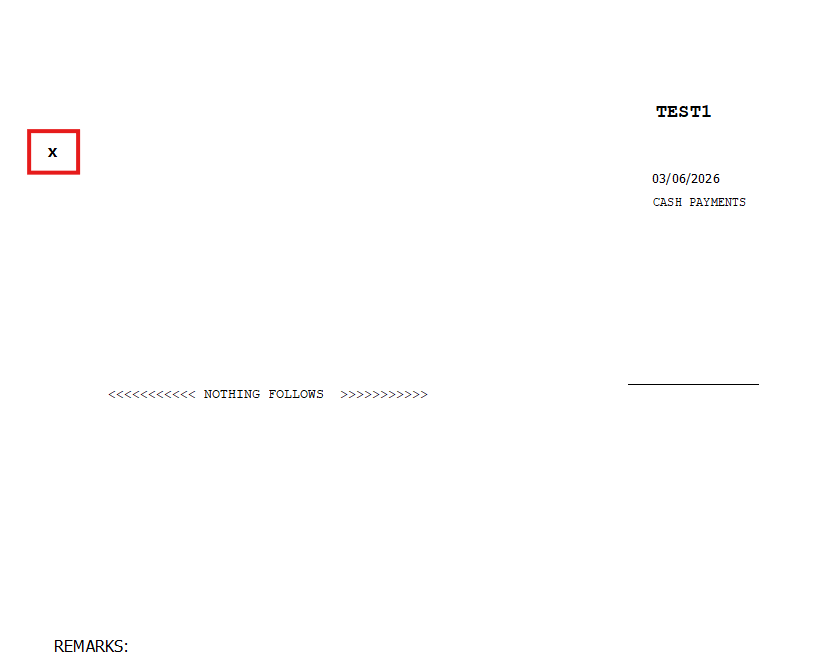
</details><details id="bkmrk-details-form-for-pri"><summary>Details Form for Print Payment Type on Report</summary>

![](https://kb.mgmfoods.com.ph/uploads/images/gallery/2026-03/embedded-image-mqrxxkpf.png)

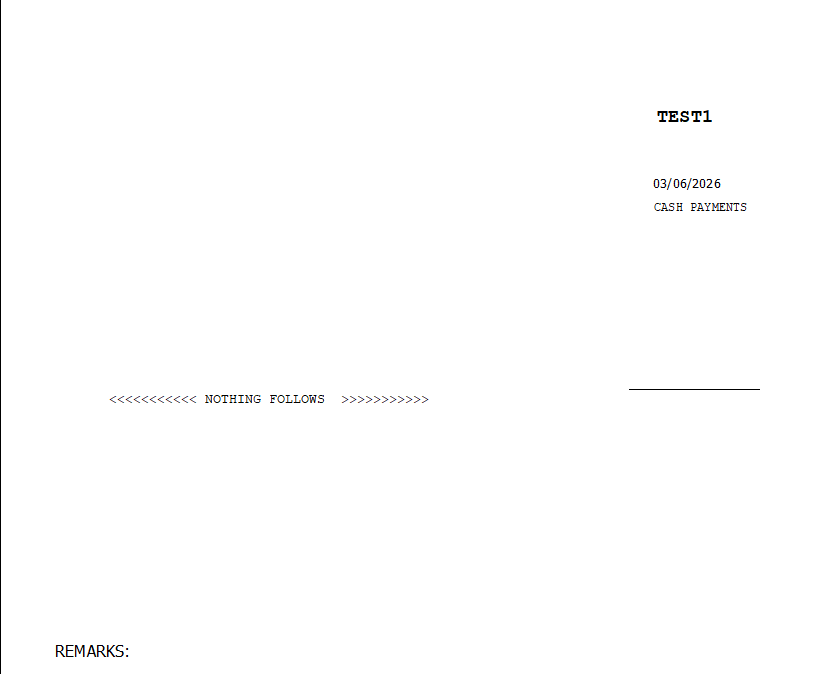
</details><details id="bkmrk-details-form-for-do-"><summary>Details Form for Do Not Print Payment Type on Report</summary>

**![](https://kb.mgmfoods.com.ph/uploads/images/gallery/2026-03/embedded-image-ezstmos4.png)**

</details>

# Sales Invoice Update – VAT Amount Computation in Print Format | April 15, 2026

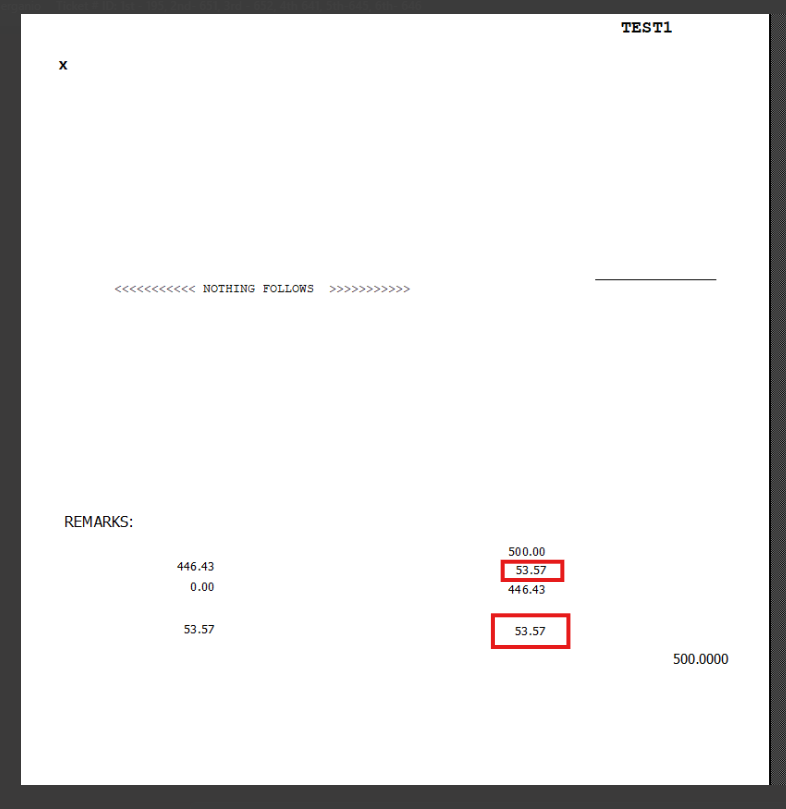
**Overview** An update has been implemented in **MSIS .NET (FCC)** to include **VAT amount computation** in the Sales Invoice print format.  
This enhancement ensures that VAT values are properly displayed in the printed Sales Invoice.

**Functionality** With this update:

- VAT amount is now **automatically computed and displayed** in the Sales Invoice printout
- The computation appears in the **final printed format**
- Users can verify VAT values directly from the printed document

**Result** The printed Sales Invoice now includes:

- **VAT Amount Computation**
- Updated total values reflecting VAT

**Purpose** This update ensures accurate financial reporting by including VAT computation directly in the Sales Invoice printout.

**Scope** Applies to:

- Sales Invoice Printing
- MSIS .NET (FCC) system

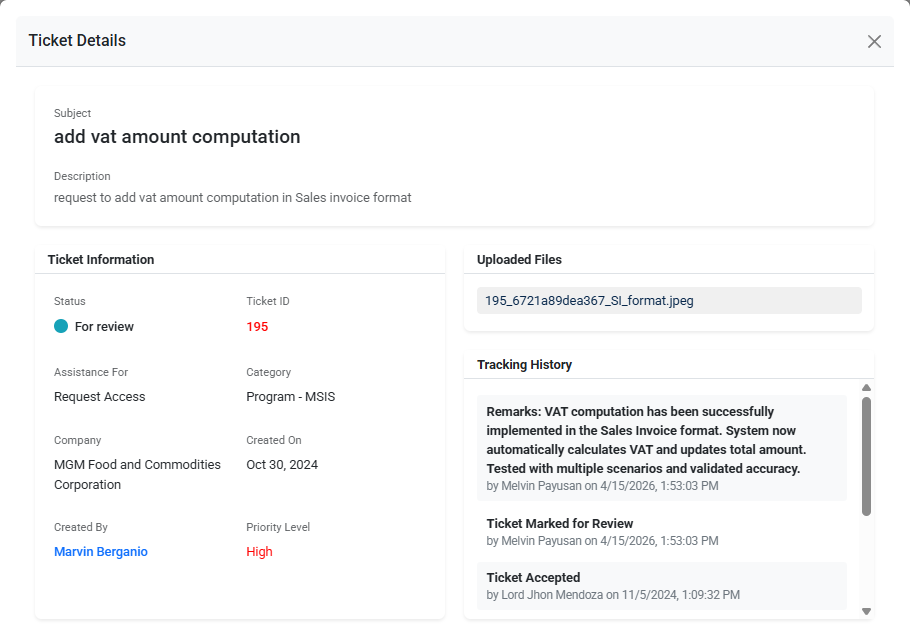
**Reference (Ticket Details):**  
This update is implemented based on the approved request

<details id="bkmrk-ticket-id%3A-195"><summary>Ticket ID: 195</summary>

[![image.png](https://kb.mgmfoods.com.ph/uploads/images/gallery/2026-04/scaled-1680-/image.png)](https://kb.mgmfoods.com.ph/uploads/images/gallery/2026-04/image.png)

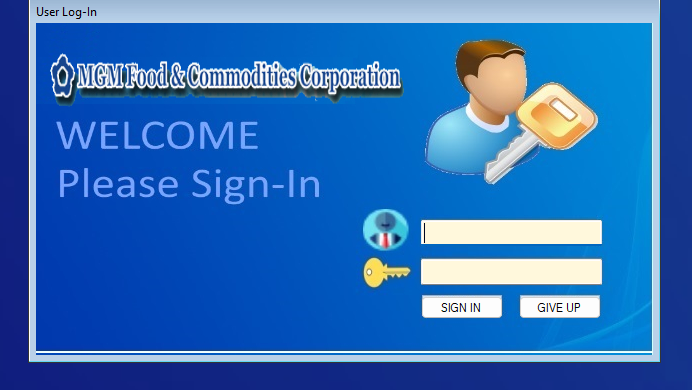
</details><details id="bkmrk-user-login-screen"><summary>User Login Screen</summary>

[![image.png](https://kb.mgmfoods.com.ph/uploads/images/gallery/2026-04/scaled-1680-/IxRimage.png)](https://kb.mgmfoods.com.ph/uploads/images/gallery/2026-04/IxRimage.png)

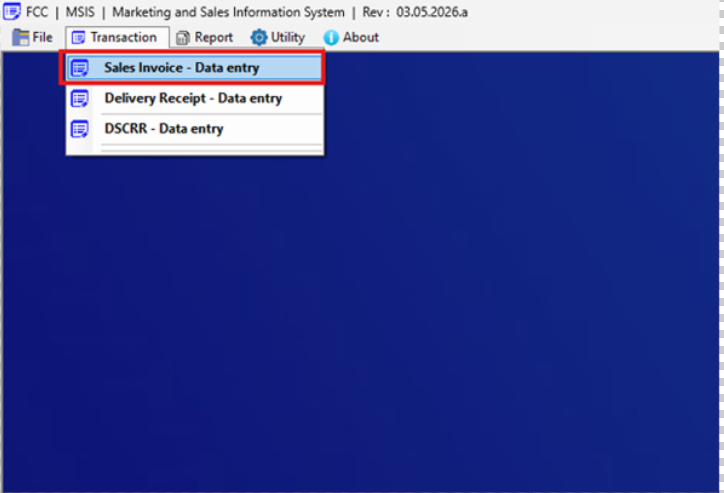
</details><details id="bkmrk-navigation-to-sales-"><summary>Navigation to Sales Invoice Data Entry</summary>

[![image.png](https://kb.mgmfoods.com.ph/uploads/images/gallery/2026-04/scaled-1680-/Yylimage.png)](https://kb.mgmfoods.com.ph/uploads/images/gallery/2026-04/Yylimage.png)

</details><details id="bkmrk-sales-invoice-data-e"><summary>Sales Invoice Data Entry Screen (Print Button)</summary>

[![image.png](https://kb.mgmfoods.com.ph/uploads/images/gallery/2026-04/scaled-1680-/cowimage.png)](https://kb.mgmfoods.com.ph/uploads/images/gallery/2026-04/cowimage.png)

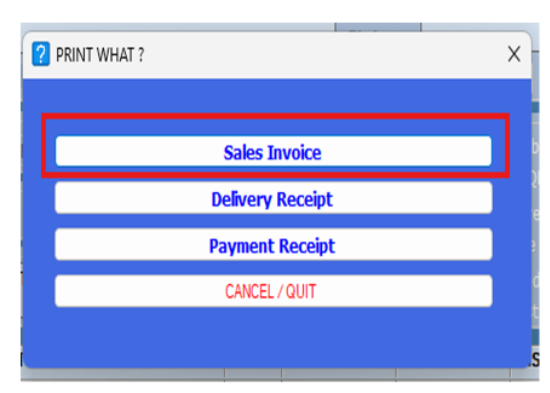
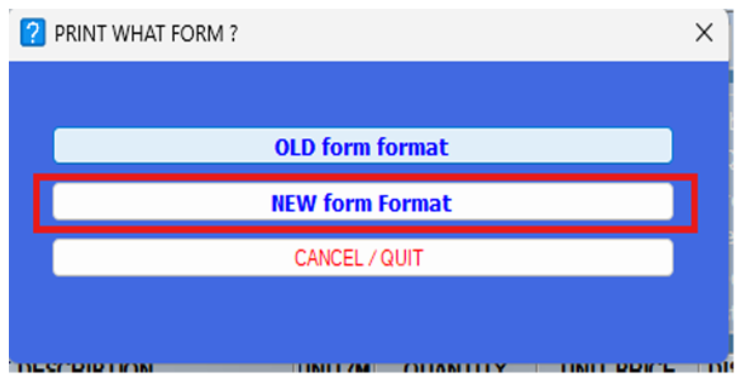
</details><details id="bkmrk-print-what-form-sele"><summary>Print What Form Selection – New Form Format</summary>

[![image.png](https://kb.mgmfoods.com.ph/uploads/images/gallery/2026-04/scaled-1680-/kcTimage.png)](https://kb.mgmfoods.com.ph/uploads/images/gallery/2026-04/kcTimage.png)

</details><details id="bkmrk-print-options-%E2%80%93-sale"><summary>Print Options – Sales Invoice</summary>

[![image.png](https://kb.mgmfoods.com.ph/uploads/images/gallery/2026-04/scaled-1680-/Ngdimage.png)](https://kb.mgmfoods.com.ph/uploads/images/gallery/2026-04/Ngdimage.png)

</details><details id="bkmrk-printed-output-%E2%80%93-vat"><summary>Printed Output – VAT Amount Computation Displayed</summary>

[![image.png](https://kb.mgmfoods.com.ph/uploads/images/gallery/2026-04/scaled-1680-/jraimage.png)](https://kb.mgmfoods.com.ph/uploads/images/gallery/2026-04/jraimage.png)

</details>