**Here's a general guide:**
**Open the PDF**: Double-click the PDF file you want to print. It should open in your default PDF viewer. If you don't have one installed, you can download Adobe Acrobat Reader or another PDF viewer from the internet. Note: Use the File Explorer to find the file if needed.
[](https://kb.mgmfoods.com.ph/uploads/images/gallery/2024-06/untitled-design-1.gif) ---**Select Print**: Once the PDF is open, you can typically find the print option in the menu bar at the top. Click on "Printer logo" in the menu bar and then select "Print." Alternatively, you can use the keyboard shortcut `Ctrl + P`. Note: A document can be printed using a different interface browser, such as **Google Chrome** or **Microsoft Edge**.
**Select Printer**: In the print dialog, select the printer you want to use from the "Destination" section. Make sure the correct printer is selected.
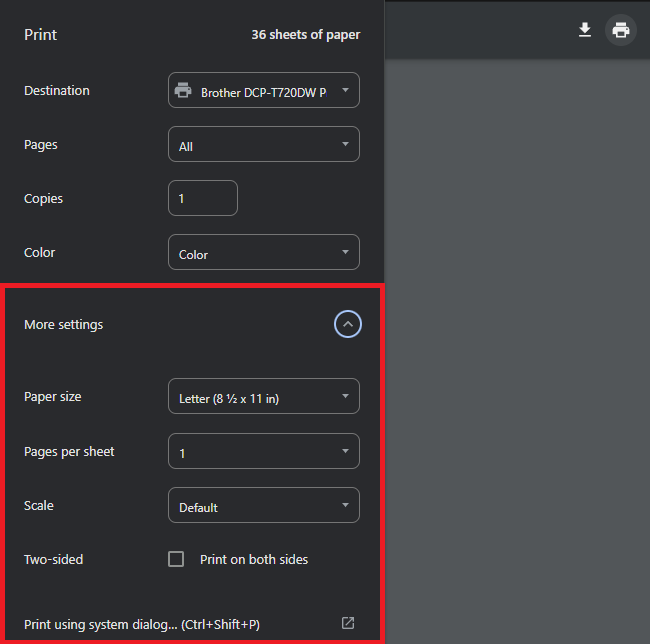
[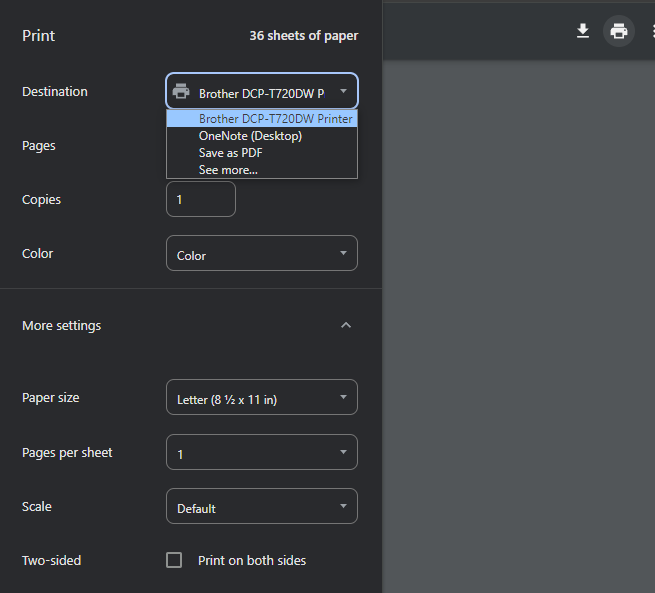](https://kb.mgmfoods.com.ph/uploads/images/gallery/2024-06/8bFimage.png) ---**Adjust print settings (optional)**: A print dialog box will appear, allowing you to adjust various print settings such as the printer you want to use, the number of copies, page range, orientation (portrait or landscape), and paper size. Make sure these settings match your preferences.
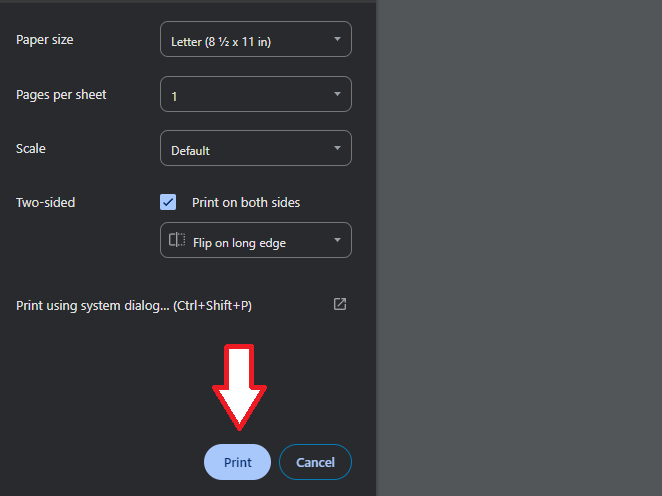
[](https://kb.mgmfoods.com.ph/uploads/images/gallery/2024-06/mb5excel.png) ---**Print**: Once you've adjusted the settings to your liking, click the "Print" button in the print dialog box to start printing. The printer will then begin processing the document and printing it according to your specified settings.
[](https://kb.mgmfoods.com.ph/uploads/images/gallery/2024-06/9s5excel.png) ---