# Login to OneDrive

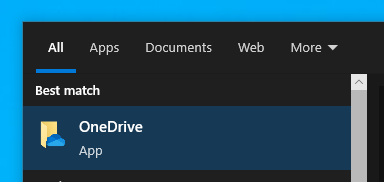
1. ##### First Search <span style="color: rgb(53, 152, 219);">OneDrive</span> on your windows search bar.
    
    [![image.png](https://kb.mgmfoods.com.ph/uploads/images/gallery/2024-06/scaled-1680-/frpimage.png)](https://kb.mgmfoods.com.ph/uploads/images/gallery/2024-06/frpimage.png)
2. ##### "<span style="color: rgb(224, 62, 45);">CLICK</span>" on the OneDrive application that appears on the result.
    
    [![image.png](https://kb.mgmfoods.com.ph/uploads/images/gallery/2024-06/scaled-1680-/UIgimage.png)](https://kb.mgmfoods.com.ph/uploads/images/gallery/2024-06/UIgimage.png)
3. ##### <span style="color: rgb(53, 152, 219);">OneDrive</span> login page will appear. Now you need to enter your company email address and password.
    
    [![image.png](https://kb.mgmfoods.com.ph/uploads/images/gallery/2024-06/scaled-1680-/cSwimage.png)](https://kb.mgmfoods.com.ph/uploads/images/gallery/2024-06/cSwimage.png)
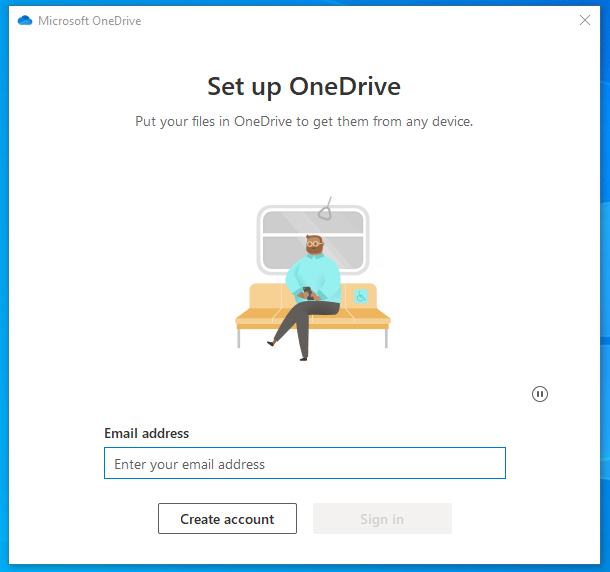
    
    #####   
      
    Enter your password  
    [![image.png](https://kb.mgmfoods.com.ph/uploads/images/gallery/2024-06/scaled-1680-/BS4image.png)](https://kb.mgmfoods.com.ph/uploads/images/gallery/2024-06/BS4image.png)
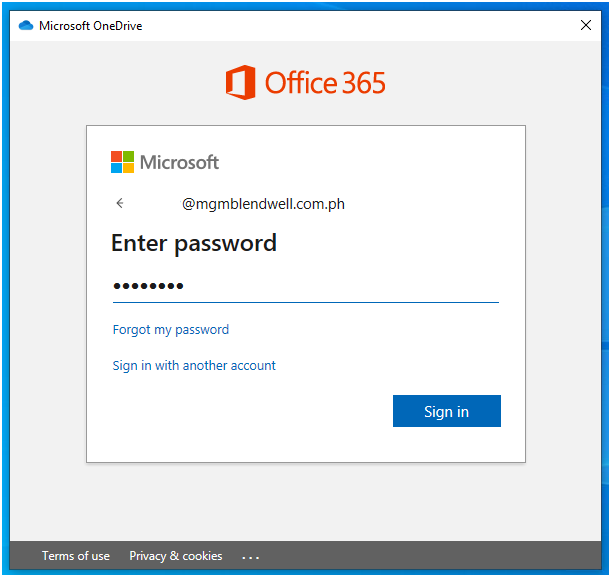
    
    ##### Then "<span style="color: rgb(224, 62, 45);">CLICK</span>" Next
    
    [![image.png](https://kb.mgmfoods.com.ph/uploads/images/gallery/2024-06/scaled-1680-/RIdimage.png)](https://kb.mgmfoods.com.ph/uploads/images/gallery/2024-06/RIdimage.png)
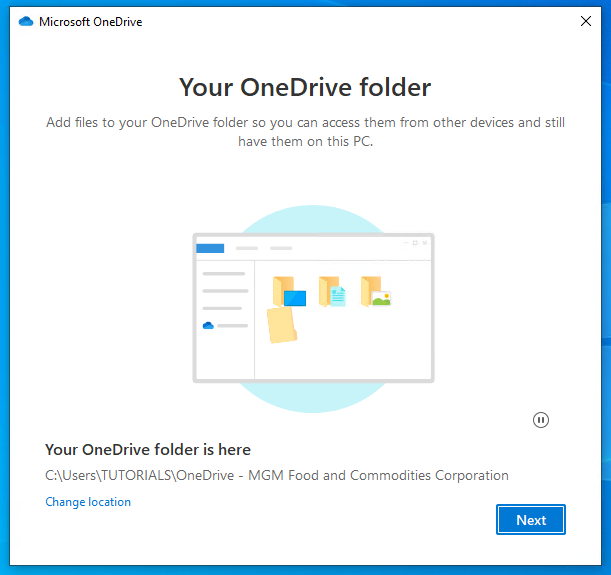
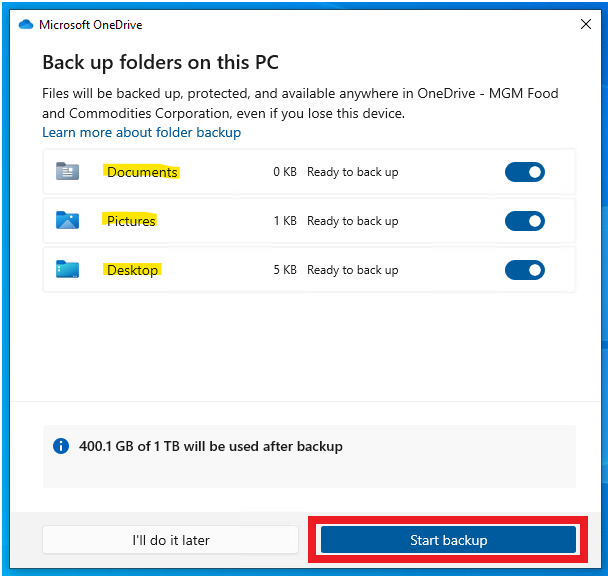
4. ##### Make sure you selected these three folders for your backup. All the files you save inside these folders will be automatically backed up to your <span style="color: rgb(53, 152, 219);">OneDrive</span> cloud. Then <span style="color: rgb(224, 62, 45);">Click</span> Start Backup.
    
    [![image.png](https://kb.mgmfoods.com.ph/uploads/images/gallery/2024-06/scaled-1680-/zvzimage.png)](https://kb.mgmfoods.com.ph/uploads/images/gallery/2024-06/zvzimage.png)
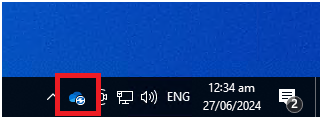
5. ##### Your <span style="color: rgb(53, 152, 219);">OneDrive</span> is now active. You will see its <span style="color: rgb(53, 152, 219);">blue</span> icon in the lower right side of your desktop, and it will begin <span style="color: rgb(45, 194, 107);">syncing</span>.  
    [![image.png](https://kb.mgmfoods.com.ph/uploads/images/gallery/2024-06/scaled-1680-/4Piimage.png)](https://kb.mgmfoods.com.ph/uploads/images/gallery/2024-06/4Piimage.png)