# Checking if your file is saved on OneDrive Cloud
##### If you want to check your OneDrive file online, Just click this blue cloud icon on the bottom right side of your desktop
[](https://kb.mgmfoods.com.ph/uploads/images/gallery/2024-06/Fwtimage.png)
If your OneDrive icon is grey or you are not logged in, please proceed to the [How to Login to OneDrive](https://kb.mgmfoods.com.ph/link/39#bkmrk-page-title) Section.
---
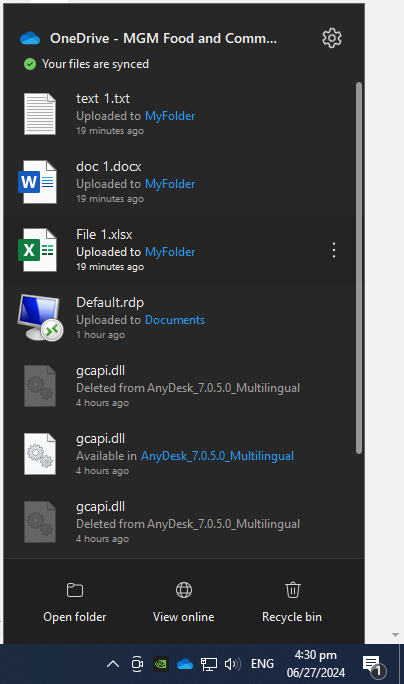
##### This box will appear, showing the status of what is happening in your OneDrive app.
[](https://kb.mgmfoods.com.ph/uploads/images/gallery/2024-06/2n5image.png)
---
##### To View your files online copy or back up. Simply click on the View Online icon
[](https://kb.mgmfoods.com.ph/uploads/images/gallery/2024-06/A9Dimage.png)
##### and it will automatically opens up your browser and redirect you to your portal account where you can access and view your files online
---
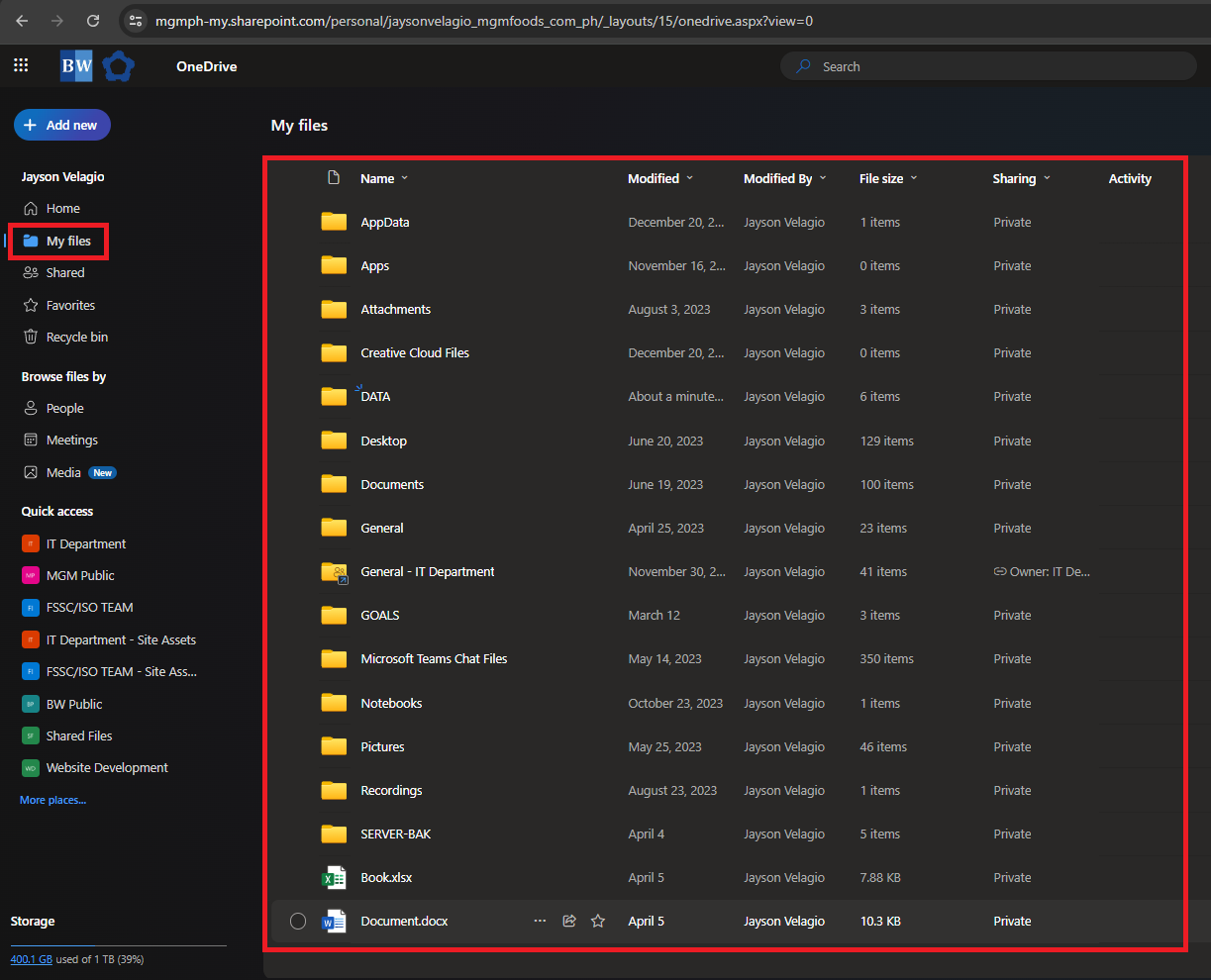
##### Your OneDrive Online file copies will be look like or similar to this
**Cloud Version:** The version stored online in the OneDrive cloud.
[](https://kb.mgmfoods.com.ph/uploads/images/gallery/2024-06/iaLimage.png)
---
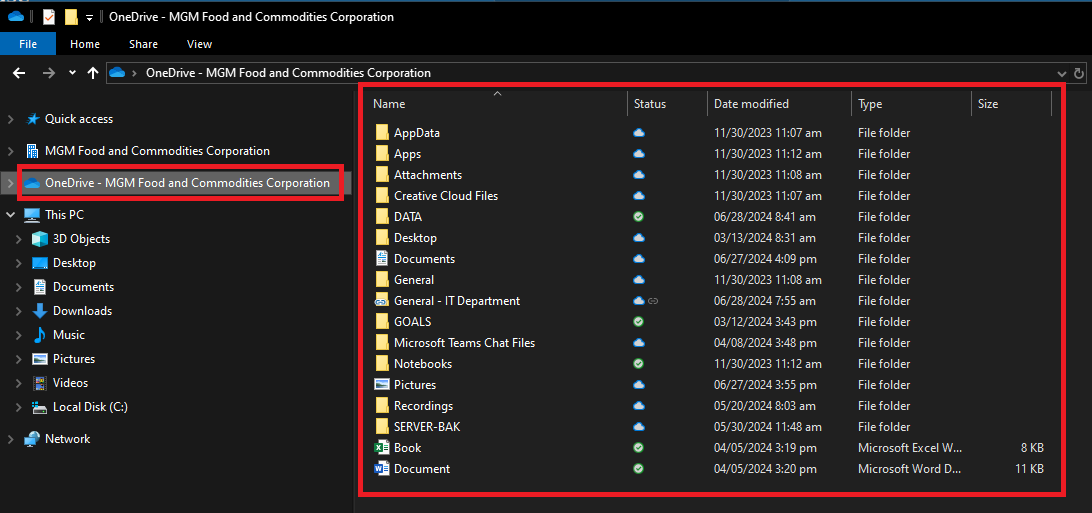
##### You can compare it to your local OneDrive folder if your files are on the cloud versus your local copies.
**Local Version:** The version stored on your computer's hard drive.
[](https://kb.mgmfoods.com.ph/uploads/images/gallery/2024-06/fSeimage.png)