# Forgot Password
If you forget your password, you can reset it by clicking the "**Forgot Password?**" link on the login page and following the instructions provided.
1. Click on the "**Forgot Password?**" link [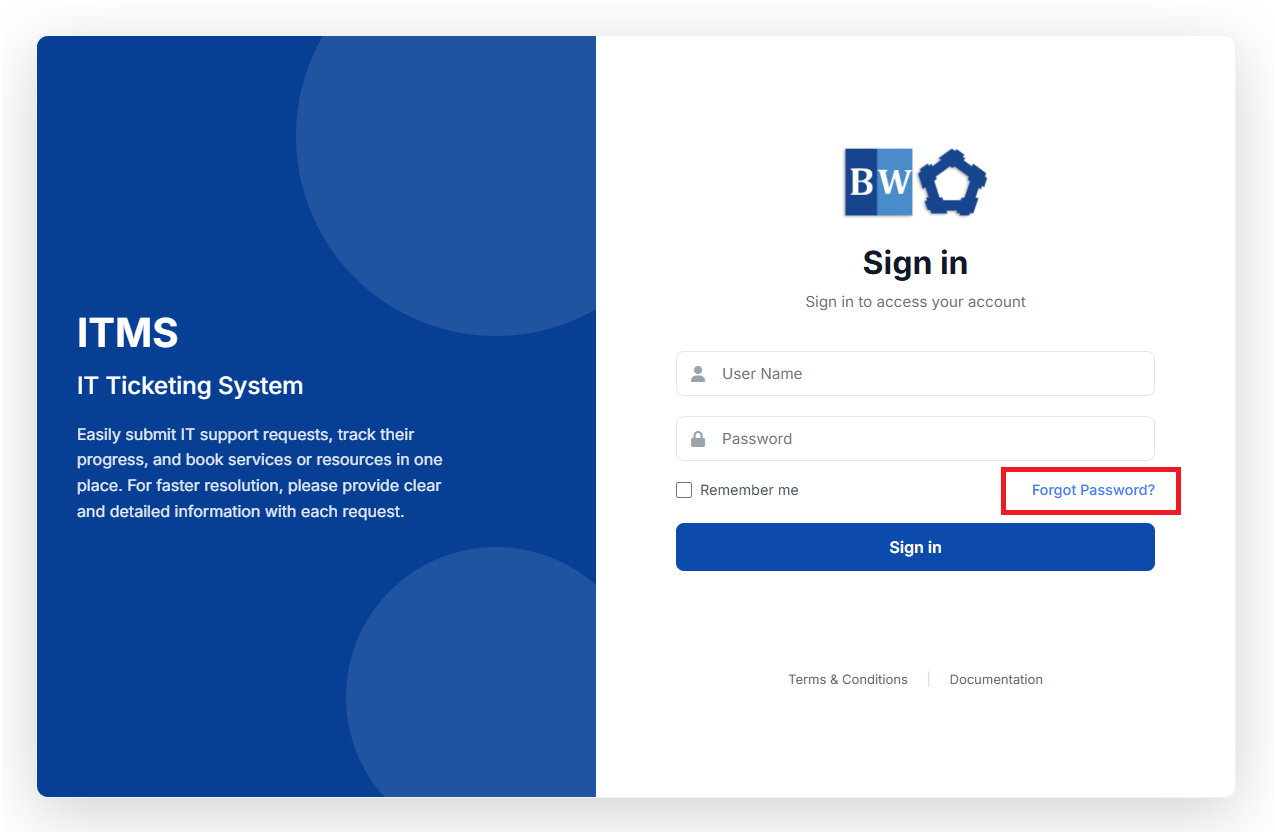](https://kb.mgmfoods.com.ph/uploads/images/gallery/2025-06/wHWimage.png)
2. After that, you will be redirected to the next page as shown below. You will need to enter the company email address provided to you. and click "**Send Reset Link**" [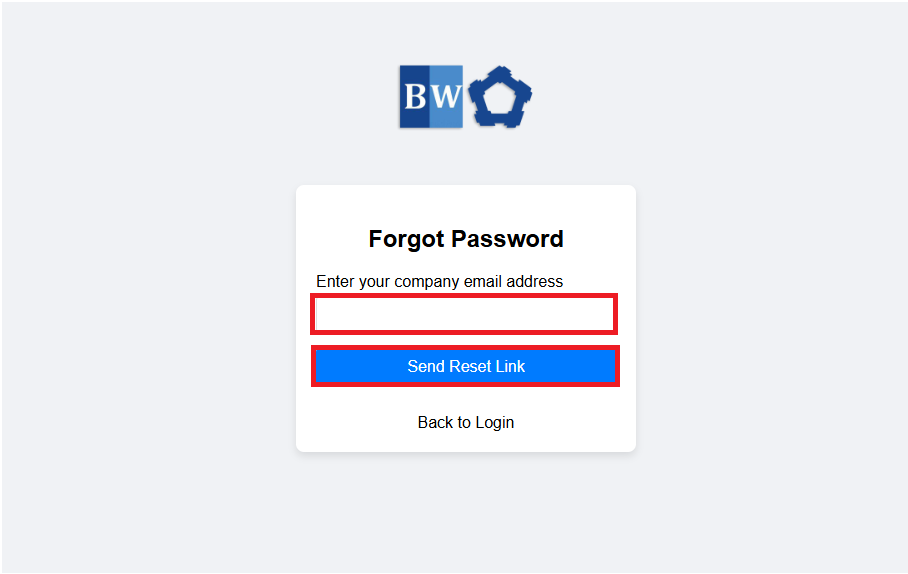](https://kb.mgmfoods.com.ph/uploads/images/gallery/2025-06/Q1nimage.png)
3. After hitting the Send Reset Link Button. The page will load for a while to process the password reset link as shown on the image below. [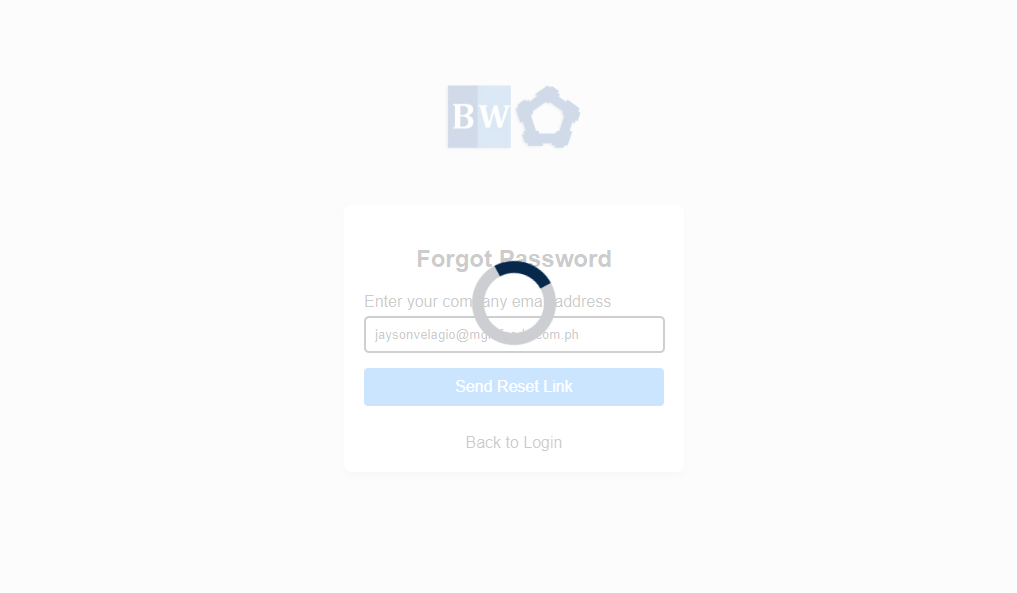](https://kb.mgmfoods.com.ph/uploads/images/gallery/2025-06/LEhimage.png)
4. Then you will receive a notification that "A password reset link has been sent to your email address." [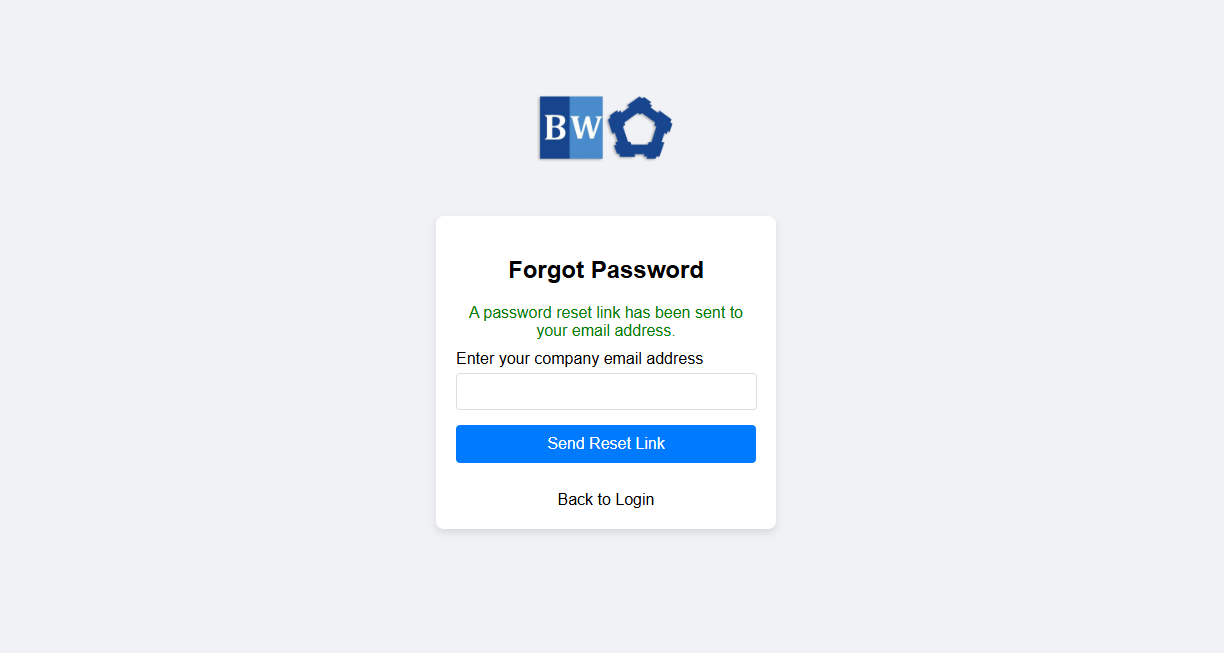](https://kb.mgmfoods.com.ph/uploads/images/gallery/2025-06/N1zimage.png)
5. After that you need to open your email address to check the email reset link and click the "reset password" link. [](https://kb.mgmfoods.com.ph/uploads/images/gallery/2025-06/Sllimage.png)
6. You will be redirected in to this page where you should provide and fill out for your new password and click Reset Password Button. [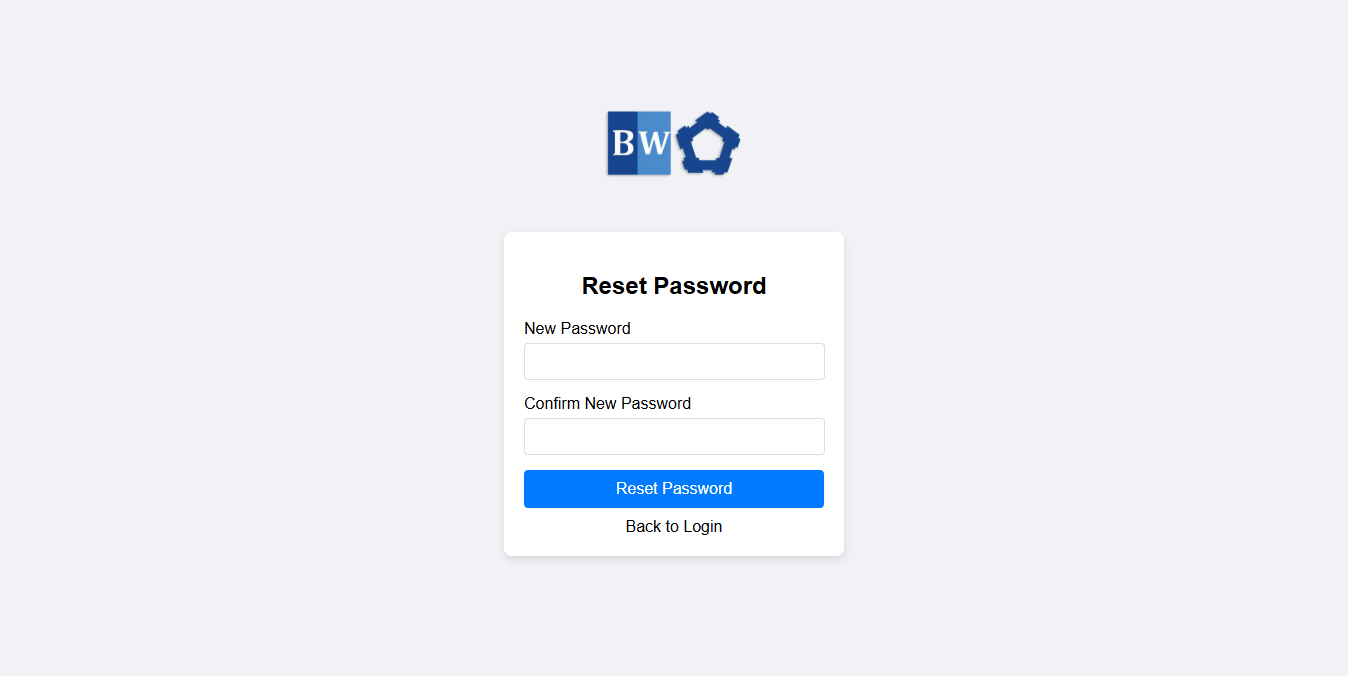](https://kb.mgmfoods.com.ph/uploads/images/gallery/2025-06/r6oimage.png)
7. After successfully provided the correct password for your account you will be redirected to this page confirming your password is now changed and you are now ready to logged in. [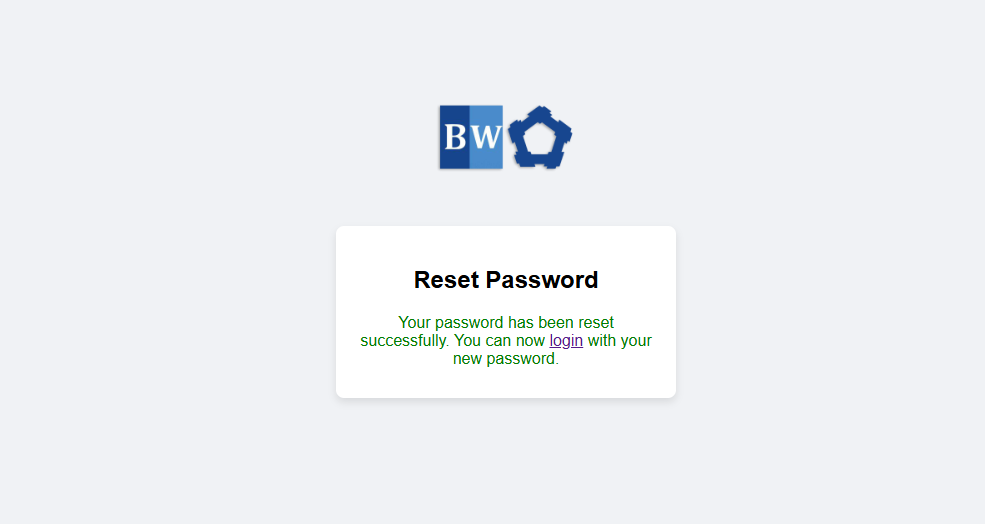](https://kb.mgmfoods.com.ph/uploads/images/gallery/2025-06/pZtimage.png)