**This section provides a clear and complete guide on how to access Position Management as a HRIS Admin, outlining the steps and responsibilities involved.**
To access the Position Management page: - On your Dashboard, click **Position Management** panel. [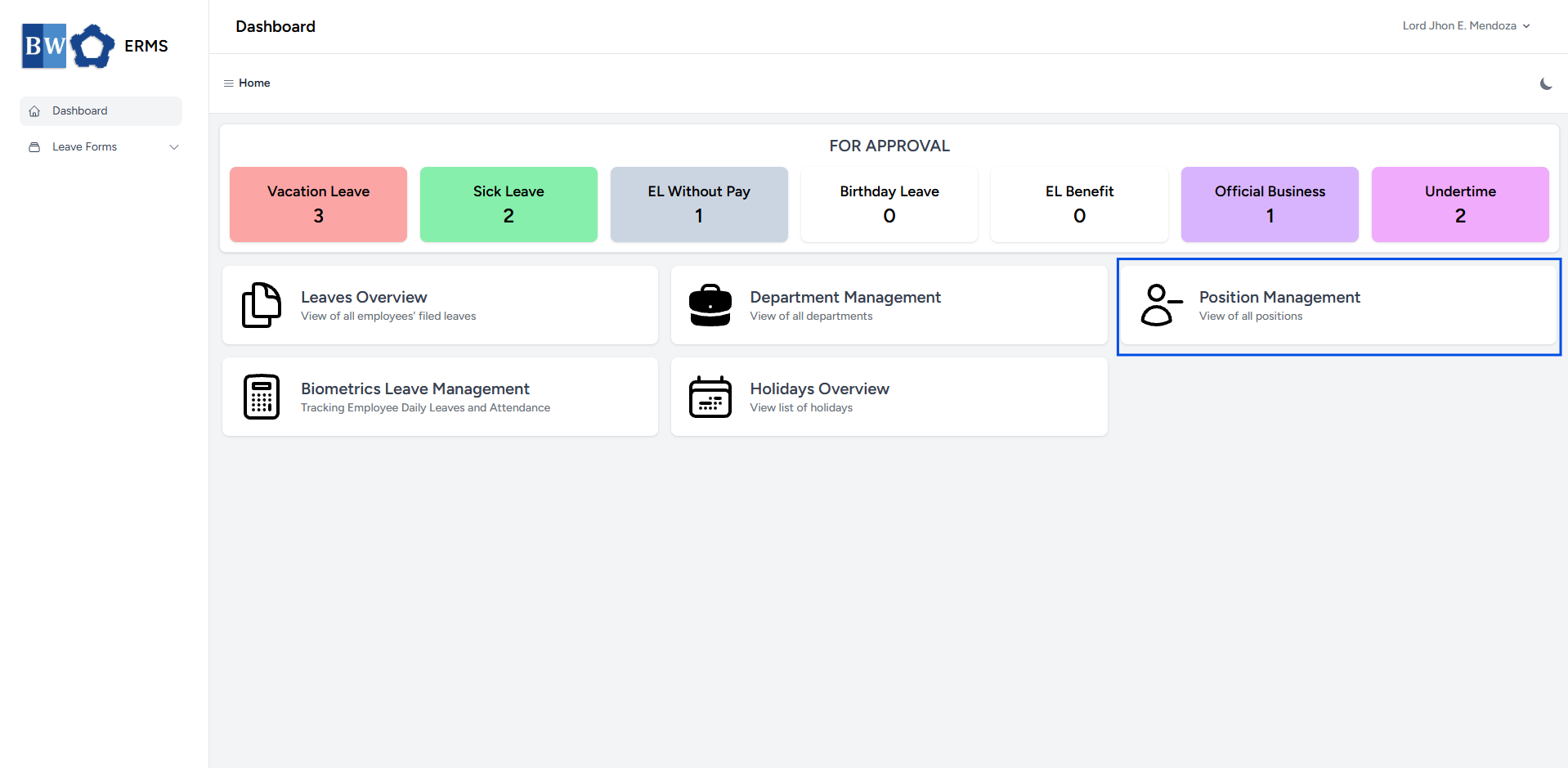](https://kb.mgmfoods.com.ph/uploads/images/gallery/2025-07/KmPimage.png) - It will open the **Position Management** page. [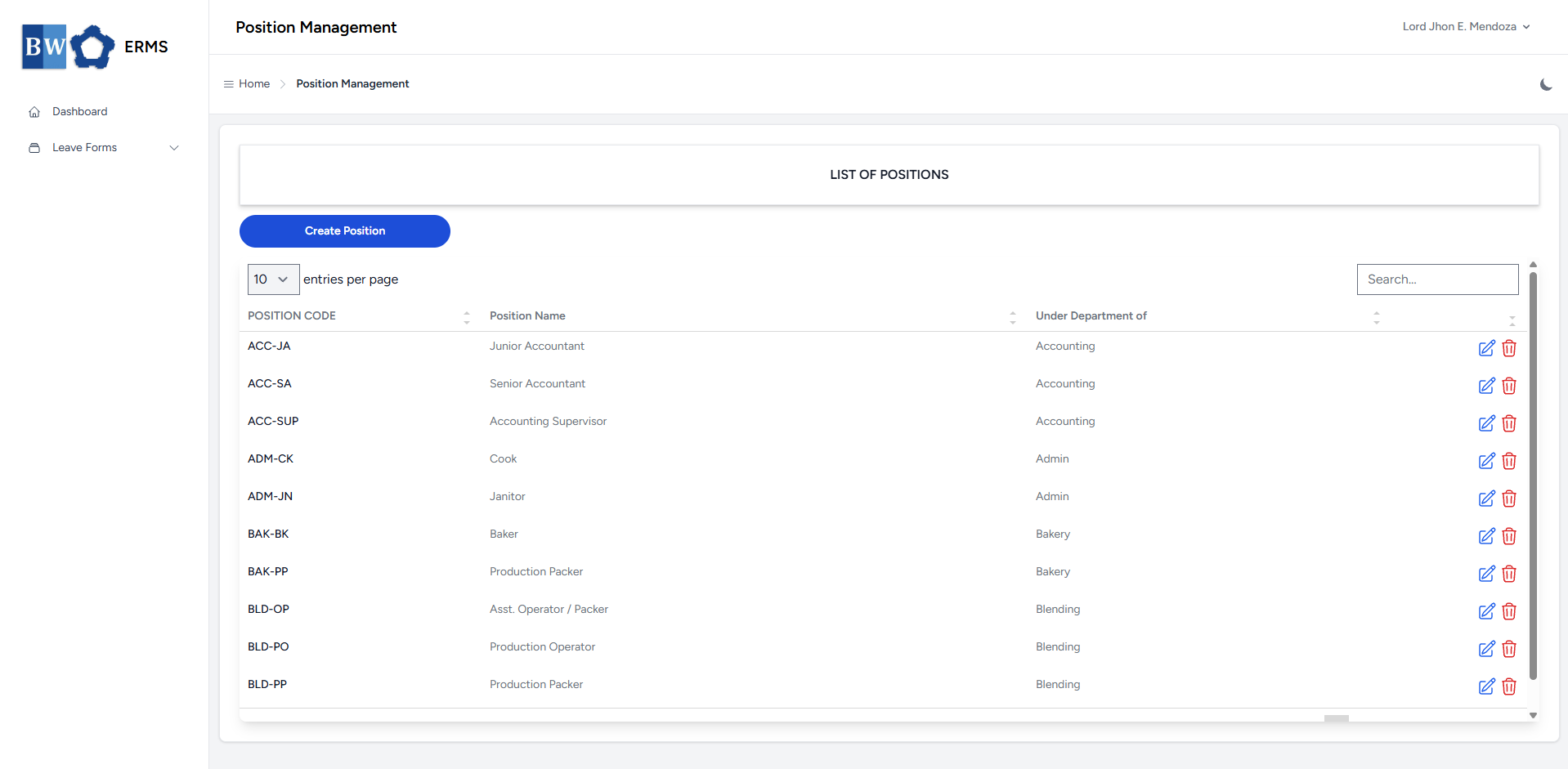](https://kb.mgmfoods.com.ph/uploads/images/gallery/2025-07/5pTimage.png) - On the **Position Management page, click the **Create Position** button to open the form. [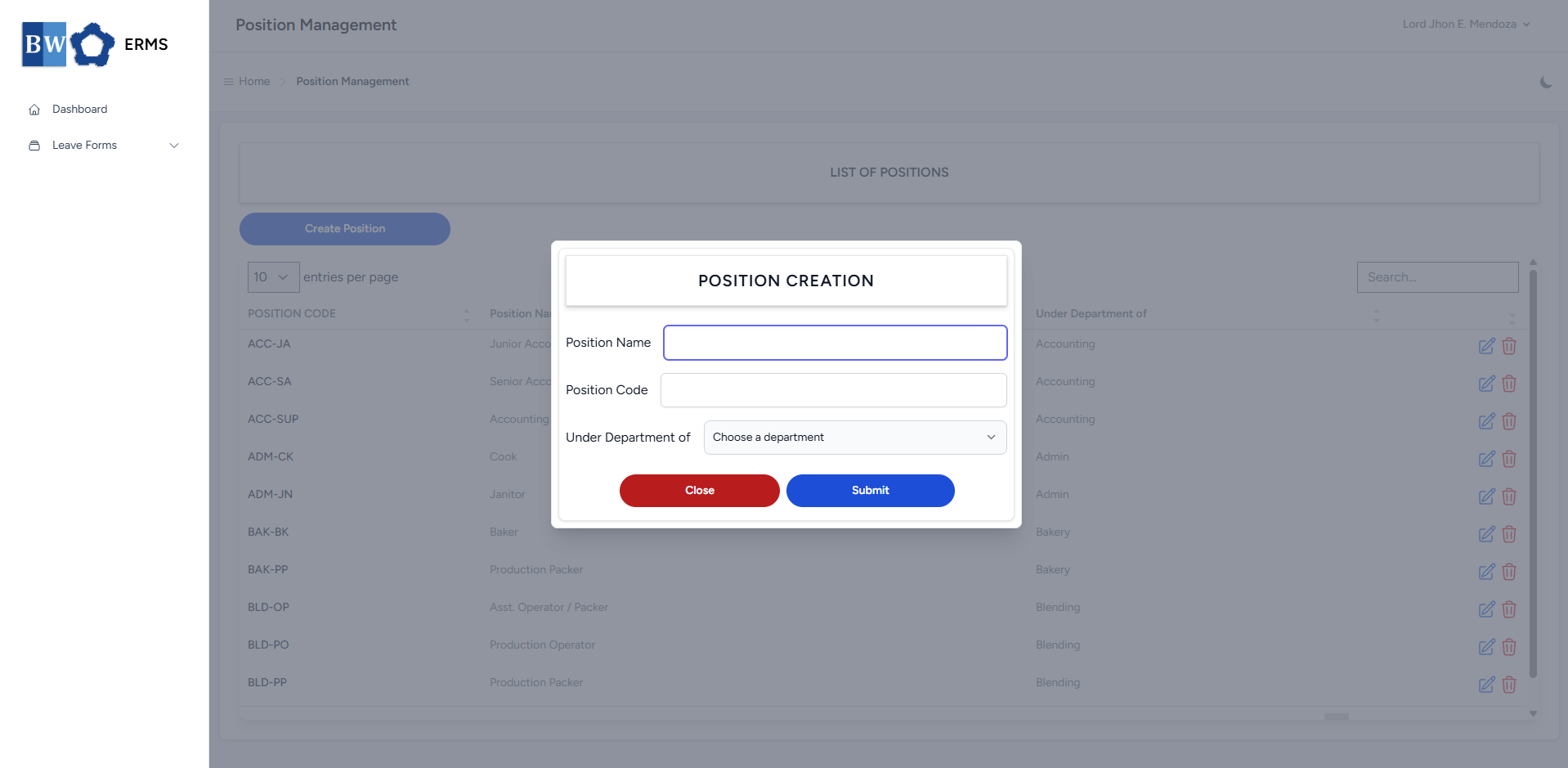](https://kb.mgmfoods.com.ph/uploads/images/gallery/2025-07/ce1image.png) - Fill out the required fields, then click **Submit**. - After submitting, a notification will appear saying that the Position has been created. The created position will be added to the list. [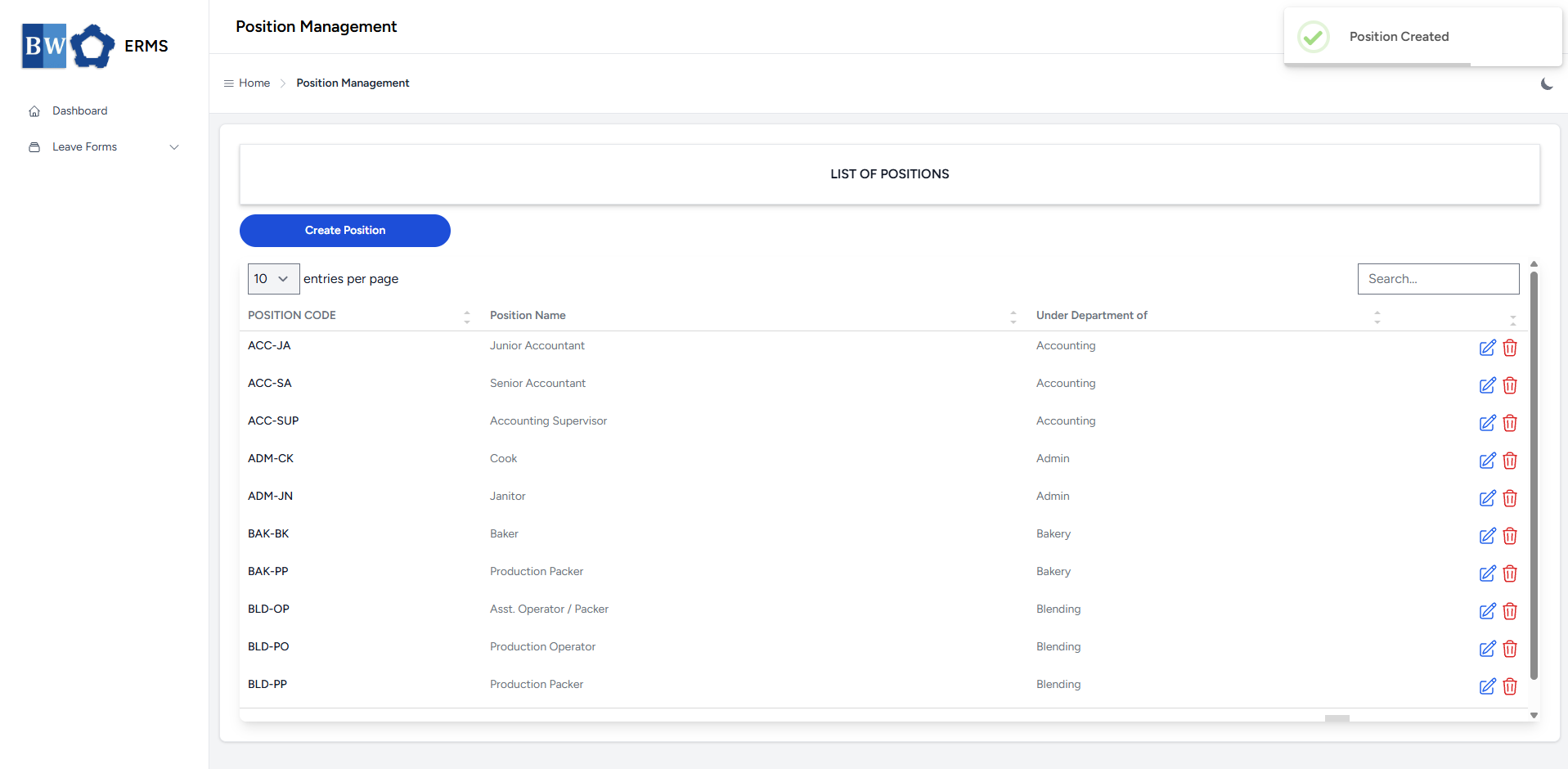](https://kb.mgmfoods.com.ph/uploads/images/gallery/2025-07/ayOimage.png) - To **delete** a position, click the red delete icon in the row of the position you wish to remove. [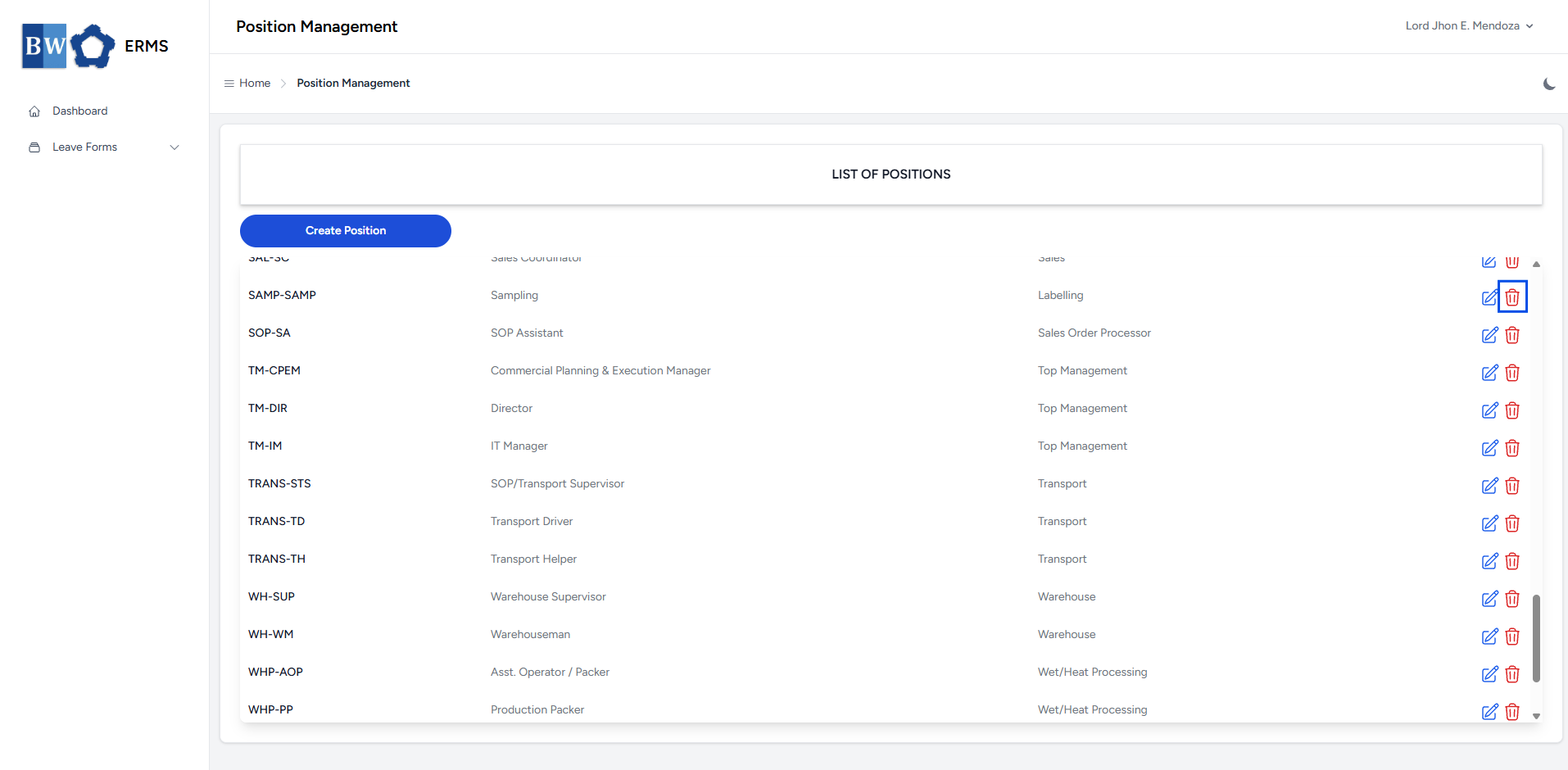](https://kb.mgmfoods.com.ph/uploads/images/gallery/2025-07/7tjimage.png) - A confirmation prompt will appear asking if you want to proceed with the deletion. - Click **Yes, delete it!** button to completely delete the department. [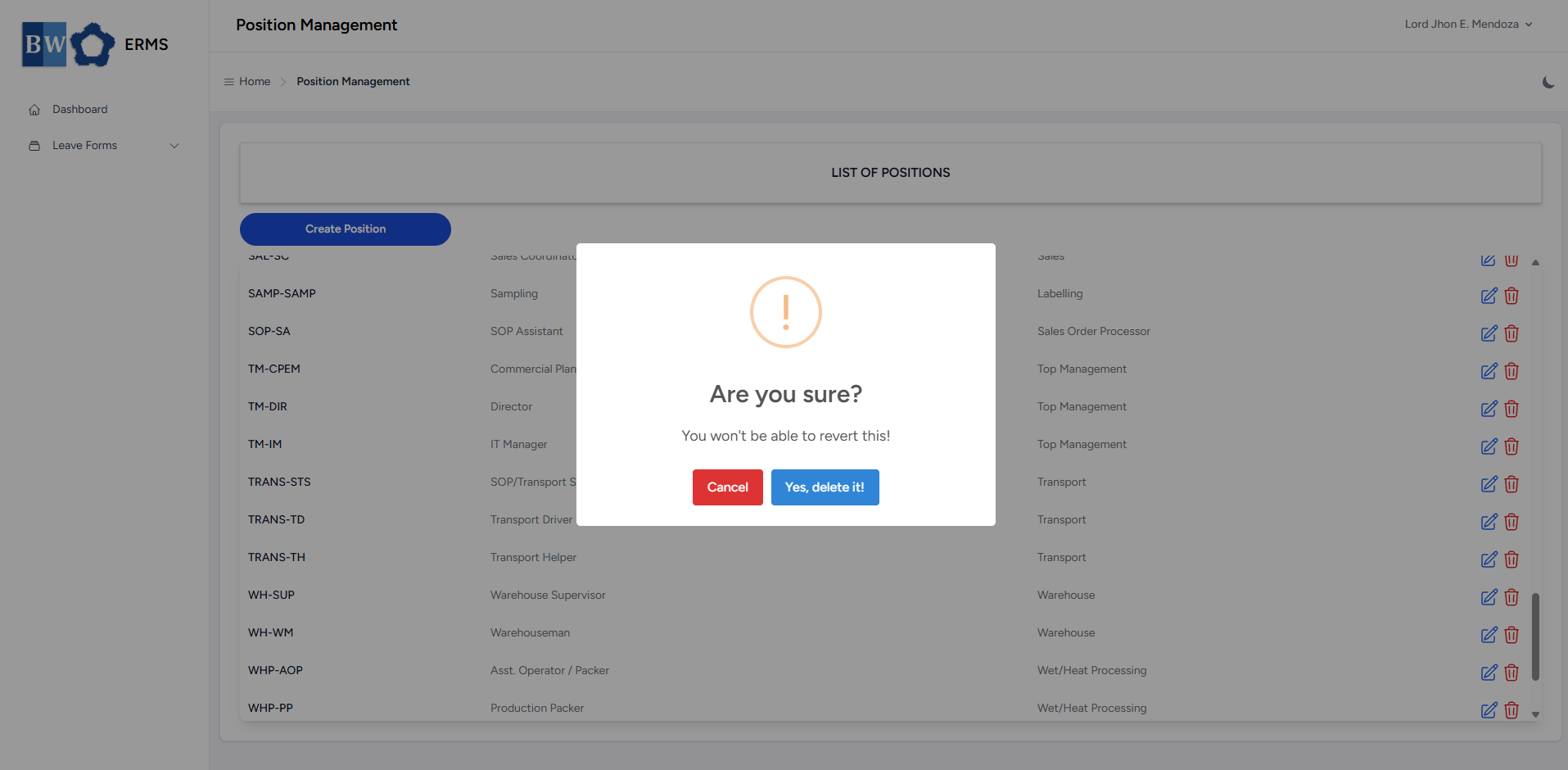](https://kb.mgmfoods.com.ph/uploads/images/gallery/2025-07/x6Yimage.png) - To **edit** a position, click the blue edit icon in the row of the position you wish to edit. [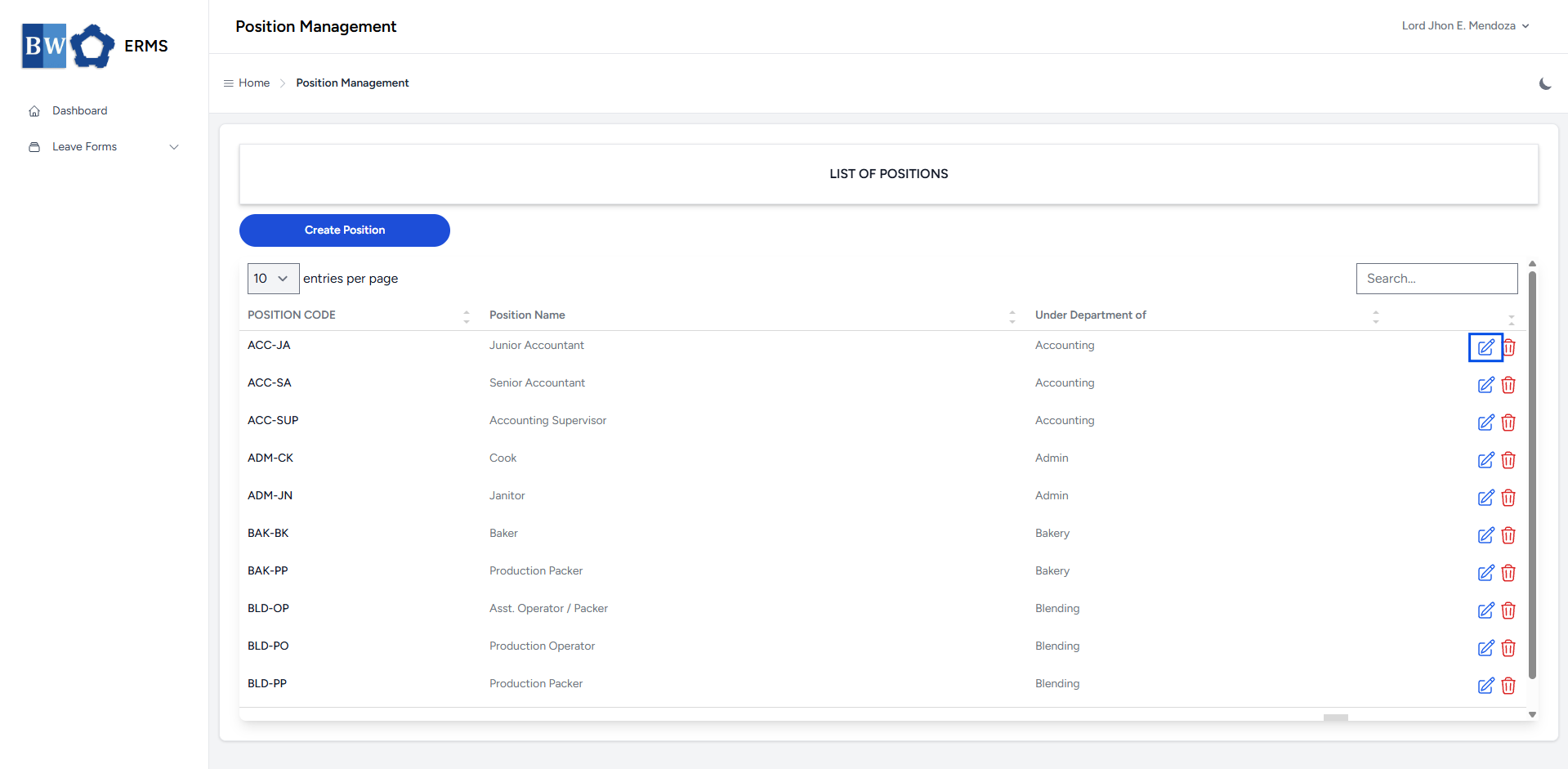](https://kb.mgmfoods.com.ph/uploads/images/gallery/2025-07/EJgimage.png) [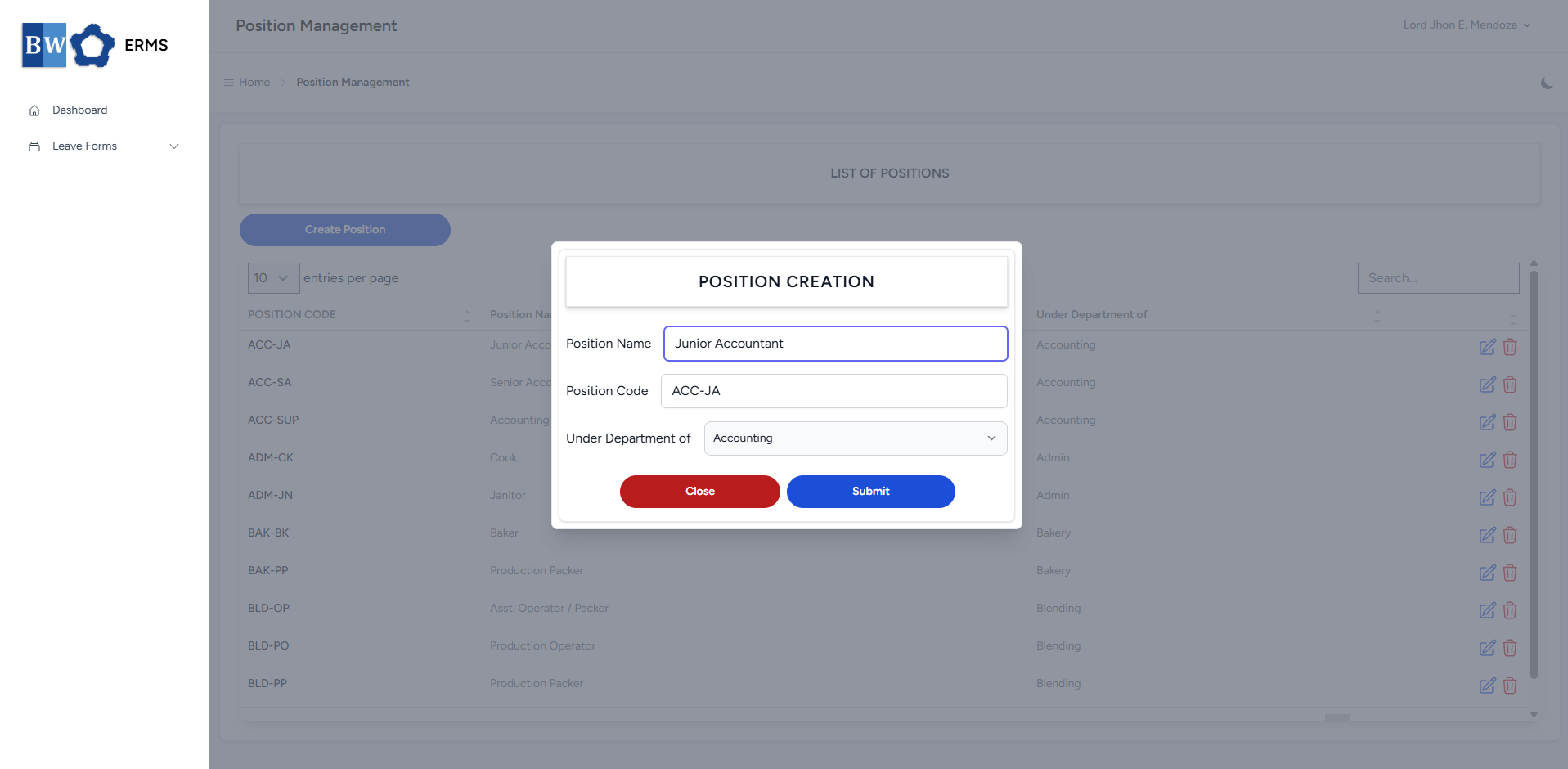](https://kb.mgmfoods.com.ph/uploads/images/gallery/2025-07/REiimage.png) - After editing the Position Name, Code, and Under Department of, click the Submit button to save the changes.