# Birthday Leave
This section offers a clear and complete guide on how to file for Birthday Leave, detailing the steps to follow for a smooth application process.
# Employees & Non-Approver Managers/Supervisors Application
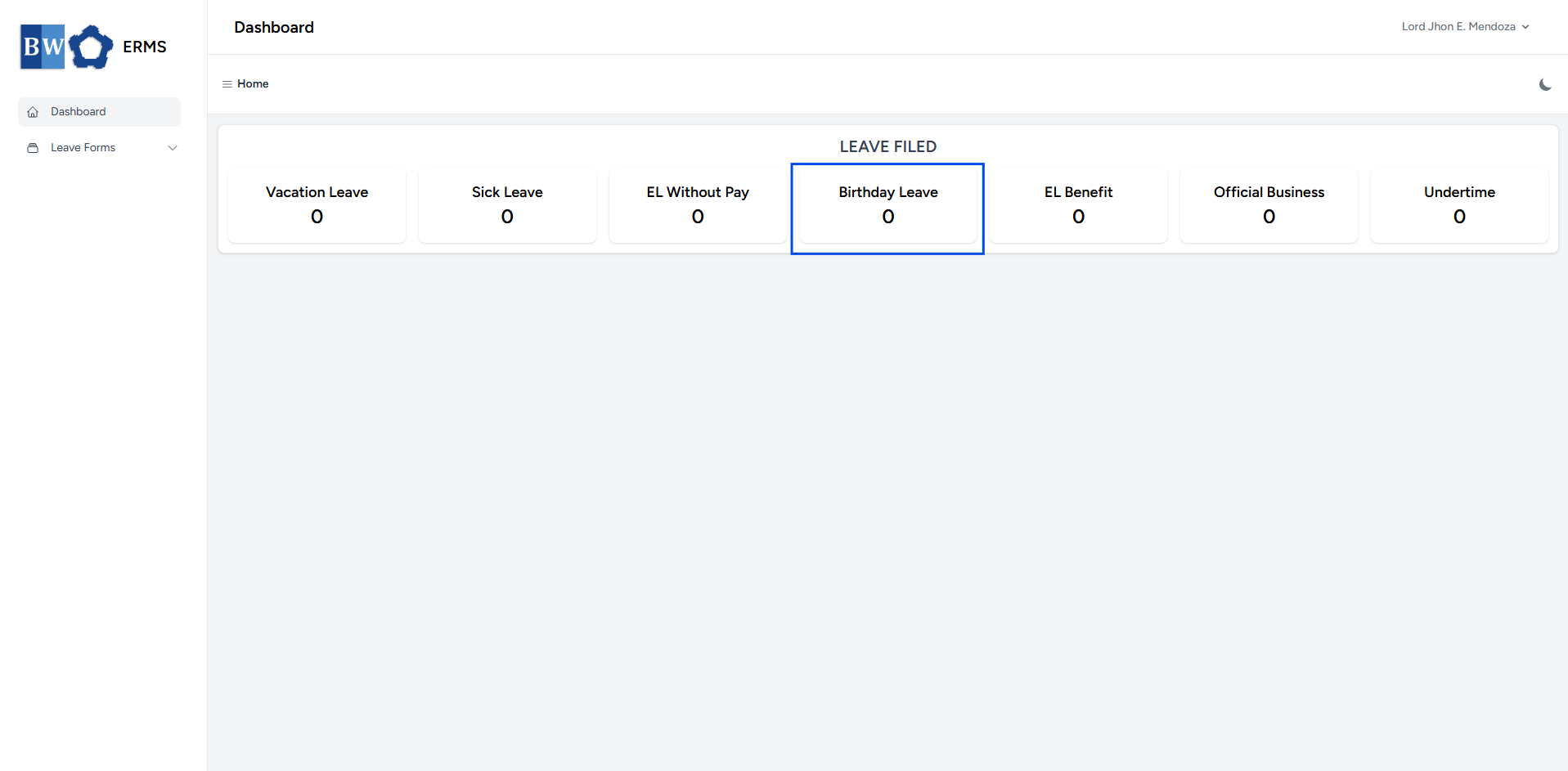
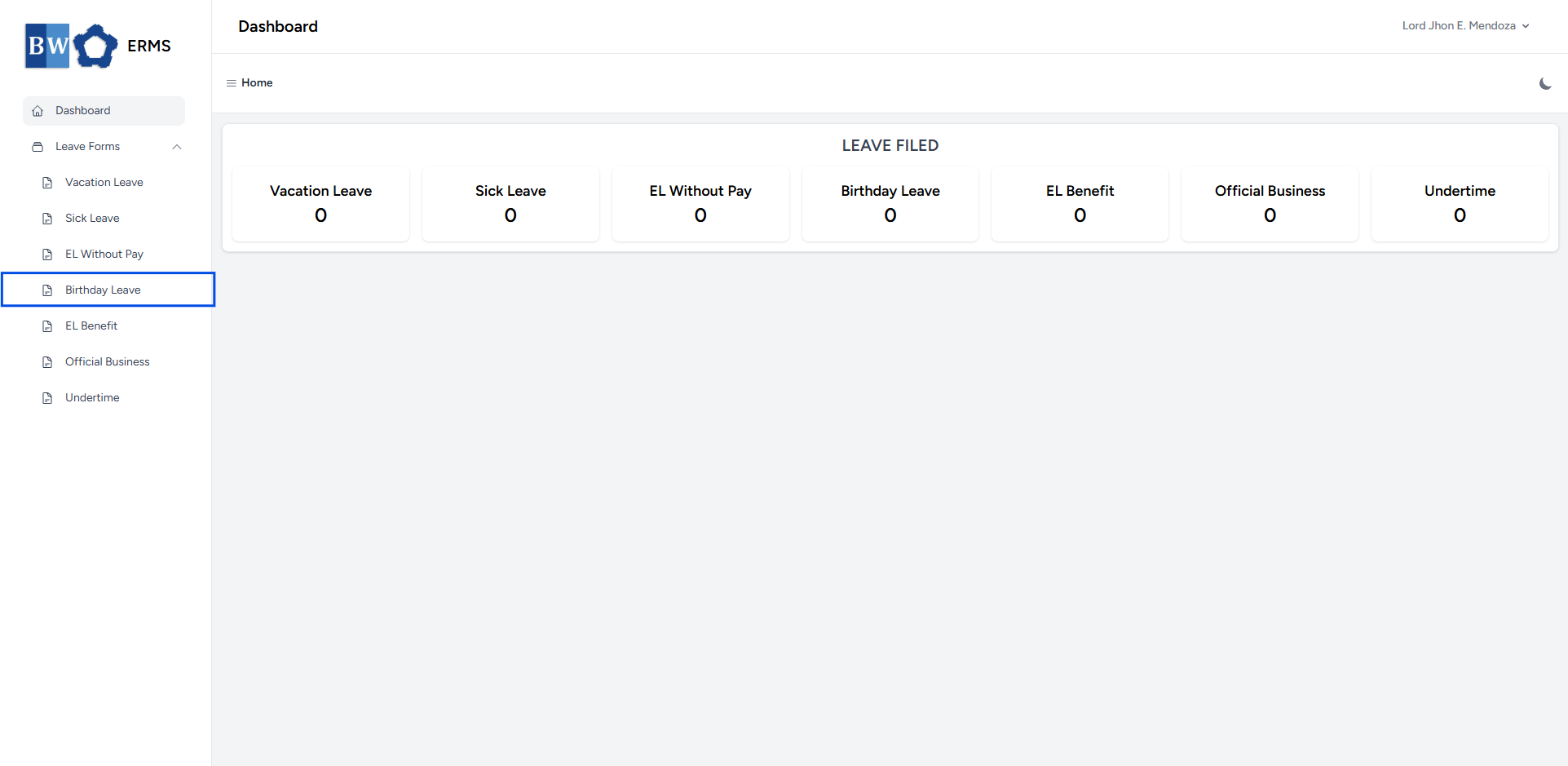
To access the Birthday Leave page, you can do either of the following:
- On your Dashboard, click **Birthday Leave** under the **Leave Filed** section.
[](https://kb.mgmfoods.com.ph/uploads/images/gallery/2025-07/TRtimage.png)
- Or, click the **Leave Forms** dropdown in the sidebar, then select **Birthday Leave**.
[](https://kb.mgmfoods.com.ph/uploads/images/gallery/2025-07/ZBdimage.png)
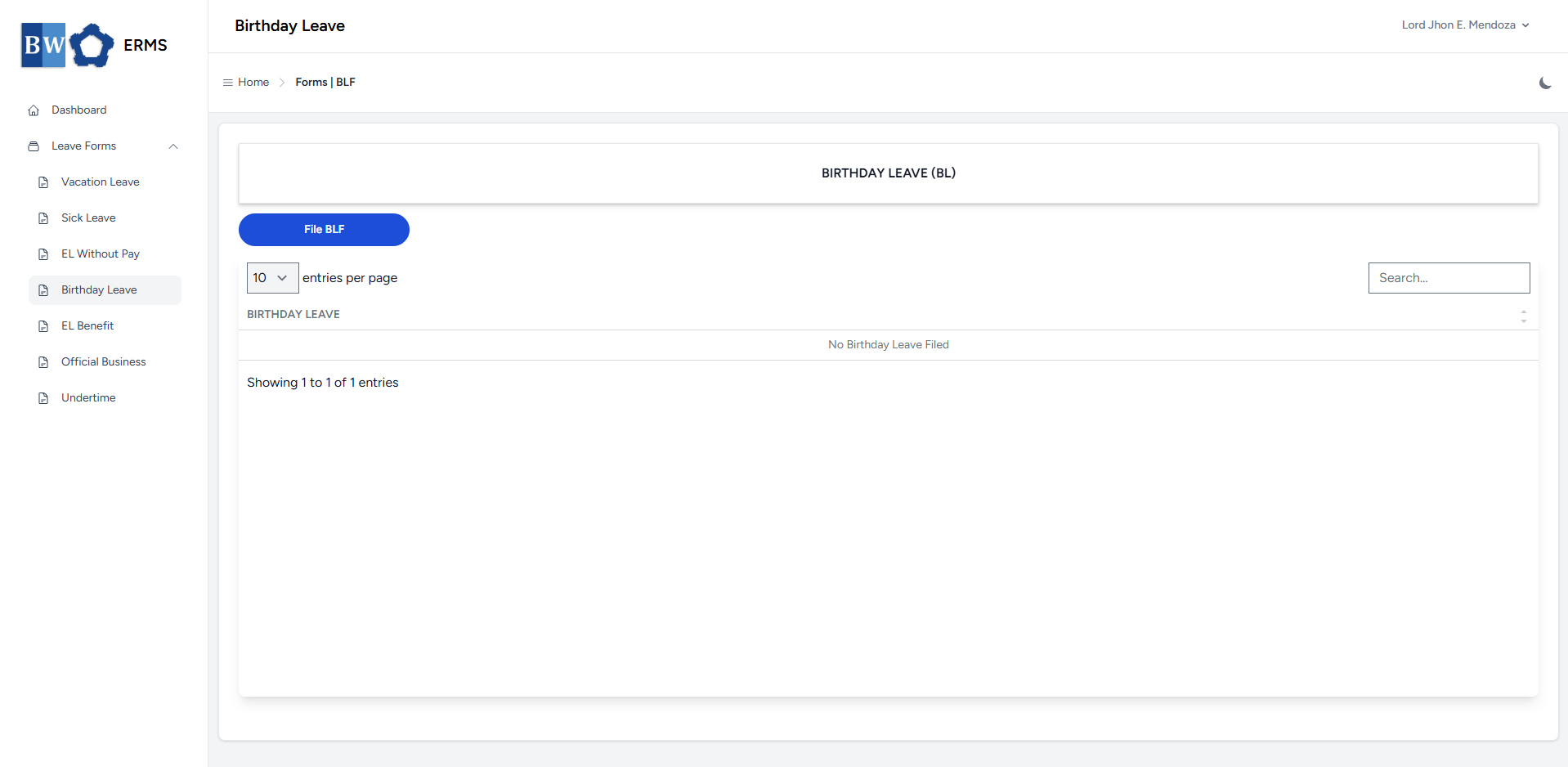
- It will open the **Birthday Leave** page.
[](https://kb.mgmfoods.com.ph/uploads/images/gallery/2025-07/uCZimage.png)
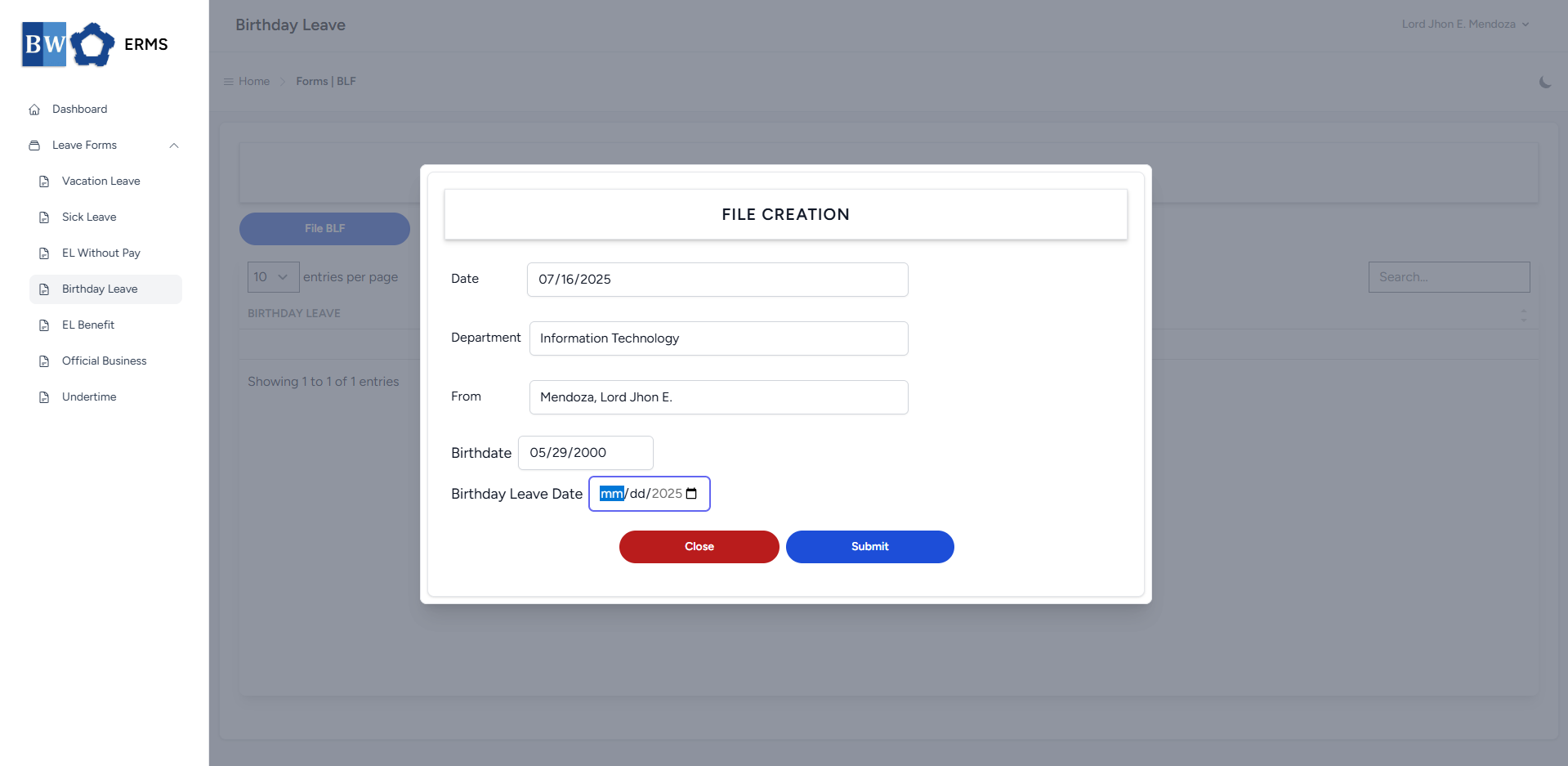
- On the **Birthday Leave** page, click the **File BLF** button to open the form.
[](https://kb.mgmfoods.com.ph/uploads/images/gallery/2025-07/WC4image.png)
- Fill out the required fields, then click **Submit**.
- **Note:** You can only file single **BLF** per year.
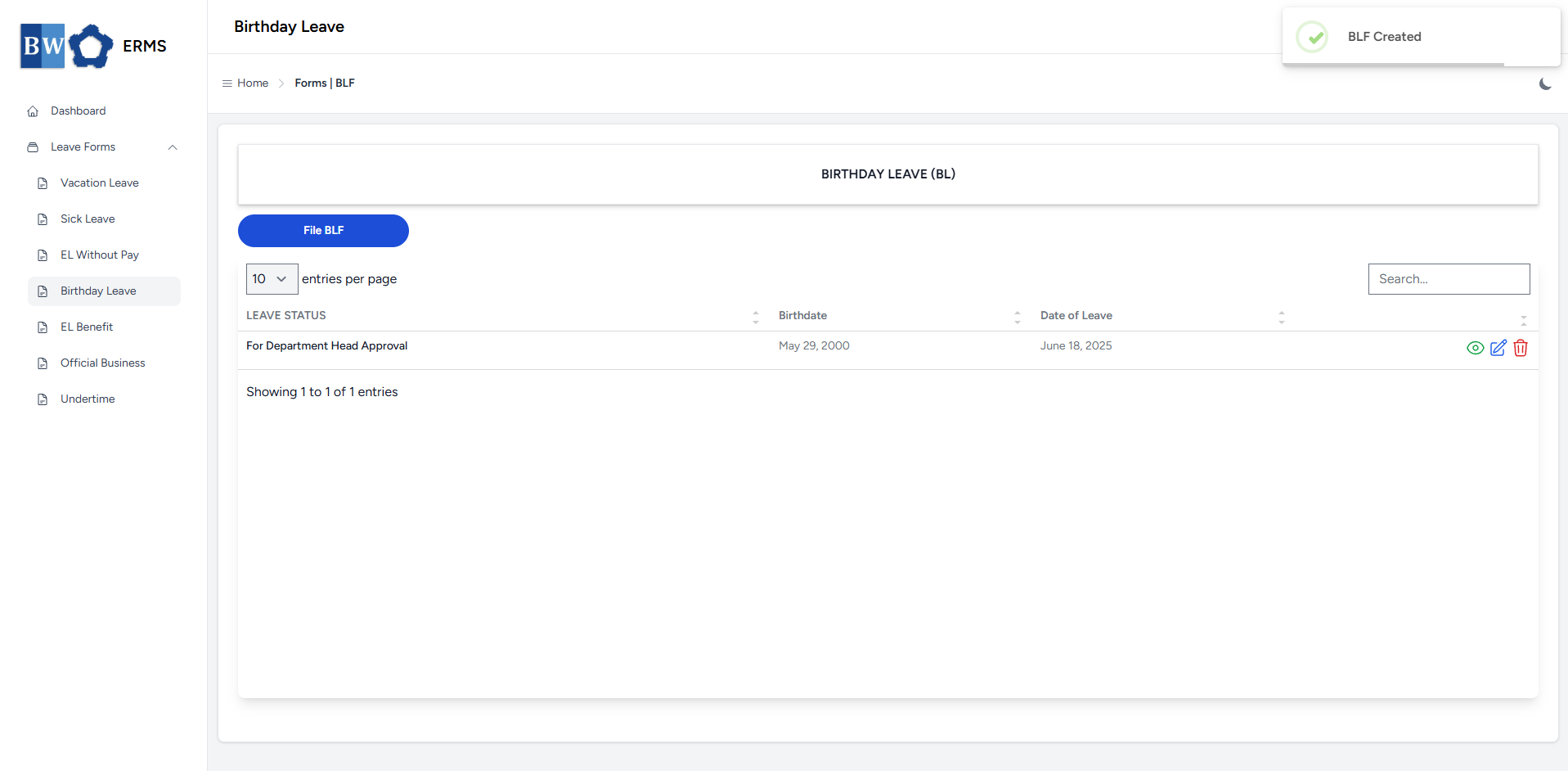
- After submitting, a notification will appear saying that the BLF has been created. The filed leave will be added to the list.
[](https://kb.mgmfoods.com.ph/uploads/images/gallery/2025-07/H5rimage.png)
- You can also use this page to check the status of your leave.
# Approver Managers/Supervisors Application
To access the Birthday Leave page:
- In the **Sidebar**, click the **Leave Forms** dropdown.
- From the list that appears, select **Birthday Leave**.
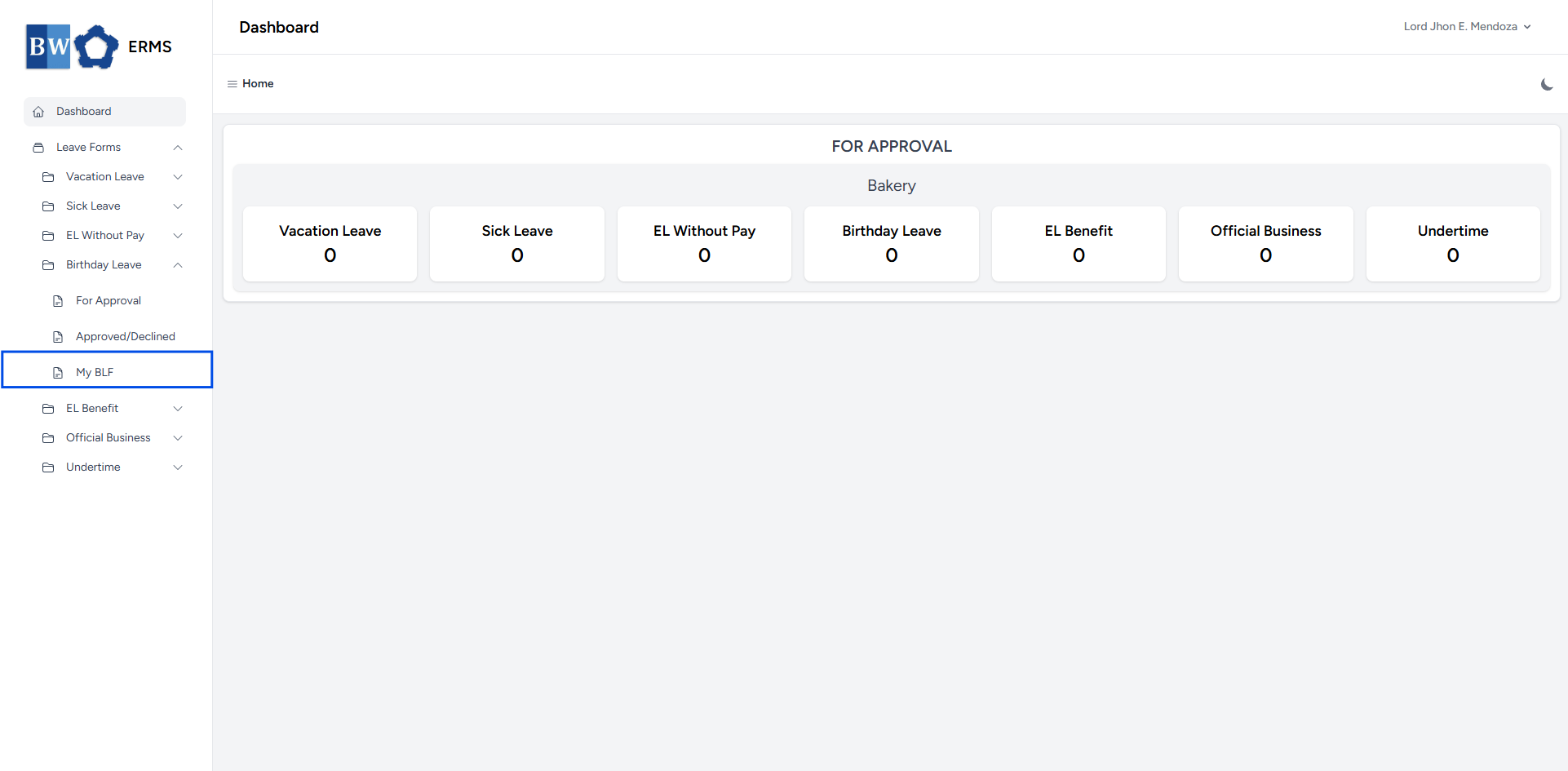
- Then, click **My BLF** to view your filed birthday leave.
[](https://kb.mgmfoods.com.ph/uploads/images/gallery/2025-07/G4jimage.png)
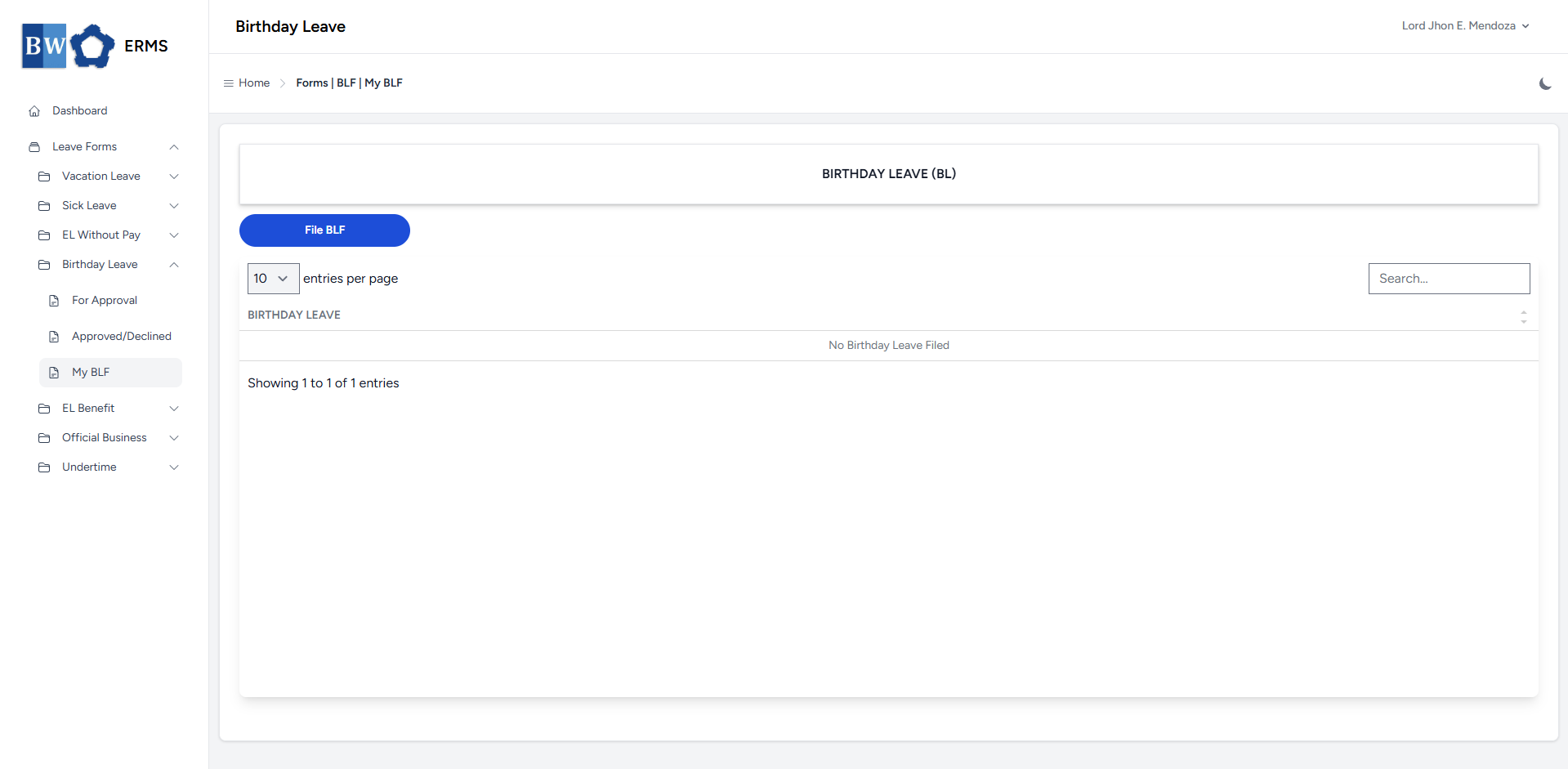
- It will open the **Birthday Leave (My BLF)** page.
[](https://kb.mgmfoods.com.ph/uploads/images/gallery/2025-07/SwVimage.png)
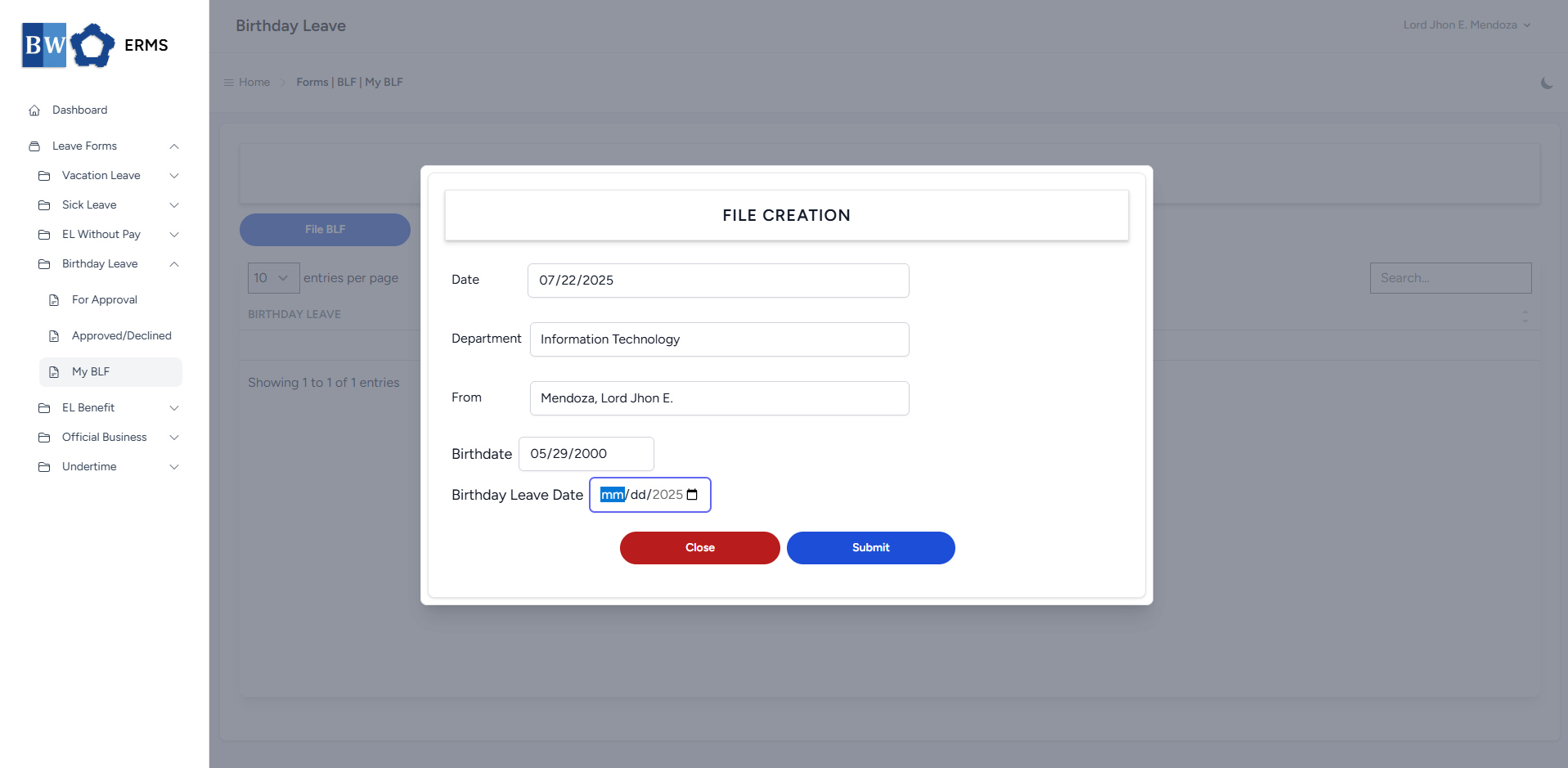
- On the **Birthday Leave** **(My BLF)** page, click the **File BLF** button to open the form.
[](https://kb.mgmfoods.com.ph/uploads/images/gallery/2025-07/Ffvimage.png)
- Fill out the required fields, then click **Submit**.
- **Note:** You can only file single **BLF** per year.
- After submitting, a notification will appear saying that the BLF has been created. The filed leave will be added to the list.
[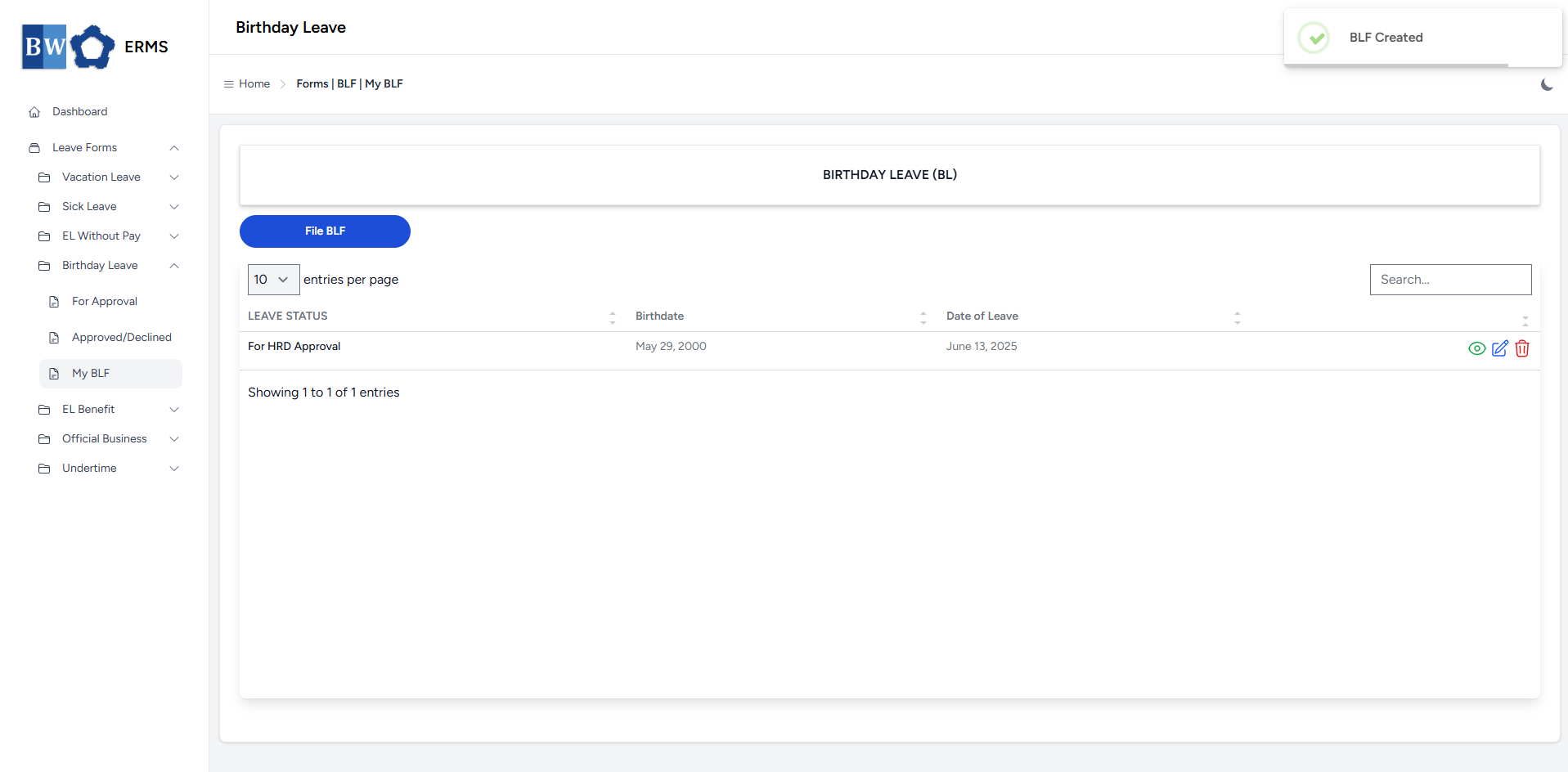](https://kb.mgmfoods.com.ph/uploads/images/gallery/2025-07/do0image.png)
- You can also use this page to check the status of your leave.