# ARIS FCC Update


# AR Data Entry “No Effect” Checkbox – AR Report Impact (Billing, SOA, Aging) | May 22, 2026

**Overview:**

As requested, a **“**No Effect **<span role="text">**on AR Performance**</span>****”** checkbox has been added to the AR Data Entry when using **Provisional Reciept (PR)** and **Acknowledgement Reciept (AR) transactions only**.

**Functionality:** When the **“**No Effect **<span role="text">**on AR Performance**</span>****”** option is selected:

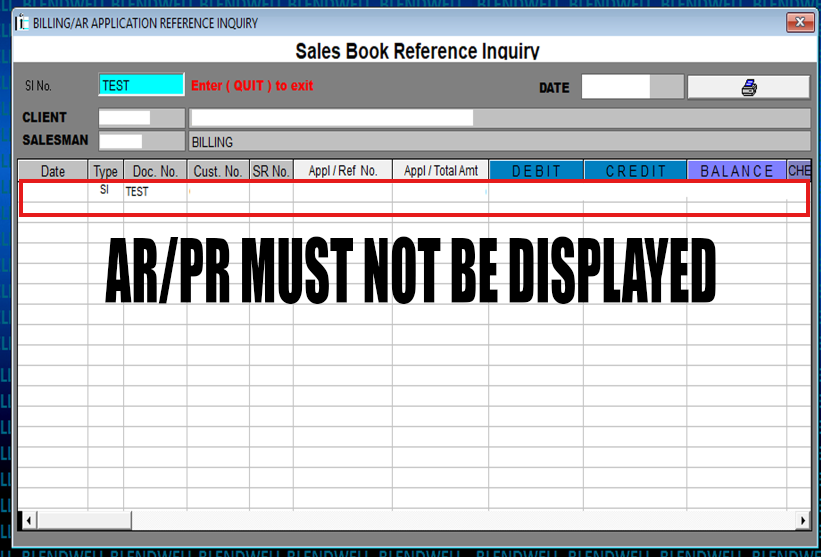
- - It will **not be reflected in the Sales Invoice (SI) Balance Inquiry**
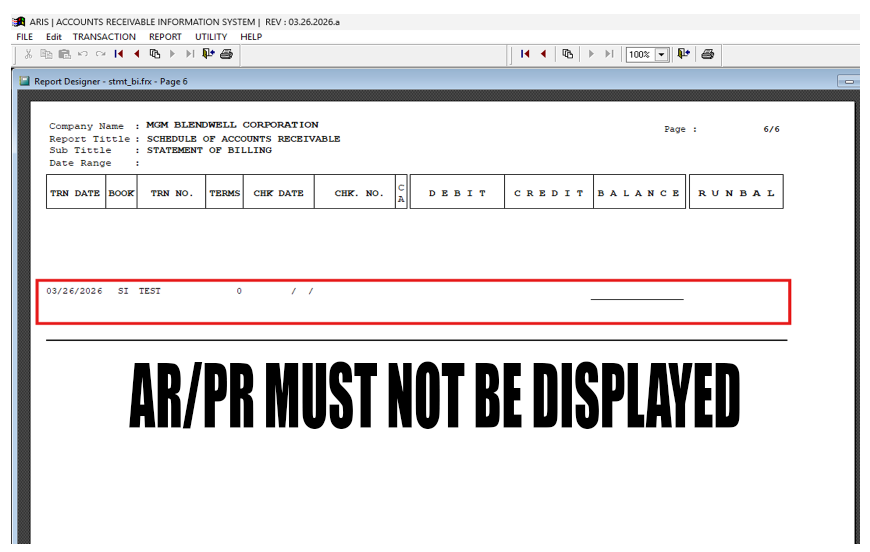
    - The transaction will **not affect the Statement of Account (SOA)**
    - It will **not impact the Aging Analysis report**

**Behavior**

- **Checked** → No impact on AR reports
- **Unchecked** → Transaction behaves normally

<p class="callout warning"><span data-end="1231" data-start="1162">Scope</span>*: This functionality applies to **Provisional Reciept (PR) and Acknowledgement Reciept (AR) transactions only*</p>

<span role="text">**Purpose:**</span>

This feature allows users to record transactions for reference or documentation purposes without affecting financial reports and balances.

**Usage Guidelines:**

- Enable the checkbox only when the transaction should have **no financial impact**.
- Applicable only to **Provisional Receipt (PR)** and **Acknowledgement Receipt (AR)** transactions.
- Ensure proper validation before selecting this option to avoid incorrect reporting.

**Updates Included:**

- Implementation of the **“No Effect **<span role="text">**on AR Performance**</span>**”** checkbox in the AR Data Entry module.
- Additional enhancements based on the approved request for the ARIS FCC program.

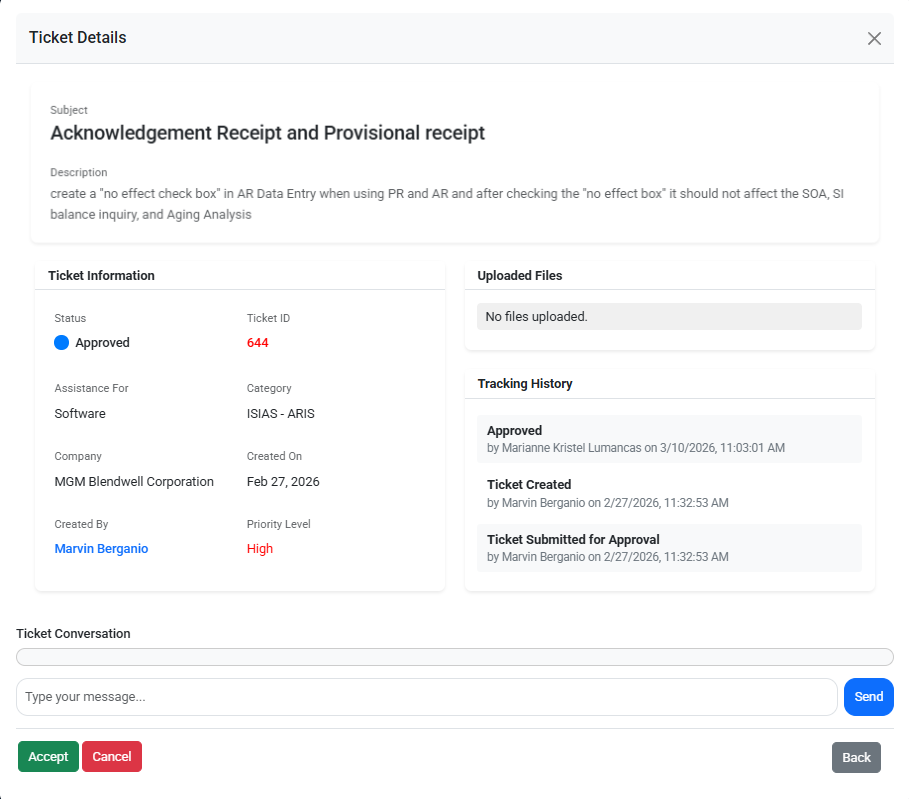
**Reference (Ticket Details):**  
This update is implemented based on the approved request

<details id="bkmrk-ticket-detais"><summary>Ticket ID: 644</summary>

[![image.png](https://kb.mgmfoods.com.ph/uploads/images/gallery/2026-03/scaled-1680-/7WNimage.png)](https://kb.mgmfoods.com.ph/uploads/images/gallery/2026-03/7WNimage.png)

</details><span data-olk-copy-source="MessageBody">**Screenshots / Visual Reference:**  
Attached below are the screenshots of the accomplished updates for **ARIS BW** program</span>

<p class="callout info">*<span data-olk-copy-source="MessageBody">Click the arrow</span>* *<span data-olk-copy-source="MessageBody">(▶)</span><span data-olk-copy-source="MessageBody"> to expand, collapse, and view the corresponding screenshots. </span>*</p>

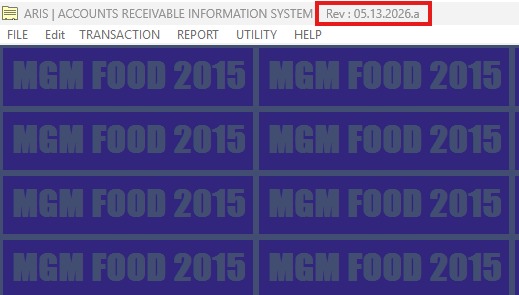
<details id="bkmrk-%2A%2A%2A%2Aaris-bw-rev%2A%2A%2A%2A"><summary>ARIS Foods REV</summary>

[![image.png](https://kb.mgmfoods.com.ph/uploads/images/gallery/2026-05/scaled-1680-/image.png)](https://kb.mgmfoods.com.ph/uploads/images/gallery/2026-05/image.png)

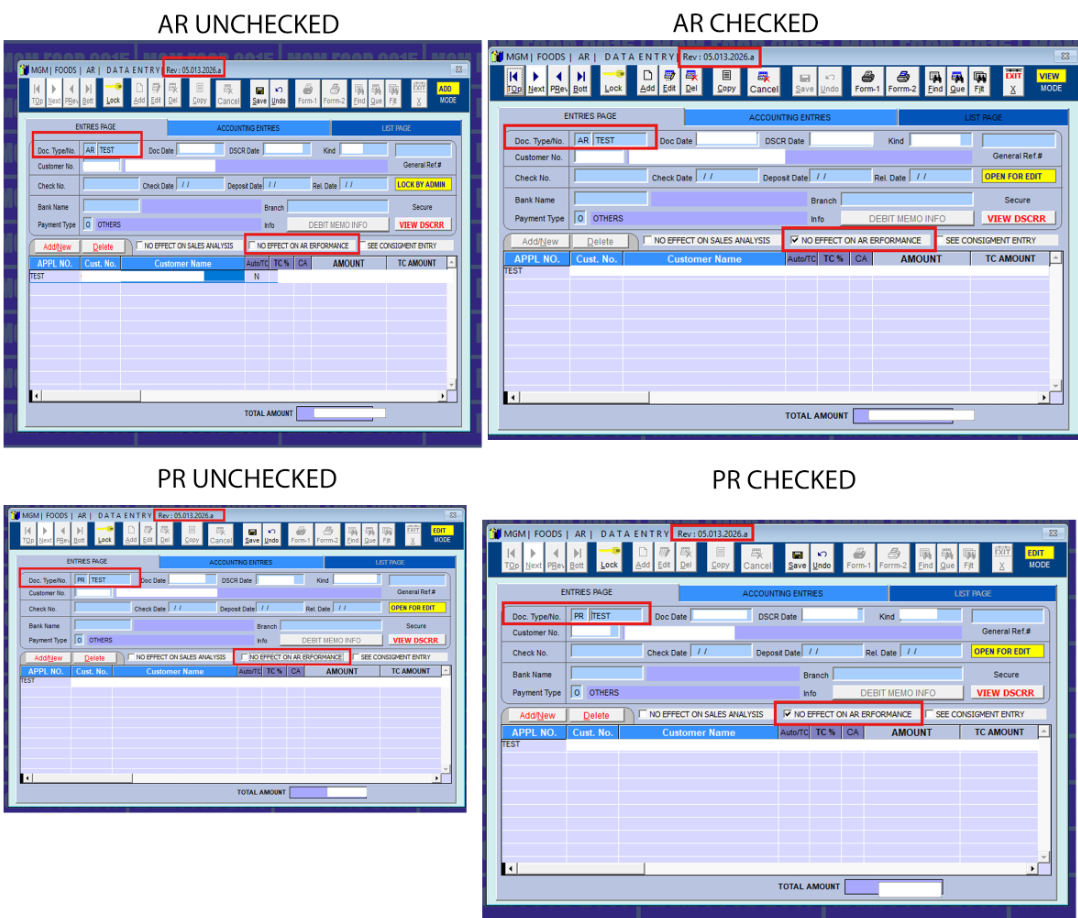
</details><details id="bkmrk-ar-data-entry-%E2%80%93-tran"><summary>AR Data Entry – Transaction Type</summary>

 ***Select **“AR”** or **“PR”** as the transaction type <span style="color: rgb(224, 62, 45);">(un</span>**<span style="color: rgb(224, 62, 45);">checked</span> or**** ****<span style="color: rgb(224, 62, 45);">checked</span>**).***

[![image.png](https://kb.mgmfoods.com.ph/uploads/images/gallery/2026-05/scaled-1680-/0tJimage.png)](https://kb.mgmfoods.com.ph/uploads/images/gallery/2026-05/0tJimage.png)

</details><details id="bkmrk-unchecked%3A-no-effect"><summary>Unchecked: No Effect on AR Performance Expected Results</summary>

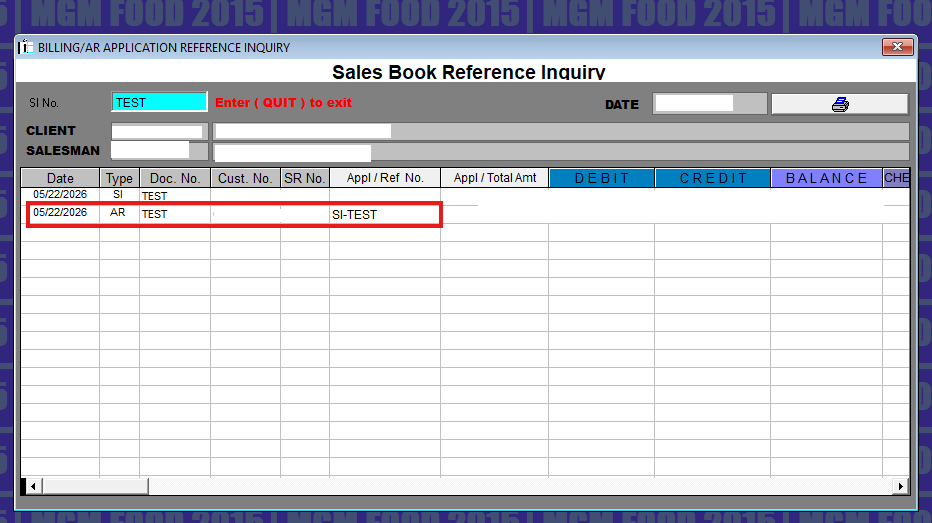
<details><summary>Billing/AR Application Inquiry</summary>

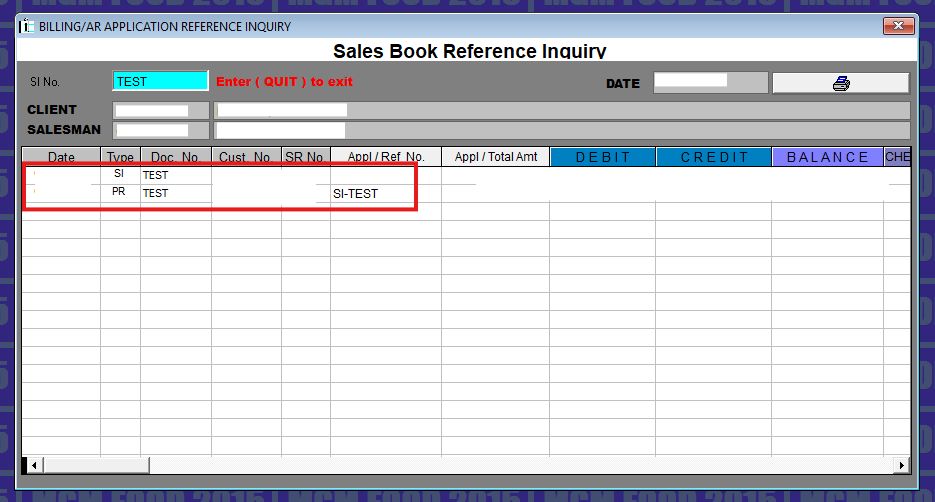
<p class="callout info">AR and PR transactions are reflected in the Billing Inquiry when the **<span style="color: rgb(224, 62, 45);">“No Effect”</span>** checkbox is not selected **<span style="color: rgb(224, 62, 45);">(unchecked)</span>**.</p>

[![image.png](https://kb.mgmfoods.com.ph/uploads/images/gallery/2026-05/scaled-1680-/IGOimage.png)](https://kb.mgmfoods.com.ph/uploads/images/gallery/2026-05/IGOimage.png)

  
[![image.png](https://kb.mgmfoods.com.ph/uploads/images/gallery/2026-05/scaled-1680-/YINimage.png)](https://kb.mgmfoods.com.ph/uploads/images/gallery/2026-05/YINimage.png)
  
</details><details><summary>Statement of Account (SOA)</summary>

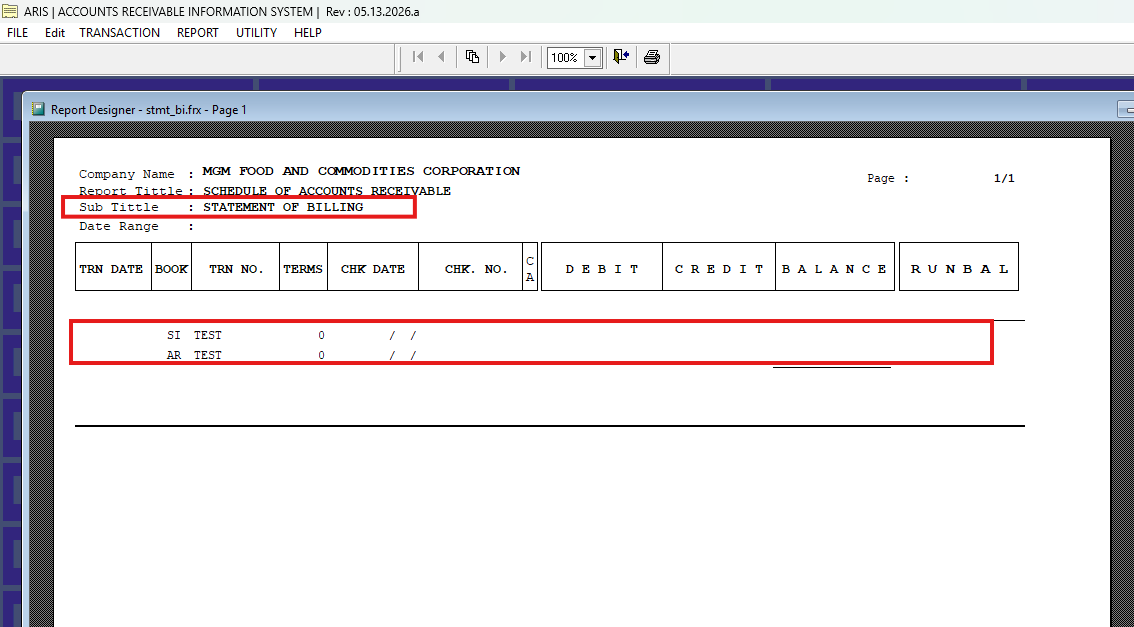
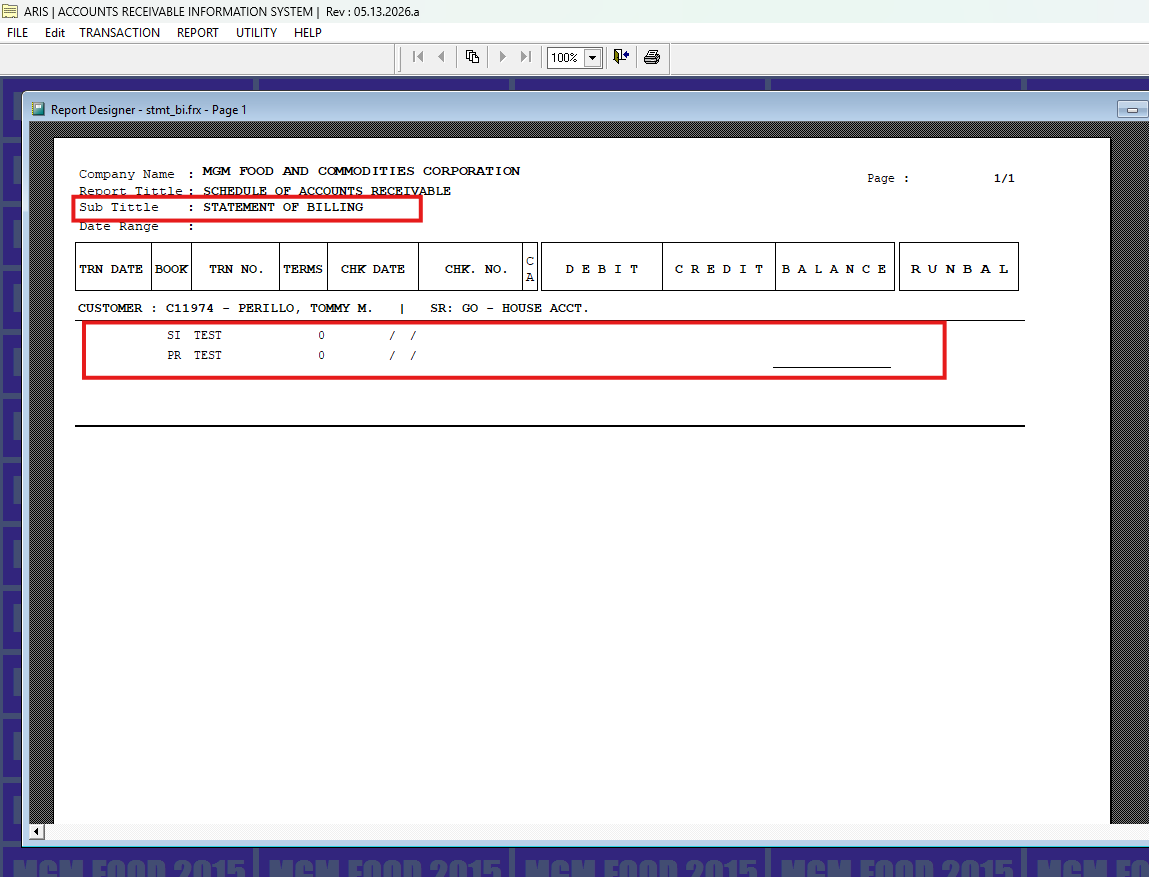
<p class="callout info">AR and PR transactions are reflected in the Statement of Accounts (SOA) when the **<span style="color: rgb(224, 62, 45);">“No Effect”</span>** checkbox is not selected **<span style="color: rgb(224, 62, 45);">(unchecked)</span>**.</p>

[![image.png](https://kb.mgmfoods.com.ph/uploads/images/gallery/2026-05/scaled-1680-/0Rqimage.png)](https://kb.mgmfoods.com.ph/uploads/images/gallery/2026-05/0Rqimage.png)

  
[![image.png](https://kb.mgmfoods.com.ph/uploads/images/gallery/2026-05/scaled-1680-/9nvimage.png)](https://kb.mgmfoods.com.ph/uploads/images/gallery/2026-05/9nvimage.png)
  
</details><details><summary>Aging Analysis</summary>

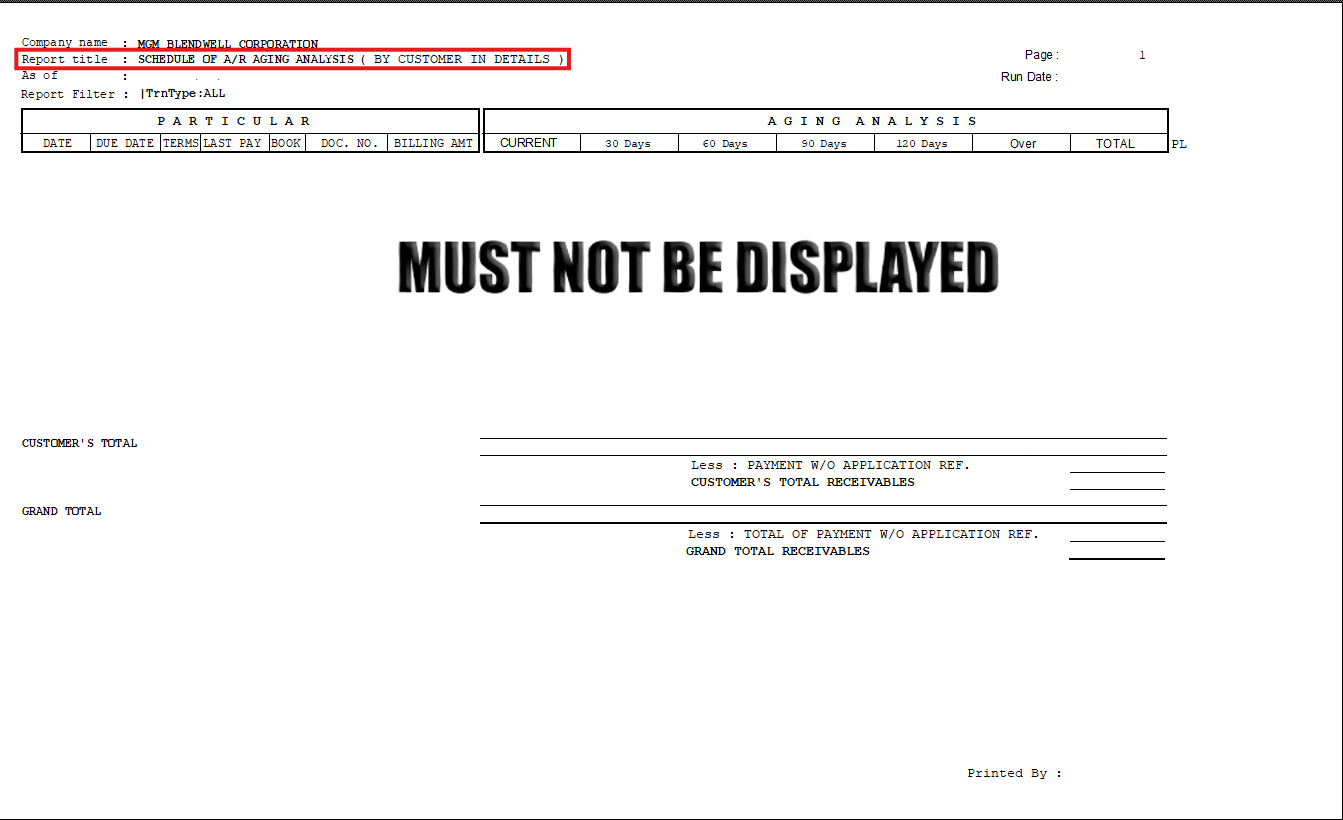
<p class="callout info">AR and PR transactions are reflected in the Aging Analysis (outcome/print preview) when the <span style="color: rgb(224, 62, 45);">“No Effect”</span> checkbox is not selected <span style="color: rgb(224, 62, 45);">(unchecked)</span>.</p>

[![image.png](https://kb.mgmfoods.com.ph/uploads/images/gallery/2026-03/scaled-1680-/oReimage.png)](https://kb.mgmfoods.com.ph/uploads/images/gallery/2026-03/oReimage.png)

</details></details><details id="bkmrk-checked%3A-no-effect-o"><summary>Checked: No Effect on AR Performance Expected Results</summary>

<details><summary>Billing/AR Application Inquiry</summary>

<p class="callout info">AR and PR transactions are reflected in the Billing Inquiry when the **<span style="color: rgb(224, 62, 45);">“No Effect”</span>** checkbox is selected **<span style="color: rgb(224, 62, 45);">(checked)</span>.** </p>

[![image.png](https://kb.mgmfoods.com.ph/uploads/images/gallery/2026-03/scaled-1680-/PPrimage.png)](https://kb.mgmfoods.com.ph/uploads/images/gallery/2026-03/PPrimage.png)

</details><details><summary>Statement of Account (SOA)</summary>

<p class="callout info">AR and PR transactions are reflected in the Billing Inquiry when the **<span style="color: rgb(224, 62, 45);">“No Effect”</span>** checkbox is selected **<span style="color: rgb(224, 62, 45);">(checked)</span>.**</p>

[![image.png](https://kb.mgmfoods.com.ph/uploads/images/gallery/2026-03/scaled-1680-/r9jimage.png)](https://kb.mgmfoods.com.ph/uploads/images/gallery/2026-03/r9jimage.png)

</details><details><summary>Aging Analysis</summary>

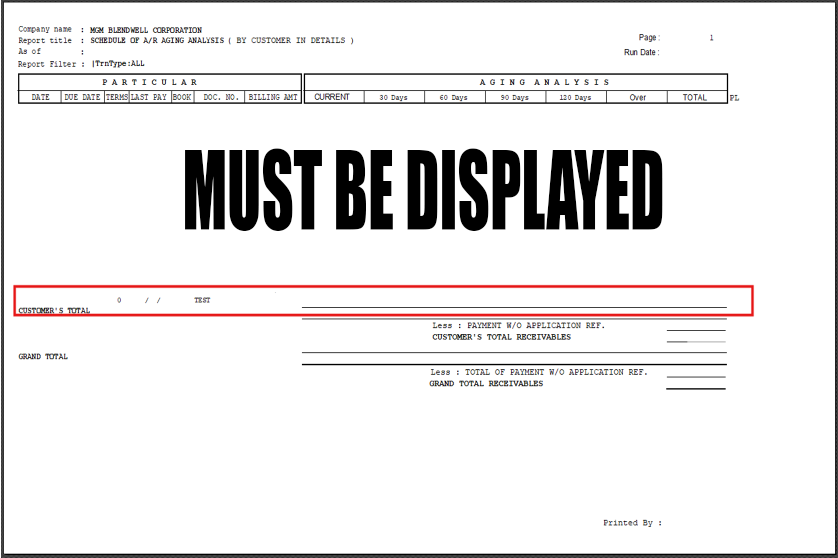
<p class="callout info">AR and PR transactions are reflected in the Aging Analysis (outcome/print preview) when the <span style="color: rgb(224, 62, 45);">“No Effect”</span> checkbox is selected <span style="color: rgb(224, 62, 45);">(checked)</span>.</p>

[![image.png](https://kb.mgmfoods.com.ph/uploads/images/gallery/2026-03/scaled-1680-/TCBimage.png)](https://kb.mgmfoods.com.ph/uploads/images/gallery/2026-03/TCBimage.png)

</details></details>

# Collection Receipt Restriction – Different Customer Code Validation | April 16, 2026

**Overview** A system validation has been implemented in **ARIS (Accounts Receivable Information System)** to prevent saving of Collection Receipts when a **different customer code** is used in transactions with a Sales Invoice reference.

**Functionality** With this update:

- The system validates the **Customer Code** during Collection Receipt entry
- If a **different customer code** is detected from the referenced Sales Invoice:
    
    
    - The system will **prevent saving**
    - A validation message will be displayed

**Validation Behavior**

- If the **Customer Code matches** the Sales Invoice reference:
    
    ✔️ Transaction is saved successfully
- If the **Customer Code is different**:
    
    ❌ System displays error message
    
    ❌ Saving is **not allowed**

**System Message**

> “This Sales App Ref No. <span class="text-token-text-primary cursor-text rounded-sm" data-placeholder-token="true" style="color: rgb(224, 62, 45);">\[Reference No.\]</span> has a different customer. Please check. <span style="color: rgb(224, 62, 45);">Saving not possible</span>.”

**Purpose**

This validation prevents incorrect posting of Collection Receipts by ensuring that **customer codes match the referenced Sales Invoice**, avoiding accounting discrepancies.

**Scope** Applies to:

- Collection Receipt transactions
- AR Transaction Data Entry
- ARIS system

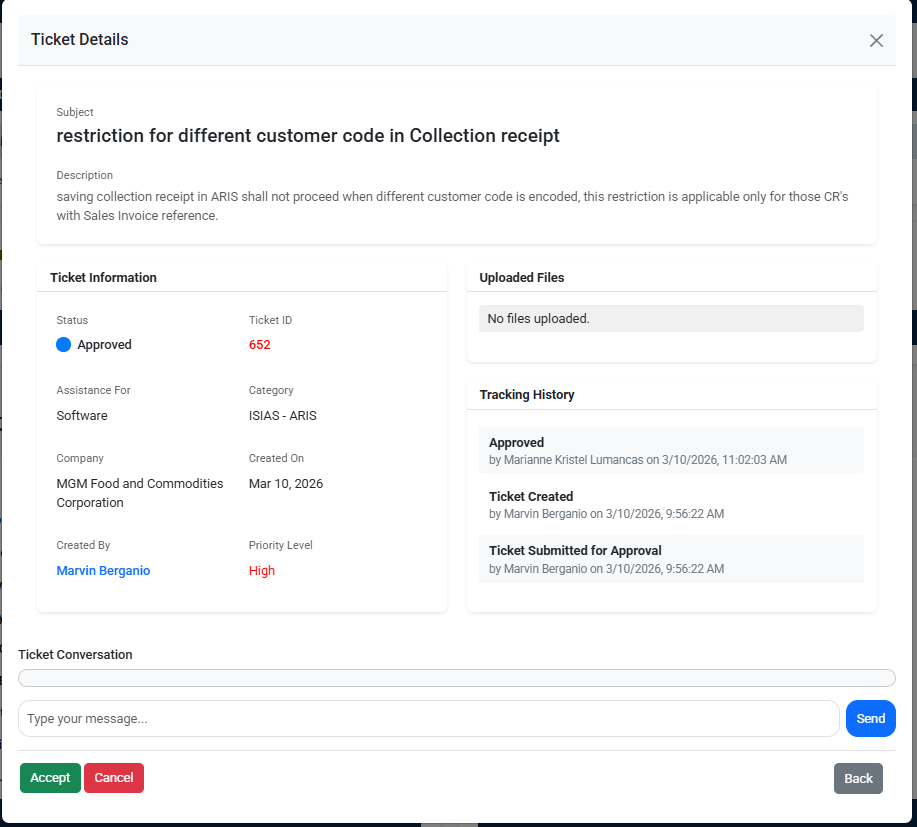
**Reference (Ticket Details):**  
This update is implemented based on the approved request

<details id="bkmrk-ticket-detais"><summary>Ticket ID: 652</summary>

[![image.png](https://kb.mgmfoods.com.ph/uploads/images/gallery/2026-04/scaled-1680-/WrBimage.png)](https://kb.mgmfoods.com.ph/uploads/images/gallery/2026-04/WrBimage.png)

</details><span data-olk-copy-source="MessageBody">**Screenshots / Visual Reference:**  
Attached below are the screenshots of the accomplished updates for **ARIS FCC** program</span>

<p class="callout info">*<span data-olk-copy-source="MessageBody">Click the arrow</span>* *<span data-olk-copy-source="MessageBody">(▶)</span><span data-olk-copy-source="MessageBody"> to expand, collapse, and view the corresponding screenshots. </span>*</p>

<details id="bkmrk-user-login-screen"><summary>User Login Screen</summary>

</details><details id="bkmrk-navigation-to-ar-tra"><summary>Navigation to AR Transaction Data Entry</summary>

</details><details id="bkmrk-data-entry-with-cust"><summary>Data Entry with Customer and Reference Input</summary>

</details><details id="bkmrk-payment-application-"><summary>Payment Application Reference Form (Accept Reference)</summary>

</details><details id="bkmrk-entered-reference-wi"><summary>Entered Reference with Different Customer Code</summary>

</details><details id="bkmrk-save-action-attempt"><summary>Save Action Attempt</summary>

</details><details id="bkmrk-validation-message-%E2%80%93"><summary>Validation Message – Different Customer Code Detected</summary>

</details><details id="bkmrk-system-process-flow"><summary>System Process Flow</summary>

</details>