Accounts Receivable (ARIS - BLENDWELL)
The Accounts Receivable Information System (ARIS) handles all incoming payments and customer transactions. It monitors billing, collections, and outstanding balances, providing real-time visibility of receivables. ARIS helps improve cash collection efficiency and supports accurate financial reporting.
ARIS BW Changelog
AR Data Entry “No Effect” Checkbox – AR Report Impact (Billing, SOA, Aging) | April 7, 2026
Overview:
As requested, a “No Effect on AR Performance” checkbox has been added to the AR Data Entry when using Provisional Reciept (PR) and Acknowledgement Reciept (AR) transactions only.
Functionality:
When the “No Effect on AR Performance” option is selected:
-
- It will not be reflected in the Sales Invoice (SI) Balance Inquiry
- The transaction will not affect the Statement of Account (SOA)
- It will not impact the Aging Analysis report
Behavior
-
Checked → No impact on AR reports
-
Unchecked → Transaction behaves normally
Scope: This functionality applies to Provisional Reciept (PR) and Acknowledgement Reciept (AR) transactions only
Purpose:
This feature allows users to record transactions for reference or documentation purposes without affecting financial reports and balances.
Usage Guidelines:
- Enable the checkbox only when the transaction should have no financial impact.
- Applicable only to Provisional Receipt (PR) and Acknowledgement Receipt (AR) transactions.
- Ensure proper validation before selecting this option to avoid incorrect reporting.
Updates Included:
- Implementation of the “No Effect on AR Performance” checkbox in the AR Data Entry module.
- Additional enhancements based on the approved request for the ARIS BW program.
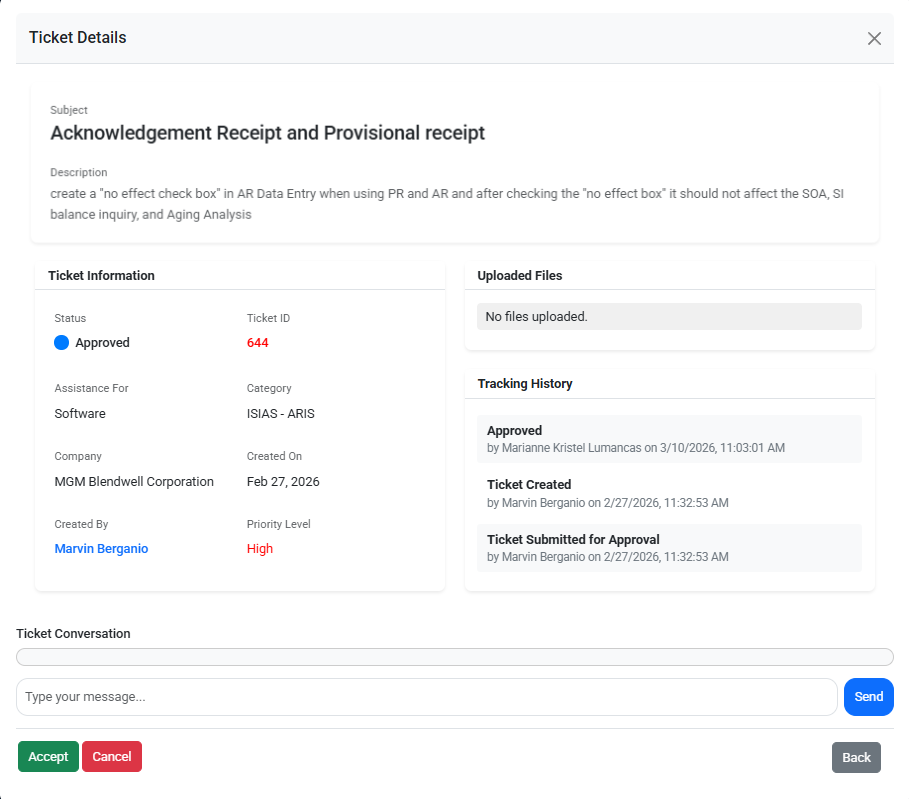
Reference (Ticket Details):
This update is implemented based on the approved request
Ticket ID: 644
Screenshots / Visual Reference:
Attached below are the screenshots of the accomplished updates for ARIS BW program
Click the arrow (▶) to expand, collapse, and view the corresponding screenshots.
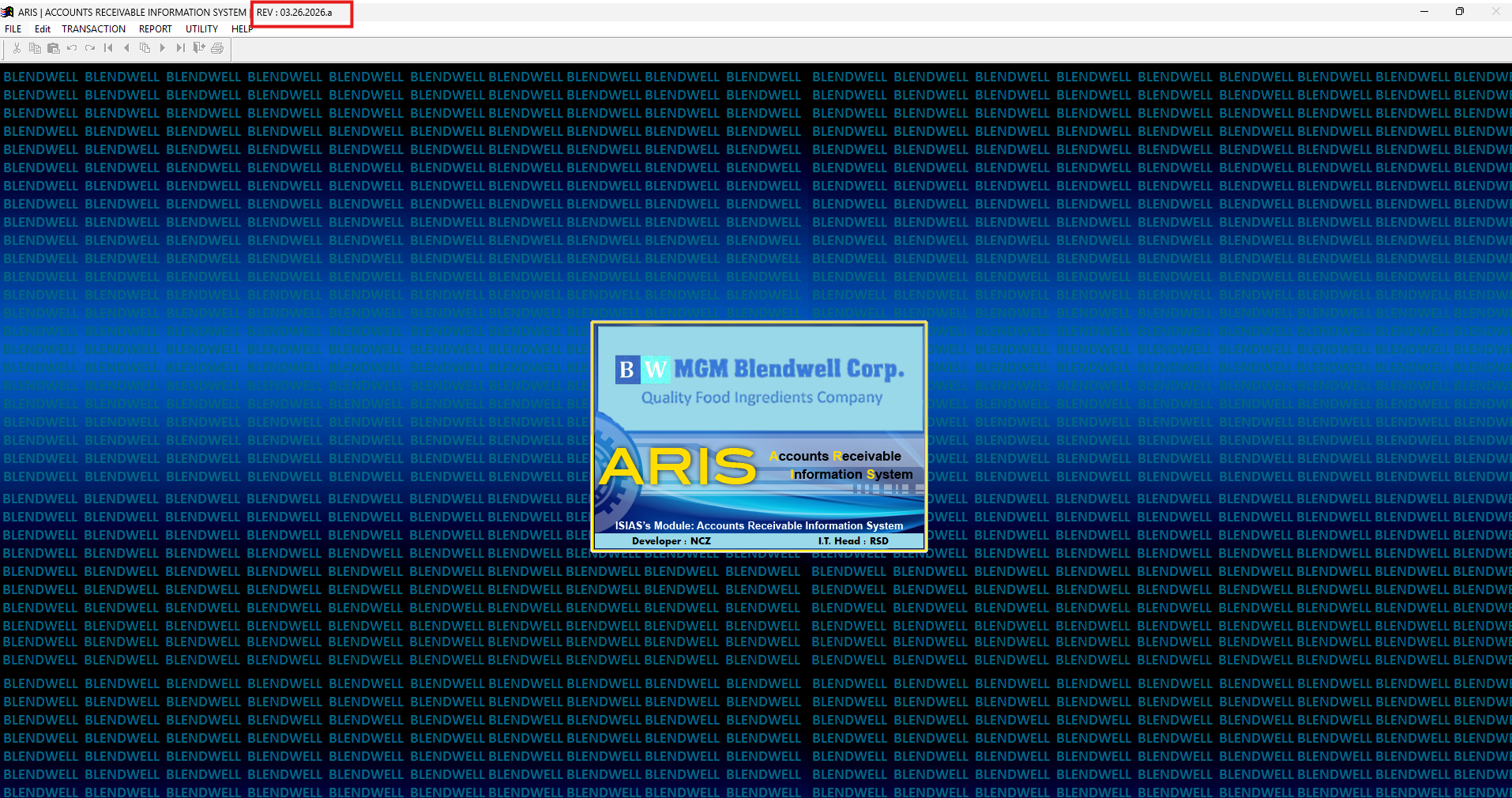
ARIS Blendwell REV
AR Data Entry – Transaction Type
Select “AR” or “PR” as the transaction type (unchecked or checked).
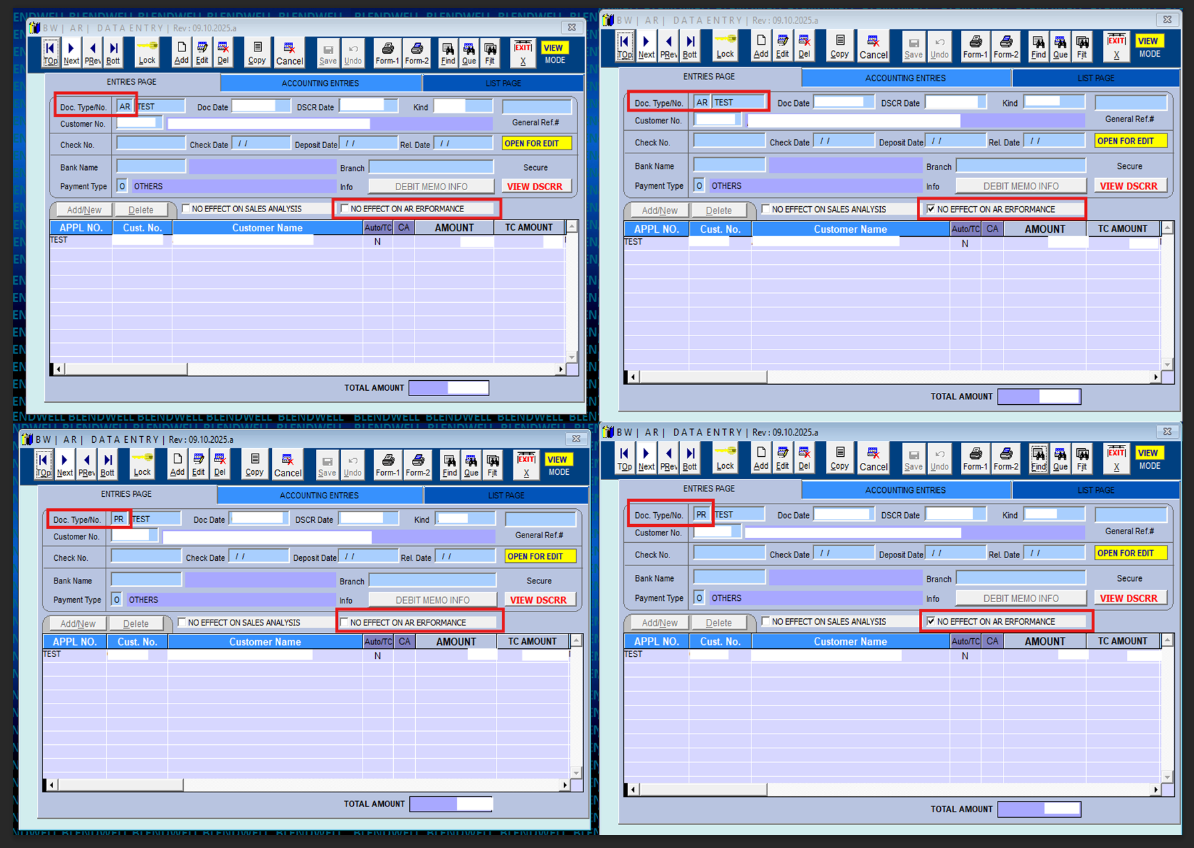
Unchecked: No Effect on AR Performance Expected Results
Billing/AR Application Inquiry
AR and PR transactions are reflected in the Billing Inquiry when the “No Effect” checkbox is not selected (unchecked).
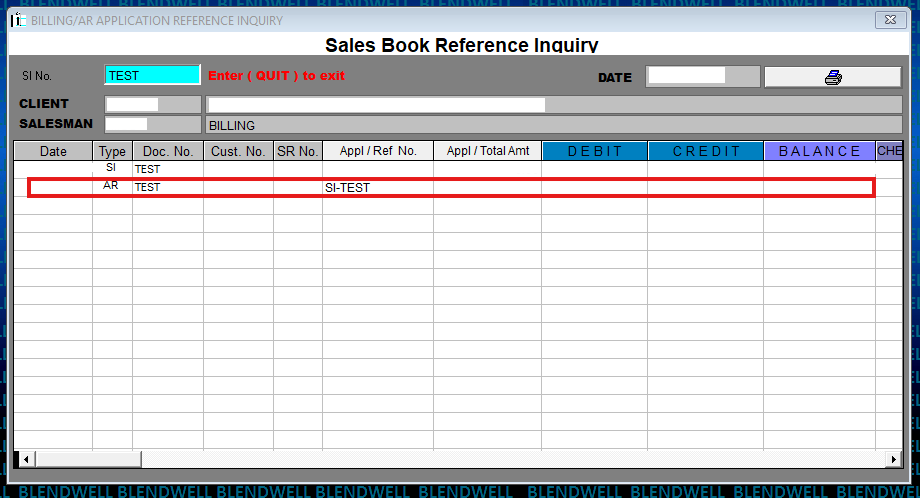
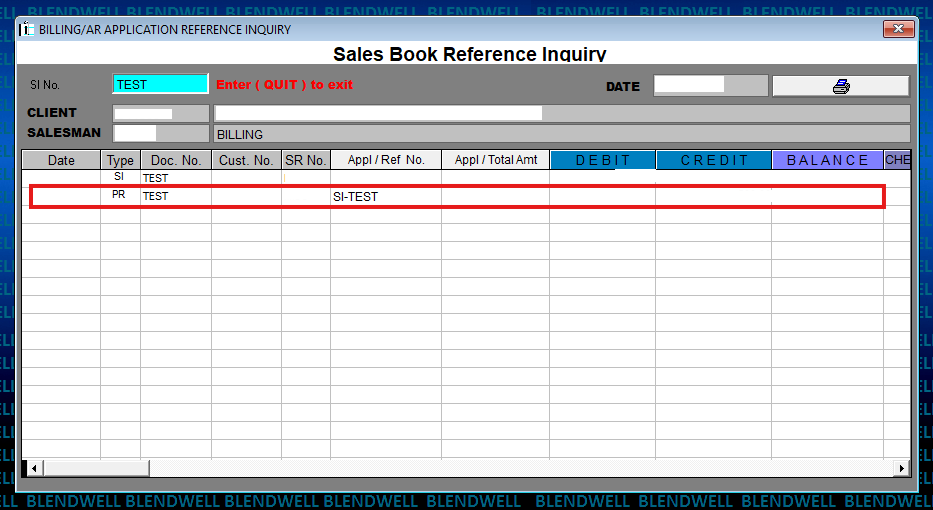
Statement of Account (SOA)
AR and PR transactions are reflected in the Statement of Accounts (SOA) when the “No Effect” checkbox is not selected (unchecked).
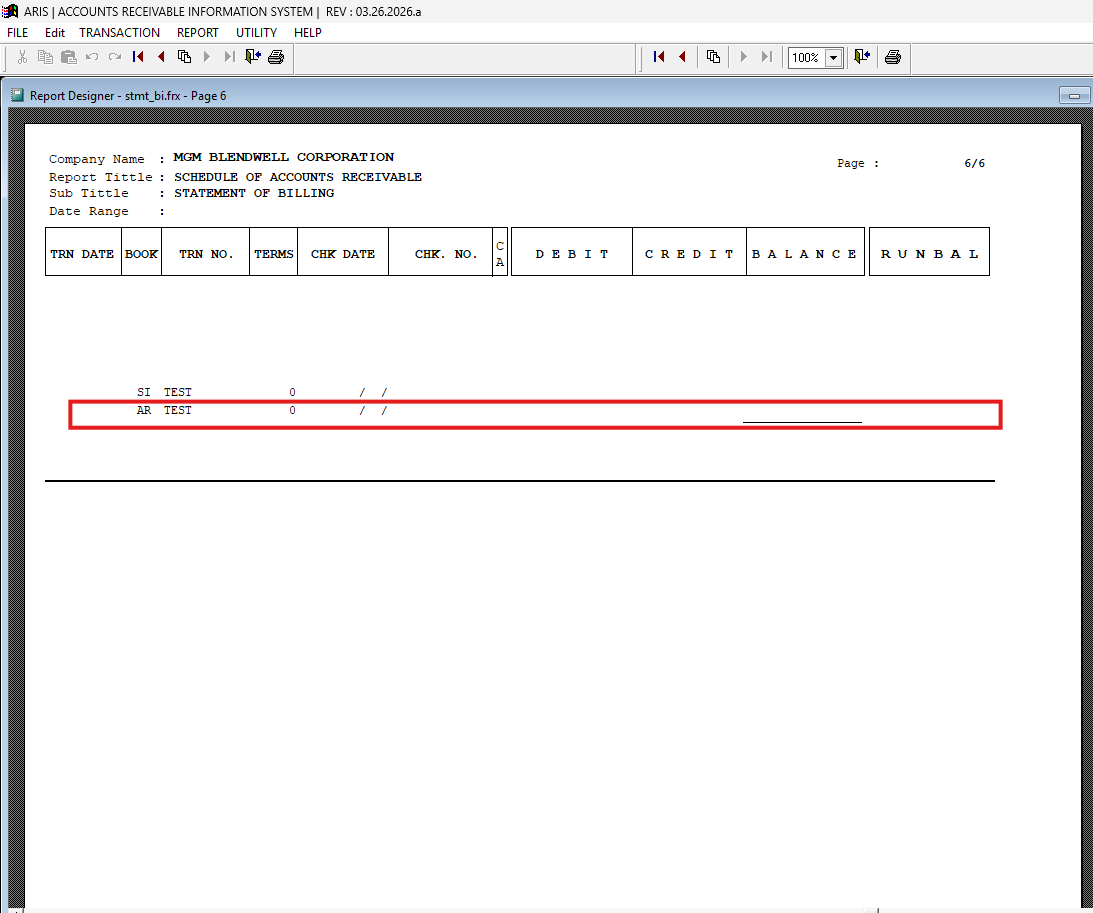
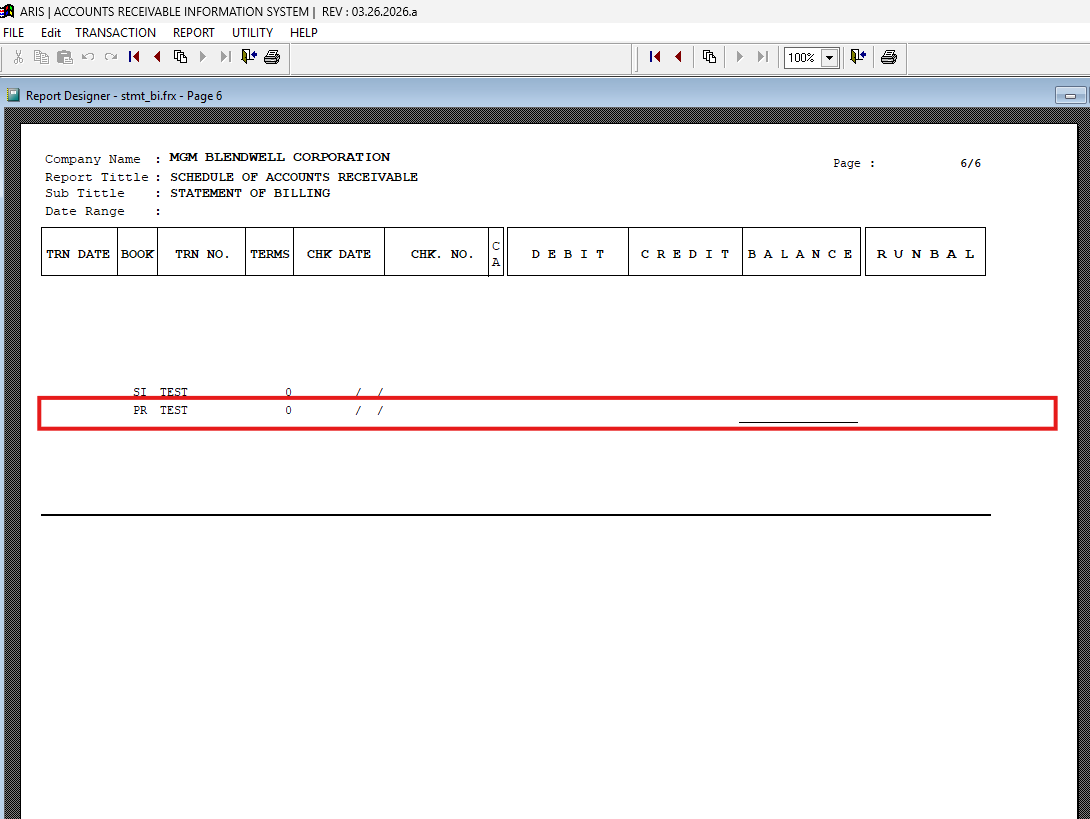
Aging Analysis
AR and PR transactions are reflected in the Aging Analysis (outcome/print preview) when the “No Effect” checkbox is not selected (unchecked).
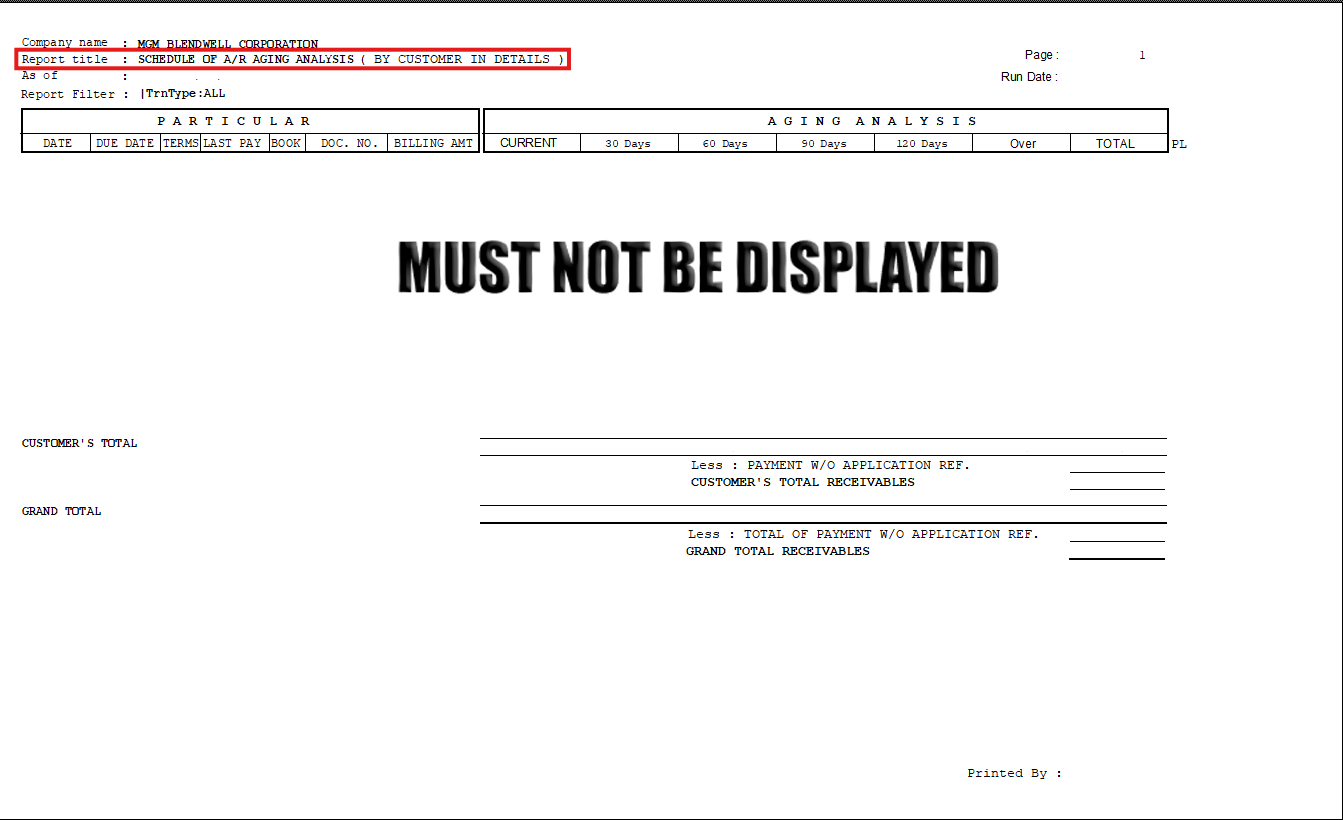
Checked: No Effect on AR Performance Expected Results
Billing/AR Application Inquiry
AR and PR transactions are reflected in the Billing Inquiry when the “No Effect” checkbox is selected (checked).
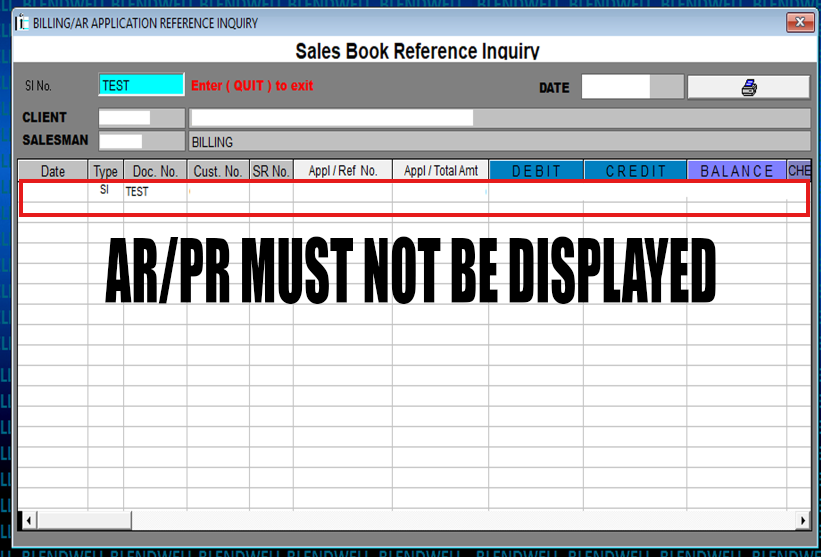
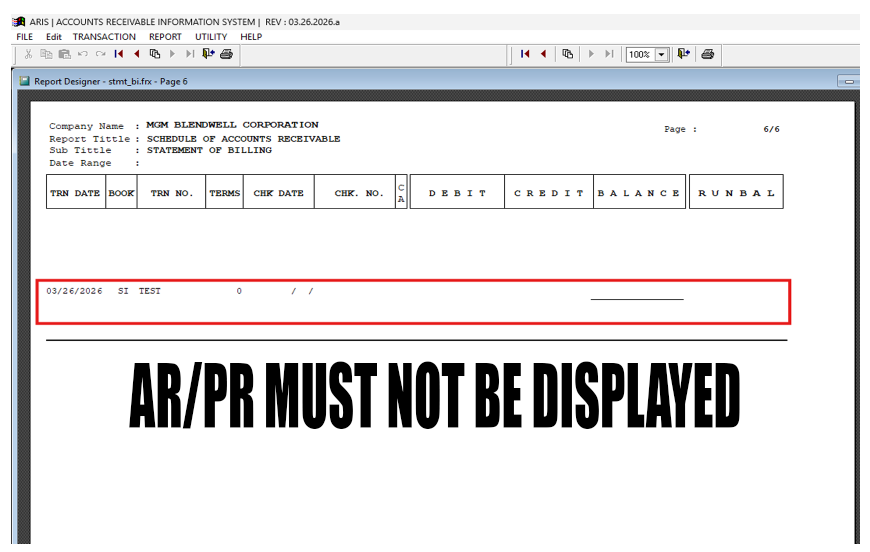
Statement of Account (SOA)
AR and PR transactions are reflected in the Billing Inquiry when the “No Effect” checkbox is selected (checked).
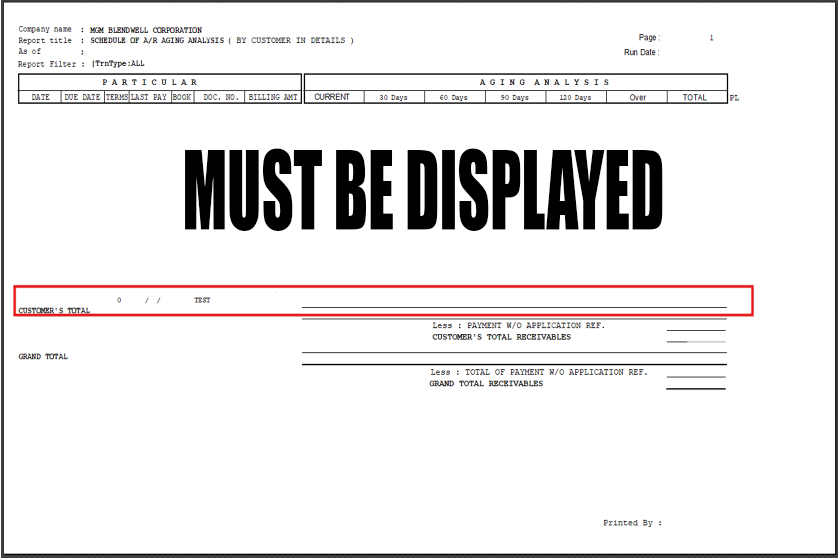
Aging Analysis
AR and PR transactions are reflected in the Aging Analysis (outcome/print preview) when the “No Effect” checkbox is selected (checked).
Collection Receipt Restriction – Different Customer Code Validation | April 16, 2026
Overview:
A system validation has been implemented in ARIS (Accounts Receivable Information System) to prevent saving of Collection Receipts when a different customer code is used in transactions with a Sales Invoice reference.
Functionality
With this update:
-
The system validates the Customer Code during Collection Receipt entry
-
If a different customer code is detected from the referenced Sales Invoice:
-
The system will prevent saving
-
A validation message will be displayed
-
Validation Behavior
-
If the Customer Code matches the Sales Invoice reference:
✔️ Transaction is saved successfully
-
If the Customer Code is different:
❌ System displays error message
❌ Saving is not allowed
System Message
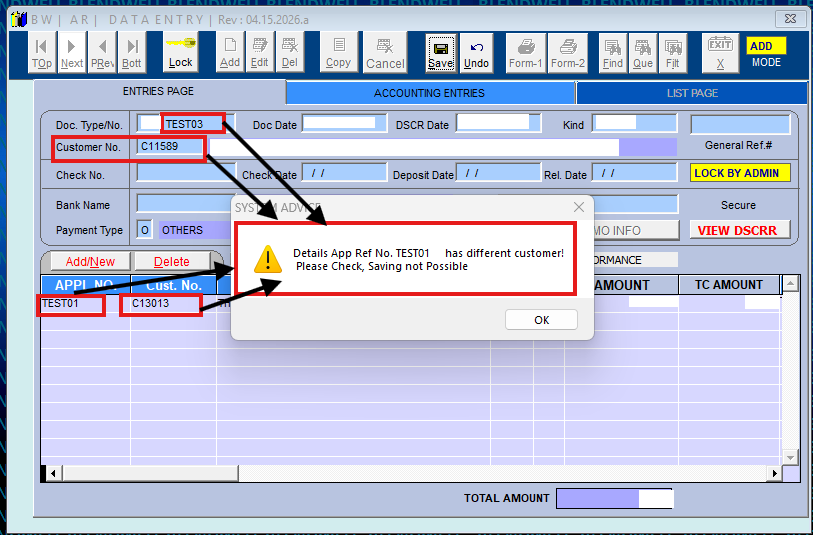
“This Sales App Ref No. [Reference No.] has a different customer. Please check. Saving not possible.”
Purpose
This validation prevents incorrect posting of Collection Receipts by ensuring that customer codes match the referenced Sales Invoice, avoiding accounting discrepancies.
Scope
Applies to:
-
Collection Receipt transactions
-
AR Transaction Data Entry
-
ARIS system
Reference (Ticket Details):
This update is implemented based on the approved request
Ticket ID: 651
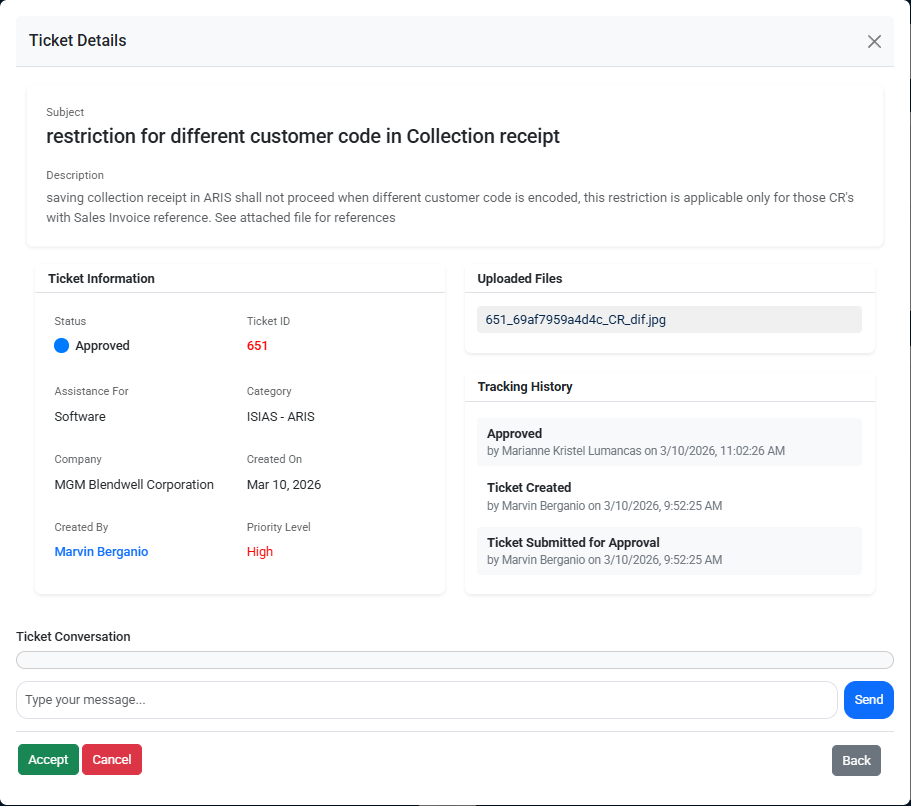
Screenshots / Visual Reference:
Attached below are the screenshots of the accomplished updates for ARIS BW program
Click the arrow (▶) to expand, collapse, and view the corresponding screenshots.
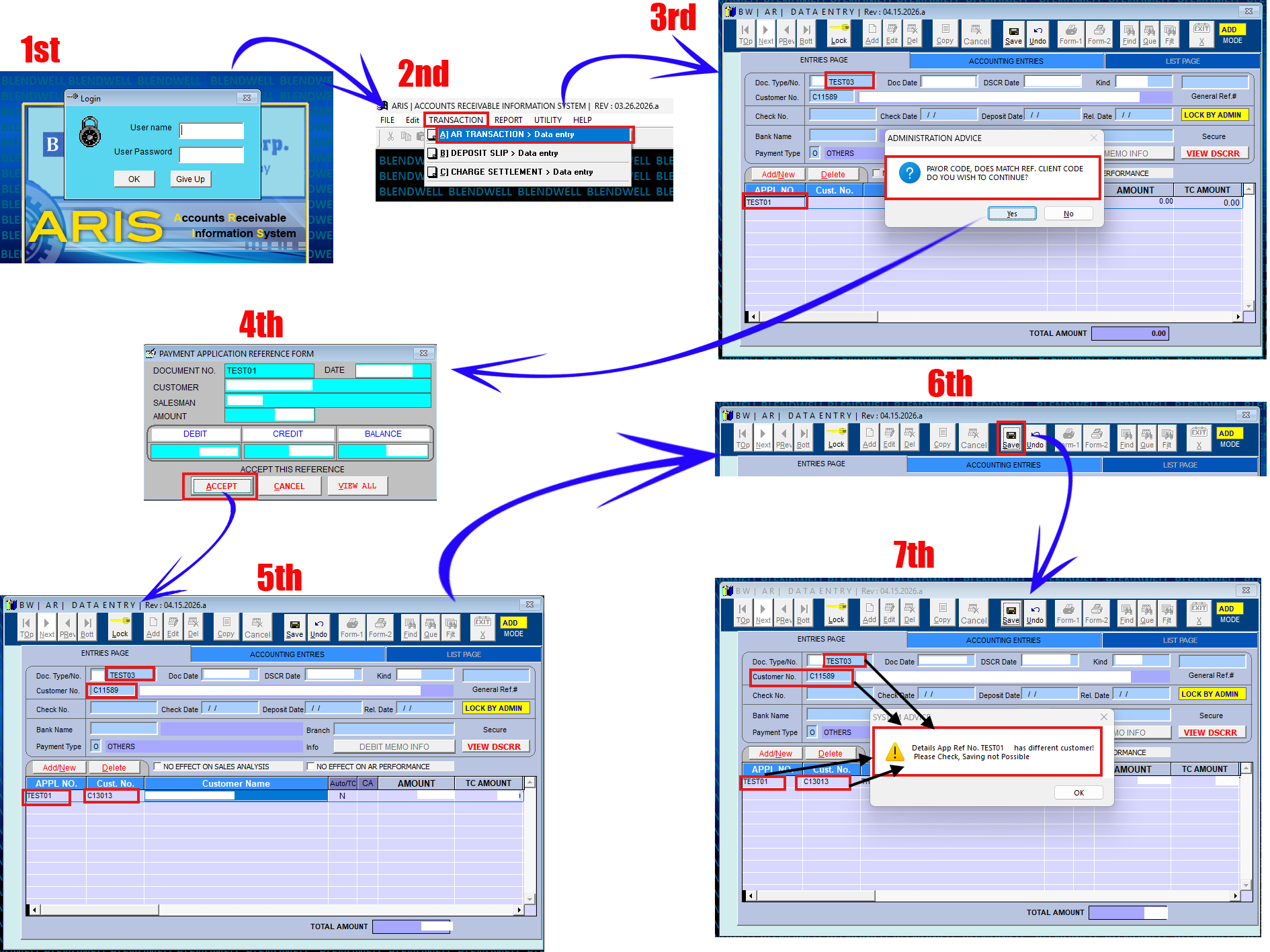
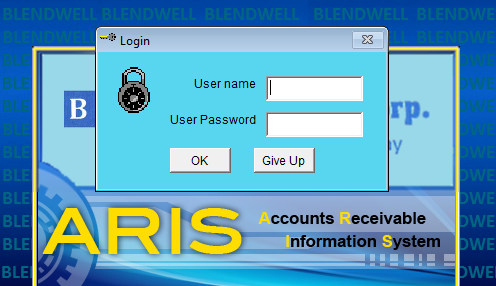
User Login Screen
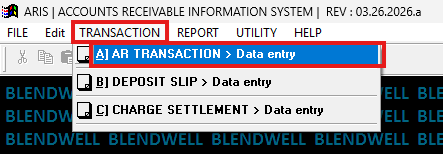
Navigation to AR Transaction Data Entry
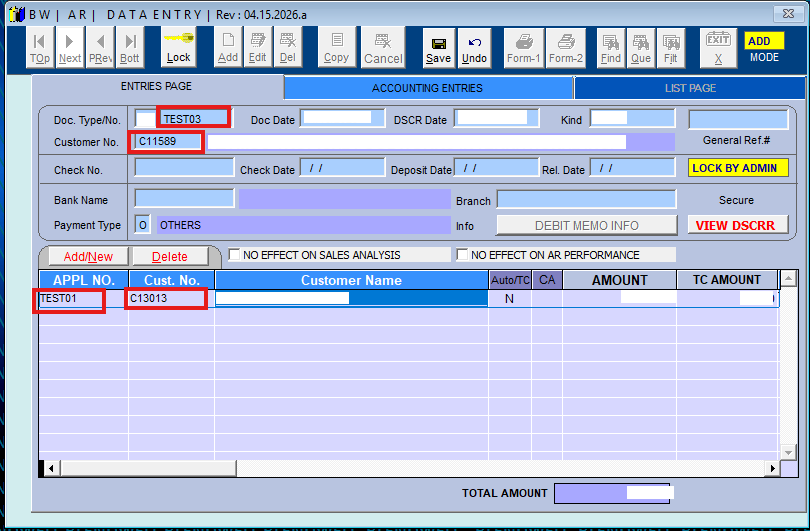
Data Entry with Customer and Reference Input
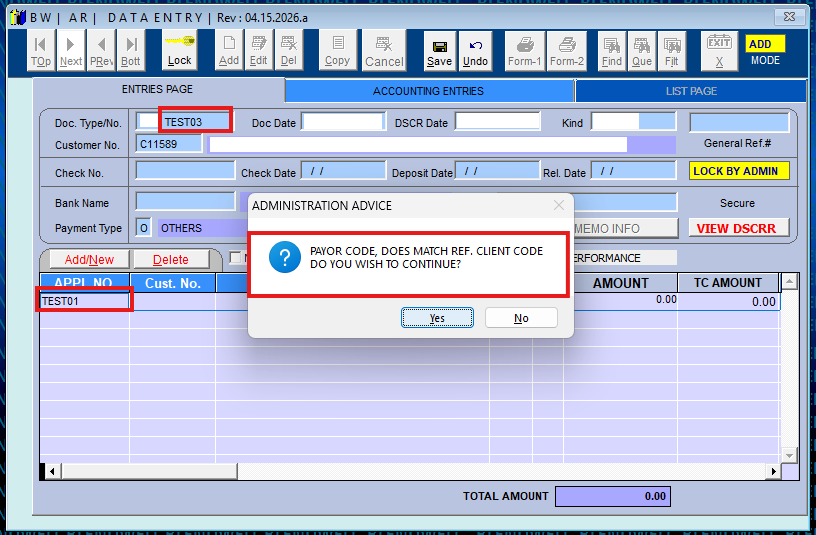
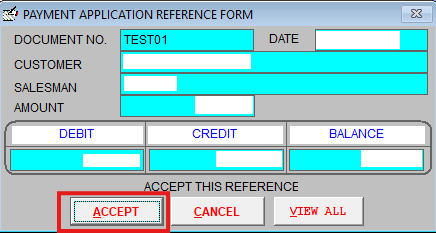
Payment Application Reference Form (Accept Reference)
Entered Reference with Different Customer Code
Save Action Attempt

Validation Message – Different Customer Code Detected
System Process Flow